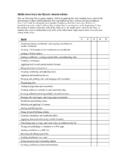
Transcription of Skills inventory for Word: Advanced Skill 1 2 3 4 5
1 Skills inventory for Word: Advanced Use the following form to gauge students Skill level entering the class (students have copies in the introductions of their student manuals). For each Skill listed, have students rate their familiarity from 1 to 5, with five being the most familiar. Emphasize that this is not a test. Rather, it s intended to provide students with an idea of where they re starting from at the beginning of class. If a student is wholly unfamiliar with all the Skills , he or she might not be ready for the class. A student who seems to understand every Skill , on the other hand, might need to move on to the next course in the series. Skill 1 2 3 4 5 Specifying the starting document and recipient list for a mail merge Customizing a form letter Merging recipient list data with a form letter Sorting and filtering records in a recipient list Preparing and printing mailing labels Inserting a new object Inserting a linked object from a file Inserting a chart based on Excel data Adding background colors and fill effects Adding a watermark Applying themes Entering data in a Word form Adding form labels Adding content controls Protecting a form Setting user permissions Discussing digital signatures Recording, running, copying.
2 And deleting macros Viewing and modifying macro scripts Customizing the Quick Access toolbar Customizing keyboard shortcuts Inserting subdocuments into a master document Creating a table of contents Creating figure captions and figure tables Creating an index Creating and modifying a bibliography Creating footnotes Creating bookmarks and cross-references Creating and modifying a frames page Attaching an XML schema to a Word document Applying XML tags to content and testing the schema validation Modifying XML options Applying a transform to an XML document