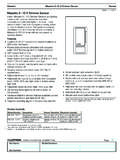
Transcription of Pico 4-Button Wireless Control INSTALL (041481)
1 TroubleshootingSymptomsPossible CausesLight does not respond to Pico Wireless Control The dimmer / switch failed to pair with Pico Wireless Control ; see Set-Up. The dimmer / switch has already received and responded to a command or is already at the light setting the Pico Wireless Control is sending. The Pico Wireless Control is outside the 30 ft (9 m) operating range. The battery in the Pico Wireless Control is low. The battery in the Pico Wireless Control is installed in set-up mode, the LEDs on the dimmer / switch flash when trying to set up with the Pico Wireless Control or sensor The maximum number of Pico Wireless controls or sensors has been paired with the dimmer / switch. More Pico Wireless controls or sensors cannot be added. See Un-pairing a Pico Wireless save scene Scene settings are locked. See Locking / Unlocking Scene settings change unexpectedly Scene settings are unlocked.
2 See Locking / Unlocking Scene NotesPlease Read Before Installing1. This INSTALL guide provides simple setup instructions for Maestro Wireless and Cas taTM Wireless systems only. If you are using your Pico Wireless Control with any other Lutron system, please refer to the system setup guide. If you no longer have your system setup guide, please download the latest version by following the links at The Pico Wireless Control uses one (1) CR2032 battery (pre-installed). DO NOT use rechargeable batteries. Using improper batteries could damage the Pico Wireless Control . DO NOT dispose of the battery in normal household waste. Please recycle, take to a proper battery disposal facility, or contact your local waste disposal provider regarding local restrictions on the disposal or recycling of : Risk of fire, explosion and burns. May result in serious injury or death. DO NOT recharge, disassemble, crush, puncture, heat above 212 F (100 C) or incinerate the battery.
3 The battery in this device contains Perchlorate Material special handling may apply. For more information. visit The Pico Wireless Control must be paired with dimmer(s) / switch(es) before it can Up to 10 Pico Wireless controls can be configured to work together in a Maestro Wireless system or with a stand-alone Cas taTM Wireless dimmer / The range of the Pico Wireless Control is 30 ft (9 m). Performance is highly dependent on a variety of complex factors, such as: Distance between system components Geometry of the building structure Construction of walls separating system components Electrical equipment located near system components6. Clean Pico Wireless Control with a soft damp cloth DO NOT paint the Pico Wireless DO NOT mount the Pico Wireless Control to a metal Control Operation (Figure 3b)Scene RecallPressing a Scene button on a Scene Control will cause all dimmers to go to the Scene settings.
4 Switches can be configured to turn ON or SavingAdjust all of the dimmers / switches controlled by a Scene Control to the desired light setting. Then press and hold a Scene button on the Control for 6 seconds until all LEDs on the dimmers / switches flash several / Unlocking Scene Levels (for Maestro Wireless , Cas taTM Wireless , and GRAFIK Eye QS systems only) To lock the Scene settings, press and hold the top two buttons for approximately 3 seconds. The Scene settings cannot be changed while locked. To unlock the Scene settings, simultaneously press and hold the top two buttons for approximately 3 seconds. The Scene settings may be changed while a Pico Wireless Control (for Maestro Wireless and Cas taTM Wireless systems only) To un-pair a previously paired Pico Wireless Control from your system, tap the Off button (Figure 2) on the Pico Wireless Control three times; on the third tap, hold for 6 seconds and then tap three more times.
5 This will remove all dimmers / switches with which it was previously , ), HomeWorks, Maestro Wireless , Pico, Quantum, RadioRA, Serena, and Sivoia are registered trademarks and Cas ta and RadioRA 2 are trademarks of Lutron Electronics Co., Inc. 2014 Lutron Electronics Co., Electronics Co., Suter RoadCoopersburg, PA 18036-1299 Pico 4-Button Wireless Control3 V- 10 mAMounting accessories sold a complete listing of Pico Wireless mounting accessories and more information about Pico Wireless controls, please visit Assistance HeadquartersFor questions concerning the installation or operation of this product, call the Lutron Technical Support Center. Please provide exact model number when : + : + , Canada, Caribbean: : + / South America: + (for Maestro Wireless and Cas taTM Wireless systems only)To communicate with other systems or devices, including RadioRA 2, HomeWorks QS, QS sensor module (QSM), Quantum , Serena Shades, and Sivoia QS, refer to the system setup : Set up a Pico Wireless Control to a dimmer / switch before Press and hold the dimmer / switch Ta p button or Off button (Figure 1) for approximately 6 seconds.
6 Once the LED(s) start to blink slowly, release the Ta p or Off Press and hold the Off button on the Pico Wireless Control (Figure 2) for approximately 6 : For 2-group Pico Wireless controls only, pair the second group by repeating steps 1 and 2 using the Off button of the second grouping (Figure 3c).3. Once the dimmer / switch pairs with the Pico Wireless Control , the LED(s) on the dimmer / switch and the load will flash 3 times and they will exit Set-Up Repeat steps 1 3 to pair multiple Pico Wireless controls with a single dimmer / switch. Repeat steps 1 3 to pair a single Pico Wireless Control with multiple dimmers / Zone Control and 2-Group Control : Pairing with multiple dimmers / switches will cause each dimmer / switch to have the same response to each button press of the Pico 4-Button Wireless Control . Scene Control : Each dimmer / switch can be set to unique levels for a personalized effect.
7 For more information, see Scene Control the Battery in a Pico Wireless Control1. Place a flathead screwdriver into the slot at the bottom of the Pico Wireless Control . Twist to open. DO NOT press buttons without back enclosure Slide the battery out, toward the top of the Pico Wireless Slide a new battery underneath the contact strap, with the ( ) terminal toward the front of the Pico Wireless Replace the back Confirm proper installation by turning the receiving device ON and OFF using the Pico Wireless LEDF lashes to indicate a button press or when unit is in programming ControlOn ButtonLights brighten ON to full ButtonLights increase in ButtonLights decrease in ButtonLights dim to ControlScene ButtonsTap once: Sends device to preset and hold for 6 seconds: Saves new ButtonLights dim to ControlGroup 1:On Button #1 Lights brighten ON to full Button #1 Lights dim to 2:On Button #2 Lights brighten ON to full Button #2 Lights dim to 041481 Rev.
8 A 11/ 2 014 FCC / IC InformationThis device complies with part 15 of the FCC Rules and Industry Canada license-exempt RSS standard(s). Operation is subject to the following two conditions:(1) This device may not cause interference, and(2) this device must accept any interference, including interference that may cause undesired operation. Modifications not expressly approved by Lutron Electronics Co., Inc. could void the user s authority to operate this : This equipment has been tested and found to comply with the limits for a Class B digital device, pursuant to part 15 of the FCC Rules. These limits are designed to provide reasonable protection against harmful interference in a residential installation. This equipment generates, uses and can radiate radio frequency energy and, if not installed and used in accordance with the instructions, may cause harmful interference to radio communications. However, there is no guarantee that interference will not occur in a particular installation.
9 If this equipment does cause harmful interference to radio or television reception, which can be determined by turning the equipment off and on, the user is encouraged to try to correct the interference by one or more of the following measures: Reorient or relocate the receiving antenna Increase the separation between the equipment and receiver Connect the equipment into an outlet on a circuit different from that to which the receiver is connected Consult the dealer or an experienced radio / TV technician for helpDefault Light LevelsButton 1: 100%Button 2: 66%Button 3: 33%Button 4: 0 Figure 1 Maestro Wireless Dimmer / SwitchCas taTM Wireless Dimmer / SwitchPico Wireless ControlFigure 2 Figure 3aFigure 3bFigure 3c D pannageSympt mesCauses possiblesL clairage ne r pond pas la commande sans fil Pico Le gradateur / interrupteur n est pas parvenu s associer la commande sans fil Pico ; voir Configuration.
10 Le gradateur / interrupteur a d j re u et r pondu une commande ou se trouve d j au niveau de r glage d clairage envoy par la commande sans fil Pico . La commande sans fil Pico se trouve en-dehors du rayon de fonctionnement de 9 m (30 pieds). La pile de la commande sans fil Pico est faible. La pile de la commande sans fil Pico est INSTALL e de fa on mode de configuration, les DEL du gradateur / interrupteur clignotent lorsqu elles tentent de se configurer avec le d tecteur ou la commande sans fil Pico Le nombre maximal de d tecteurs ou de commandes sans fil Pico a t associ au gradateur / interrupteur. Davantage de d tecteurs ou de commandes sans fil Pico ne peuvent pas tre ajout s. Voir D sassocier une commande sans fil Pico .Impossible de sauvegarder la sc ne Les r glages de sc ne sont verrouill s. Voir Verrouiller / D verrouiller les niveaux de sc inattendue des r glages de sc ne Les r glages de sc ne sont d verrouill s.