Search results with tag "Dell docking station"
Dell Docking Station WD19 Thunderbolt User Guide
cdn.cnetcontent.comthe docking station. Older BIOS versions and drivers could result your computer not recognizing the docking station or not functioning optimally. Please see the important information chapter for detailed instructions on how to update your BIOS and graphics card drivers before using the Dell Thunderbolt Docking Station WD19TB . 1 4 Introduction

Dell Docking Station WD19 User Guide
dl.dell.comThe Dell Docking Station WD19 is a device that links all your electronic devices to your computer using a USB Type-C cable interface. Connecting the computer to the docking station allows you to access all peripherals (mouse, keyboard, stereo speakers, external hard

Dell Docking Station WD19 Dual Cable User Guide
dl.dell.comThe Dell Performance Docking Station WD19DC is a device that links all your electronic devices to your computer using a dual USB Type-C cable interface. Connecting the computer to the docking station allows you to access all peripherals (mouse, keyboard, stereo speakers,

Dell Docking Station WD15 User Guide
downloads.dell.comYour docking station ships with the components shown below. Ensure that you have received all the components and contact Dell (see your invoice for contact information) if something is missing. Docking Station with USB Type-C cable Power Cord Power Adapter Quick Setup Guide (QSG) 2 Package Contents 5
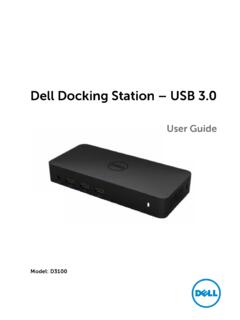
Dell Docking Station – USB 3
downloads.dell.coma. Dell Docking Station – USB 3.0 (D3100) b. USB 3.0 I/O cable (2 ft) c. Power adapter & power cord d. HDMI to DVI adapter Specifications Upstream Input • 1 x USB 3.0 (Standard B Type) Downstream Outputs • 3 x USB 3.0 • 2 x USB 2.0 • 1 x DisplayPort • 2 x HDMI • Gigabit Ethernet • Combo Audio (Headphone/Mic) • Audio line out