Example: biology

16 essential keyboard shortcuts for Microsoft Teams

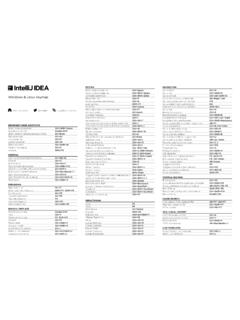
16 essential keyboard shortcuts for Microsoft Teams Windows macOS. Mute/unmute Ctrl Shift M Command Shift M. Turn camera on/off Ctrl Shift O Command Shift M. Meetings and calls Blur background Ctrl Shift P Command Shift P. Start a new chat Ctrl N Command N. Attach a file Ctrl O Command O. Messaging Discover emoji : word : word Edit your last message sent Up arrow Up arrow Open Activity Ctrl 1 Command 1. Open Chat Ctrl 2 Command 2. Open Teams Ctrl 3 Command 3. Navigation Open Calendar Ctrl 4 Command 4. Open Calls Ctrl 5 Command 5. Open Files Ctrl 6 Command 6. Go to Search Ctrl E Command E. Show commands Ctrl / Command /. General Show all keyboard shortcuts Ctrl . Command . For more tips, videos, help, and training visit


Windows macOS Meetings and calls Mute/unmute Turn camera on/off Blur background General Go to Search Show commands Show all keyboard shortcuts Navigation Open Activity Open Chat Open Teams Open Calendar Open Calls Open Files Messaging Start a new chat Attach a file Discover emoji Edit your last message sent Ctrl Shift M Ctrl Shift O Ctrl Shift P

Tags:

  Moca

Information

Domain:

Source:

Link to this page:

Please notify us if you found a problem with this document:

Other abuse

Advertisement

Transcription of 16 essential keyboard shortcuts for Microsoft Teams

1 16 essential keyboard shortcuts for Microsoft Teams Windows macOS. Mute/unmute Ctrl Shift M Command Shift M. Turn camera on/off Ctrl Shift O Command Shift M. Meetings and calls Blur background Ctrl Shift P Command Shift P. Start a new chat Ctrl N Command N. Attach a file Ctrl O Command O. Messaging Discover emoji : word : word Edit your last message sent Up arrow Up arrow Open Activity Ctrl 1 Command 1. Open Chat Ctrl 2 Command 2. Open Teams Ctrl 3 Command 3. Navigation Open Calendar Ctrl 4 Command 4. Open Calls Ctrl 5 Command 5. Open Files Ctrl 6 Command 6. Go to Search Ctrl E Command E. Show commands Ctrl / Command /. General Show all keyboard shortcuts Ctrl . Command . For more tips, videos, help, and training visit



Related search queries