Example: bachelor of science
69-1923EFS-01 - FocusPRO TH5000 Series
Congratulations on the purchase of your new Honeywell thermostat. It has been designed to give you many years of reliable service and easy-to-use, push-button climate control. Features • One-touch temperature control. • Large, clear, backlit display is easy to read—even in the dark. • Displays both room temperature and temperature setting.
Tags:
Information
Domain:
Source:
Link to this page:
Documents from same domain
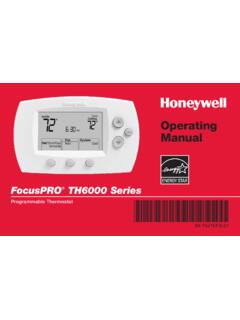
FocusPRO TH6000 Series - Honeywell Thermostat Manual Pdf
www.honeywellmanual.comFocusPRO® TH6000 Series Programmable Thermostat 69-1921EFS-01. ENGLISH Read and save these instructions. ® U.S. Registered Trademark. Patents pending. ... • Displays both room temperature and temperature setting. ... Adaptive Intelligent Recovery TM ...

Quick Install Guide - Honeywell Thermostat Manual Pdf
www.honeywellmanual.comThermostat Quick Install Guide. 2 3 Get the most from Lyric T5 Wi-Fi Thermostat ... Disconnect power before beginning installation. REQUIRED: 24 VAC POWER (“C” WIRE) 6 7 Removing your old thermostat 2 Check that your system is off Change the temperature on your old thermostat. If you don’t hear the system

69-2718EF 05 - RTH6500WF Wi-Fi Programmable Thermostat
www.honeywellmanual.com69-2718EF—03 4 Features of your Wi-Fi thermostat With your new thermostat, you can: • Connect to the Internet to monitor and control your heating/cooling system • View and change your heating/cooling system settings • View and set temperature and schedules • Receive alerts via email and get automatic upgrades Your new thermostat provides: • Smart Response …

Programmable RTH2300/RTH221 Thermostat Series Owner s …
www.honeywellmanual.com• Central air conditioner • Hot water system with or without pump • Millivolt system • Central heating and cooling system • Heat pump without auxiliary/backup heat Do you need assistance? We are here to help. Call 1-800-468-1502 for wiring assistance before returning the thermostat to the store. This thermostat cannot be used on heat ...

Voyager 1250g Single-Line Laser Scanner User's Guide
www.honeywellmanual.comThis product is intended to be supplied by a Listed Direct Plug-In Power unit marked "Class 2" or "LPS" and rated 5 Vdc - 5.2 Vdc, 1A. Canada Industry Canada ICES-003
ADEMCO VISTA SERIES - Honeywell
www.honeywellmanual.comautomatic if zone no. 9-16 entered as AW type or relay assigned automatic if zone no. 17-24 entered as AW type or relay assigned automatic if zone no. 25-32 entered as AW type or relay assigned automatic if zone no. 33-40 entered as AW type or relay assigned automatic if zone no. 41-48 entered as AW type or relay assigned Relay Modules (4204):
ADEMCO VISTA SERIES - Honeywell
www.honeywellmanual.comADEMCO VISTA SERIES VISTA-20P / VISTA-20PSIA VISTA-15P / VISTA-15PSIA Security Systems User Guide K5309-1V6 12/08 Rev. C National Security Systems (800) 457-1999

ManualsLib - Makes it easy to find manuals online!
www.honeywellmanual.com(i) return it, with a bill of sale or other dated proof of purchase, to the place from which you purchased it; or (ii) call Honeywell Customer Care at 1 800 468 1502. Customer Care will make the determination whether the product should be returned to the following address: Honeywell Return Goods, Dock 4 MN10 3860, 1985 Douglas Dr. N., Golden
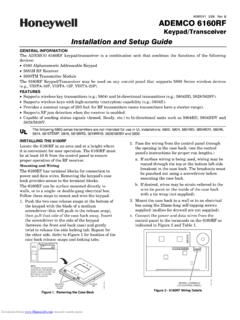
K0903V1 2/06 Rev. B ADEMCO 6160RF - Honeywell
www.honeywellmanual.comThe ADEMCO 6160RF keypad/transceiver is a combination unit that combines the functions of the following devices: 6160 Alphanumeric Addressable Keypad 5881H RF Receiver 5800TM Transmitter Module The 6160RF Keypad/Transceiver may be used on any control panel that supports 5800 Series wireless devices (e.g., VISTA-10P, VISTA-15P, VISTA-20P). FEATURES
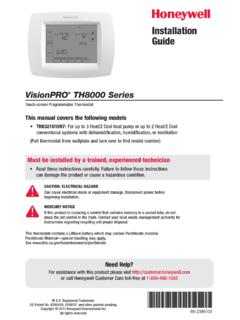
69-2389-01 - VisionPRO® TH8000 Series - Honeywell
www.honeywellmanual.com2 Droop control with aux heat lockout 0346 Dual fuel heat pump upstage to furnace timer ** 1 1 hour 0 Off [Other options: 0.5, 1.5, 2-6, 8, 10, 12, 14, 16 hours] 0347 Droop temperature 2 2°F (1°C) [Other options: 2-5 (2°F to 5°F/1°C to 2.5°C)] 0350 Heat pump compressor lockout 0 No heat pump compressor lockout
Related documents

Manual for Professional Installers - tado
www.tado.comIf there is a wired room thermostat installed in the zone that is intended to be controlled by the Wireless Receiver, please decommission it by bridging the control wires and insulating the other wires with the included 2-terminal connector blocks as shown in the images.

Learning Thermostat Installation Guide - Google Nest
nest.com• The Nest Thermostat should be in a room that’s used often so that it can read the right temperature, can sense when the home is empty and know when to automatically turn down the heating. • It should have a clear view of the room. • Wall-mounted thermostats should be installed on an interior wall.

Comfort Control Center 2 Thermostat Operating Instructions
www.forestriverinc.comence between the temperature set-point and the room temperature. In auto fan the compressor and the fan will cycle ON and OFF with the thermostat. See “Special Features” on page 8 for information on auto fan. The compressor shuts off first fol-lowed by the fan in approximately 15 seconds. “HP” - Heat Pump Mode

TX9000TS ENGLISH (Page 2 - 3) - LUX Products
www.luxproducts.comthermostat in place of the old one unless the conditions listed below suggest otherwise. On new installations, follow the guidelines listed below. • Locate the thermostat on an inside wall, about 5 ft. (1.5m) above the floor, in a room that is used often. 2 TX9000TS
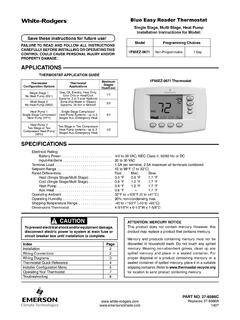
Blue Easy Reader Thermostat - Emerson Electric
climate.emerson.comRemove Old Thermostat Before removing wires from old thermostat, mark wires for terminal identification so the proper connections will be made to the new thermostat. Installing New Thermostat 1. Pull the thermostat body off the thermostat base. Forcing or prying on the thermostat will cause damage to the unit. 2.

iComfort S30 Homeowner Manual - Lennox
resources.lennox.comone iComfort S30 smart thermostat is installed in the home. The iHarmony system can supports zones 2 through 4. Zone 1 is the actual thermostat itself. By default, the zones are labeled Zone 1, Zone 2, Zone 3 and Zone 4. There are also four dots underneath the name that indicates which zone is active on the HOME screen.

69-2740-01 - Prestige® Touch Screen Thermostat
customer.honeywell.com69-2740—01 4 1 Touch the current time. The screen displays Set Time/Set Date. 2 Touch Set Time or Set Date. 3 Touch s or t until the proper time/ date is displayed. 4 Touch Done to save or Cancel to ignore changes. NOTE: The thermostat will automatically switch to and from