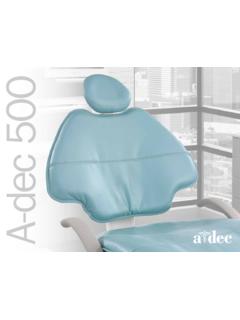
Transcription of A-dec 500 Delivery Systems - ProSites, Inc.
1 Instructions for Use A-dec 500 Delivery Systems Models 532, 533, and 542. Copyright 2014 A-dec Inc. All rights reserved. A-dec Inc. makes no warranty of any kind with regard to this material, including, but not limited to, the implied warranties of merchantability and fitness for a particular purpose. A-dec Inc. shall not be held liable for any errors contained herein or any consequential or other damages concerning the furnishing, performance or use of this material. The informa- tion in this document is subject to change without notice. If you find any problems in the documentation, please report them to us in writing. A-dec Inc. does not warrant that this document is error-free. No part of this document may be copied, reproduced, altered, or transmitted in any form or by any means, electronic or mechanical, including photocopying, recording, or by any information storage and retrieval system , without prior written permission from A-dec Inc.
2 Trademarks and Additional Intellectual Property Rights A-dec , the A-dec logo, A-dec 500, A-dec 300, Cascade, Cascade Master Series, Century Plus, Continental, Decade, ICX, ICV, Performer, Preference, Preference Collection, Preference ICC, and Radius are trademarks of A-dec Inc. and are registered in the United States and other countries. A-dec 400, A-dec 200, Preference Slimline, and reliablecreativesolutions are also trademarks of A-dec Inc. None of the trademarks or trade names in this document may be reproduced, copied, or manipulated in any manner without the express, written approval of the trademark owner. Certain touchpad symbols are proprietary to A-dec Inc. Any use of these symbols, in whole or in part, without the express written consent of A-dec Inc. is strictly prohibited. Regulatory Information Regulatory information mandated by agency requirements is provided in the Regulatory Information, Specifications, and Warranty document (p/n ), which is available in the Document Library at Product Service Product service is available through your local authorized A-dec dealer.
3 For service information, or to locate an authorized dealer, contact A-dec at in the USA and Canada or worldwide, or visit IFUbk10. CONTENTS. 1 1. About Your A-dec 500 Delivery system ..1. 2 Basic Operation .. 5. Master Toggle ..5. Alternate Master Toggle Handpiece Activation ..6. Foot Chip Blower / Accessory Button ..6. Chair Lockout ..7. Flexarm Brake ..7. Touchpads ..7. Accessory Self-Contained Water system ..8. Doctor's 3 Touchpad 9. Status Chair Positioning ..10. Program Chair Preset Positions ..11. Customize the X-Ray/Rinse Button ..11. Cuspidor Functions ..12. Customize Cupfill and Bowl Dental Dental Light Auto On/Off Feature ..13. A/B Button ..13. Handpiece Settings (Deluxe Touchpad Only)..14. Standard Mode Programming ..14. Forward/Reverse Button ..15. Endodontics Mode Programming.
4 16. Other Handpiece Setting Choices ..18. Auxiliary Control Buttons ..18. Touchpad Help Messages ..18. 4 Adjustments ..19. Handpiece Water Coolant Flow ..19. Air Coolant Flow ..20. Drive Air Handpiece Tray Holder ..22. Tray Holder Control Head Flexarm Rotation ..23. Front-Mount Tension ..24. Flexarm Counterbalance - A-dec 532/533 ..24. Flexarm Counterbalance - A-dec Rev H i A-dec 500 Delivery Systems Instructions For Use 5 Maintenance and Handpiece Tubing Cleaning and Care ..27. Heat Sterilization / Syringe ..27. Replace Bulb for Fiber-Optic Tubing ..28. Oil Utilities ..29. Air and Water Manual Shutoff Air-Actuated Air and Water Shutoff Valves ..30. system Air and Water Pressure Air and Water Filter Replacement ..30. Check for a Clogged Air or Water Filter ..31. Inspect and Replace the Filter.
5 31. Water Screen Replacement ..32. Care & Asepsis Barrier Protection ..33. Waterline Treatment ..33. Appendix: Specifications and Warranty ..35. Minimum Air, Water, and Vacuum Service Requirements ..35. Other Specifications ..35. Warranty ..35. ii Rev H. INTRODUCTION. 1. Thank you for choosing A-dec equipment. This guide contains basic operating instructions, touchpad programming, adjustments, and maintenance for the following A-dec 500 Systems : A-dec 532 Traditional (chair-mounted). A-dec 533 Continental (chair-mounted). A-dec 542 Side Delivery (wall- or cabinet-mounted). About Your A-dec 500 Delivery system Your A-dec 500 system may include any combination of the following choices: a Continental or Traditional Delivery system with or without tray holders, chair-mounted assistant's instrumentation, cuspidor, and monitor mount.
6 A number of integrated accessories are also available for A-dec 500 Systems , including highspeed and lowspeed handpieces, electric motors, intraoral cameras, ultrasonic instruments, curing lights, and other options. Figure 1. A-dec 500 system (shown on A-dec 511 Chair). For an overview of component features and options covered in this guide, see Figure 2. through Figure 4. Rev H 1. A-dec 500 Delivery Systems Instructions For Use Figure 2. A-dec 533 Continental Delivery system A. B. G. H C. D. E. F. Item Description A Handpiece Tubing (whip assembly shown). B Ancillary Devices (shown with curing light, ultrasonic instrument, and intraoral camera). C Deluxe Touchpad D Handle with Flexarm Brake E Handpiece Position (electric motor shown). F Autoclavable Syringe G Flexarm H Control Head 2 Rev H.
7 Introduction Figure 3. A-dec 532 Traditional Delivery system D. B. C A. Item* Description A Standard Touchpad B Handpiece Tubing (shown with highspeed handpiece). C Adjustable Holder D Ancillary Device (shown with intraoral camera and ultrasonic instrument). * Refer to Figure 2 for similar features and options Rev H 3. A-dec 500 Delivery Systems Instructions For Use Figure 4. A-dec 542 Side Delivery system A. B. C. D. Item* Description A Tray Holder B Utility Cabinet C Rigid Arm D Flexarm * Refer to Figure 2 and 3 for similar features and options 4 Rev H. B A S I C O P E RA T I O N. 2. This section includes basic operating instructions for your A-dec 500 Delivery system . For touchpad operation, refer to Touchpad Controls on page 9. Power The Delivery system has two power on/off locations: (1) the power on/off button on the chair, and (2) the master toggle on the right side of the control head.
8 Master Toggle The master toggle controls the power to the Delivery system as well as other modules mounted to the chair. Flip the toggle to turn the system on or off. NOTE To prolong the life of your equipment, turn off the master toggle when the Delivery system is not in use. Figure 5. Master Toggle Location Master Toggle Alternate Master Toggle Locations Depending upon your configuration, the master toggle may be located on the cuspidor, support center, or remote floor box. Rev H 5. A-dec 500 Delivery Systems Instructions For Use Handpiece Activation CAUTION To prevent damage to your Delivery system , do not use saline solution, mouth rinses, or any chemical solutions not specified in this guide. Use a water supply system separate from your Delivery system if you need to use these types of solutions.
9 As a general rule, you can use drinking water as source water in your Delivery system . For complete instructions on water usage in your A-dec Systems , refer to the A-dec Self-Contained Water system Instructions For Use (p/n ) included with your equipment. The handpieces automatically activate when you lift a handpiece from its holder or pull the Continental whip forward. Press the foot control to operate the activated handpiece. Foot Control The foot control regulates drive air to the active handpiece. It provides an air signal that activates air coolant and water coolant flow. The foot control is equipped with a wet/dry toggle and a chip blower/accessory button (see Figure 6). To turn the water coolant on or off, use your foot to flip the wet/dry toggle. NOTE The foot control has additional functionality when used with a deluxe touchpad or an intraoral camera.
10 The wet/dry toggle operates as a three-way switch with the air and water coolant buttons on the touchpad. Figure 6. Foot Control Chip Blower/. Accessory Button Wet/Dry Toggle Chip Blower / Accessory Button The chip blower/accessory button operates as either a chip blower or an accessory button (see Figure 6). The chip blower function sends a jet of air through the handpiece without activating the handpiece bur. The accessory button function operates integrated accessory devices. For more details, see your authorized A-dec dealer. 6 Rev H. Basic Operation Chair Lockout The lockout feature inhibits the operation of the dental chair when you remove a handpiece from its holder and step on the Delivery system foot control. To resume normal chair operation, lift your foot off of the foot control disk.