Transcription of A summary of useful Linux commands - Cheat Sheets
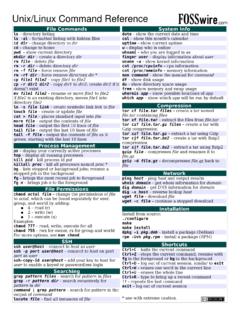
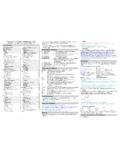
1 THE ONE PAGE Linux MANUALA summary of useful Linux commandsVersion & Stoppingshutdown -h nowShutdown the system now and do notreboothaltStop all processes - same as aboveshutdown -r 5 Shutdown the system in 5 minutes andrebootshutdown -r nowShutdown the system now and rebootrebootStop all processes and then reboot - sameas abovestartxStart the X systemAccessing & mounting file systemsmount -t iso9660 /dev/cdrom/mnt/cdromMount the device cdromand call it cdrom under the/mnt directorymount -t msdos /dev/hdd/mnt/ddriveMount hard disk d as amsdos file system and callit ddrive under the /mntdirectorymount -t vfat /dev/hda1/mnt/cdriveMount hard disk a as aVFAT file system and call itcdrive under the /mntdirectoryumount /mnt/cdromUnmount the cdromFinding files and text within filesfind / -name fnameStarting with the root directory, lookfor the file called fnamefind / -name *fname* Starting with the root directory, lookfor the file containing the string fnamelocate missingfilenameFind a file called missingfilenameusing the locate command - thisassumes you have already used thecommand updatedb (see next)
2 UpdatedbCreate or update the database of fileson all file systems attached to the linuxroot directorywhich missingfilenameShow the subdirectory containing theexecutable file called missingfilenamegrep textstringtofind/dirStarting with the directory called dir ,look for and list all files containingtextstringtofindThe X Window SystemxvidtuneRun the X graphics tuning utilityXF86 SetupRun the X configuration menu withautomatic probing of graphics cardsXconfiguratorRun another X configuration menu withautomatic probing of graphics cardsxf86configRun a text based X configuration menuMoving, copying, deleting & viewing filesls -lList files in current directory usinglong formatls -FList files in current directory andindicate the file typels -laCList all files in current directory inlong format and display in columnsrm nameRemove a file or directory callednamerm -rf nameKill off an entire directory and all it sincludes files and subdirectoriescp filename/home/dirnameCopy the file called filename to the/home/dirname directorymv filename/home/dirnameMove the file called filename to the/home/dirname directorycat filetoviewDisplay the file called filetoviewman -k keywordDisplay man pages containingkeywordmore filetoviewDisplay the file called filetoview onepage at a time.
3 Proceed to next pageusing the spacebarhead filetoviewDisplay the first 10 lines of the filecalled filetoviewhead -20 filetoviewDisplay the first 20 lines of the filecalled filetoviewtail filetoviewDisplay the last 10 lines of the filecalled filetoviewtail -20 filetoviewDisplay the last 20 lines of the filecalled filetoviewInstalling software for Linuxrpm -ihv the rpm package called namerpm -Uhv the rpm package callednamerpm -e packageDelete the rpm package calledpackagerpm -l packageList the files in the package calledpackagerpm -ql packageList the files and state the installedversion of the package calledpackagerpm -i --force packageReinstall the rpm package calledname having deleted parts of it (notdeleting using rpm -e)tar -zxvf ortar -zxvf the files contained inthe zipped and tarred archive the script preparing theinstalled files for compilingUser Administrationadduser accountnameCreate a new user call accountnamepasswd accountnameGive accountname a new passwordsuLog in as superuser from current loginexitStop being superuser and revert tonormal userLittle known tips and tricksifconfigList ip addresses for all devices onthe machineapropos subjectList manual pages for subjectusermountExecutes graphical application formounting and unmounting filesystems/sbin/e2fsck hda5 Execute the filesystem check utilityon partition hda5fdformat /dev/fd0H1440 Format the floppy disk in device fd0tar -cMf /dev/fd0 Backup the contents of the currentdirectory and subdirectories tomultiple floppy diskstail -f
4 /var/log/messagesDisplay the last 10 lines of the /var/log/dmesgDisplay the file containing the boottime messages - useful for locatingproblems. Alternatively, use thedmesg command .*wildcard - represents everything. from/* to will copy all files in thefrom directory to the to directory?Single character wildcard. /configs will copy all filesbeginning with the name config. inthe current directory to the directorynamed configs.[xyz]Choice of character wildcards. [xyz]* will list all files in the currentdirectory starting with the letter x, y,or singleAt the lilo prompt, start in single usermode. This is useful if you haveforgotten your password. Boot insingle user mode, then run thepasswd current processeskill 123 Kill a specific process eg. kill 123 Configuration files and what they do/etc/profileSystem wide environment variables forall of devices and their associated mountpoints.
5 Edit this file to add cdroms, DOSpartitions and floppy drives at of the day broadcast to all usersat script that is executed at the end oflogin process. Similar to full hostname including *There are 4 directories that automaticallyexecute all scripts within the directory atintervals of hour, day, week or list of all know host names and IPaddresses on the for the Apache web server/etc/inittabSpecifies the run level that the machineshould boot IP addresses of DNS file for the SAMBA server. Allowsfile and print sharing with file for X-Windows.~/.xinitrcDefines the windows manager loaded byX. ~ refers to user s home permissionsIf the command ls -l is given, a long list of file names isdisplayed. The first column in this list details the permissionsapplying to the file. If a permission is missing for a owner,group of other, it is represented by - eg.
6 Drwxr-x xRead = 4 Write = 2 Execute = 1 File permissions are altered by giving thechmod command and the appropriateoctal code for each user type. egchmod 7 6 4 filename will make the filecalled filename R+W+X for the owner,R+W for the group and R for 7 5 5 Full permission for the owner, read andexecute access for the group and +x filenameMake the file called filename executableto all Shortcuts - (mainly for Redhat)Control|Alt + or -Increase or decrease the screenresolution. eg. from 640x480 to800x600 Alt | escapeDisplay list of active windowsShift|Control F8 Resize the selected windowRight click on desktopbackgroundDisplay menuShift|Control AltrRefresh the screenShift|Control AltxStart an xterm sessionPrinting/ startStart the print daemon/ stopStop the print daemon/ status of the print daemonlpqDisplay jobs in print queuelprmRemove jobs from queuelprPrint a filelpcPrinter control toolman subject | lprPrint the manual page called subjectas plain textman -t subject | lprPrint the manual page called subjectas Postscript outputprinttoolStart X printer setup interface~/.
7 XdefaultsDefine configuration for some X-applications. ~ refers to user s your own Official Linux Pocket Protector - includeshandy command summary . ~squadro