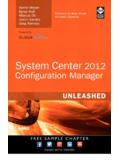
Transcription of Administering System Center Configuration Manager
1 0800 System Center Configuration ManagerDuration: 5 Days Course Code: M20703-1 Overview:This five-day course describes how to use Configuration Manager and its associated site systems to efficiently manage network resources. Inthis five-day course, you will learn day-to-day management tasks, including how to manage applications, client health, hardware and softwareinventory, operating System deployment, and software updates by using Configuration Manager . You also will learn how to optimize SystemCenter Endpoint Protection, manage compliance, and create management queries and reports.
2 Additionally, this course, in conjunction withMicrosoft Official Course 20703-2A, helps certification candidates prepare for Exam 70-703: Administering System Center ConfigurationManager and Cloud Services Audience:This course is for experienced information technology (IT) professionals, typically described as Enterprise Desktop Administrators (EDAs).These EDAs deploy, manage, and maintain PCs, devices, and applications across medium, large, and enterprise organizations. A significantportion of this audience uses, or intends to use, the latest release of Configuration Manager to manage and deploy PCs, devices, course also is for individuals who are interested in taking Exam 70-703: Administering System Center Configuration Manager and CloudServices Integration.
3 Courses 20703-1 and 20703-2, or equivalent knowledge and skills, are necessary to prepare for this :Describe the features Configuration Manager and Intune include,Distribute, deploy, and monitor applications for managed users andand explain how you can use these features to manage PCs devices in an enterprise software updates for PCs that Configuration ManagerAnalyze data by using queries and a management infrastructure, including configuringImplement Endpoint Protection for managed , boundary groups, and resource discovery, andintegrating mobile-device management with Microsoft ExchangeManage Configuration items, baselines.
4 And profiles to assess compliance settings and data access for users and manage the Configuration Manager an operating- System deployment strategy by usingConfigure, manage, and monitor hardware and softwareConfiguration , and use Asset Intelligence and software and maintain a Configuration Manager and configure the most appropriate method to distributeand manage content used for :Testing and CertificationNetworking fundamentals, including common networking protocols,This course, together with course M20703-2 helps to prepare for examtopologies, hardware, media, routing, switching, and Directory Domain Services (AD DS) principles andfundamentals of AD DS , Configuration , and troubleshooting for Windows-basedpersonal concepts of public key infrastructure (PKI) understanding of scripting and Windows PowerShell understanding of Windows Server roles and understanding of the Configuration options for iOS, Android,and Windows Mobile device platforms.
5 Students who attend this training can meet the prerequisites 0800 the following courses or by obtaining equivalentknowledge and skills through hands-on activities:Course 20697-1: Installing and Configuring Windows 10 Course 20697-2: Deploying and Managing Windows 10 UsingEnterprise ServicesCourse 20411: Administering Windows Server 2012 Follow-on-Courses:M20703-2 Integrating MDM and Cloud Services with System Center Configuration 0800 :Module 1: Managing computers and mobileLab : Configuring and managing inventoryLab : Implementing Microsoft System Centerdevices in the enterprisecollectionEndpoint ProtectionlinelinelineConfiguring and managing hardwareConfiguring the System Center EndpointThis module describes the features ofinventoryProtection point and client settingsConfiguration Manager that you can use toConfiguring and deploying Endpointperform complex management tasks, includingLab : Configuring software meteringProtection policiesthe following tasks: lineMonitoring Endpoint ProtectionlineConfiguring software meteringConfigure Endpoint Protection to detectHardware and software inventory.
6 And remediate malware and securityApplication management. Lab : Configuring and managing System , deploy, and manage EndpointSettings management. lineProtection update management. Preparing the site for Asset IntelligenceRemote client troubleshooting. Configuring Asset IntelligenceModule 10: Managing compliance and secureProtection from license agreements by usingdata accessOverview of systems management by usingAsset Intelligencelineenterprise management solutionsViewing Asset Intelligence reportsOverview of the Configuration ManagerDescribe inventory enterprise organizations requirearchitectureConfigure and collect hardware andsystems, such as servers, laptops, desktopOverview of the Configuration Managersoftware , and mobile devices.
7 To meetadministrative toolsManage inventory Configuration and complianceTools for monitoring and troubleshooting aConfigure software Compliance settings inConfiguration Manager siteConfigure Asset Manager can play a key role inidentifying existing configurations, discoveringLab : Exploring the Configuration Manager toolsModule 6: Distributing and managing contentsystems that have adverse configurationlineused for deploymentschanges, and remediating these settingsSearching in the Configuration Managerlineautomatically when necessary. Complianceconsolesettings also can help control how usersUsing Windows PowerShell withConfiguration Manager clients obtain content,manage and access data in the enterpriseConfiguration Managersuch as packages, applications, softwarenetwork environment.
8 Using Configuration Manager Serviceupdates, and even operating System images,lineManager to manage componentsfrom distribution points. ConfigurationMonitoring site and component statusManager relies on the distribution pointFor computers that run Windows 8 and newerReviewing log files by using theinfrastructure to provide content managementoperating systems, you can manage dataConfiguration Manager Trace toolfunctionality. In this module, you will reviewusing folder redirection, offline files, andExplain how to use Configuration Managerthe content management features, configureroaming profiles. You also can control accessto address the challenges of managingdistribution points, and learn how to distributeto data using remote connection profiles,systems and users in today s monitor content.
9 You also will performvirtual private network (VPN) profiles, Wi-FiDescribe the Configuration Managercontent validation and content , and certificate profiles. This the compliance settings that youDescribe the management tools that youPreparing the infrastructure for contentcan manage using Configuration to perform administrative functions formanagementYou will learn to use these settings toConfiguration and managing content onmaintain Configuration requirements and toDescribe the tools that you use to monitordistribution pointsprovide secure data access to enterpand troubleshoot a Configuration : Distributing and managing content fordeploymentsrise 2.
10 Analyzing data using queries andlinelinereportsInstalling a new distribution pointOverview of Compliance SettingslineManaging content distributionConfiguring compliance settingsPrepare the infrastructure for contentViewing compliance resultsThe Microsoft System Center resource and data accessManager database stores a large amount ofDistribute and manage content ondata about the resources in your : Managing compliance settingsYou might not always want to perform alllinemanagement tasks on all resourcesModule 7: Deploying and managingManaging Configuration items andsimultaneously. Therefore, to help you locateapplicationsbaselinesdevices or user objects in your environmentlineViewing compliance settings and reportsthat meet specific criteria, you can createConfiguring remediation in compliancequeries.