Example: bankruptcy
Adobe Photoshop CS Tutorial
On a Mac, click Macintosh HD > Application > Adobe Photoshop CS > Adobe Photoshop CS shown in Figure 1, or click the icon in the Dock. Figure 1. Navigation to Photoshop CS on a Mac SETTING UP THE DOCUMENT Setting up your document correctly from the start will make your job much easier as you work through your project.
Tags:
Information
Domain:
Source:
Link to this page:
Documents from same domain

Adobe Photoshop CS Tutorial - IVE(LWL) Student Web
lwsua.vtc.edu.hkAdobe Photoshop CS 2 ADOBE PHOTOSHOP CS Adobe Photoshop CS is a popular image editing software that provides a work environment consistent with Adobe Illustrator, Adobe InDesign, Adobe ImageReady, and
Related documents

Lecture Notes on CAD-CAM IV B. Tech I semester (JNTUH-R15)
www.iare.ac.inLecture Notes on CAD-CAM IV B. Tech I semester (JNTUH-R15) Prepared by ... Computer integrated manufacturing: CIM systems, benefits of CIM. TEXT BOOKS: 1. CAD/CAM/GROOVER.P/PEARSON education. ... of application programs will vary from one user firm to the next because their product lines, ...

FA102763 ISSN 0335-3931 norme européenne NF EN 1991 …
www.isba.frM HORVATH CIM-BETON M IZABEL SNPPA M JACOB LCPC M KOVARIK PORT AUTONOME DE ROUEN M LARAVOIRE CGPC ... faite en application des règles du Comité européen de normalisation, peut permettre aux ... (voir les notes 1 et 2 de l’article 1.2) : EN 1990 : NF EN 1990 (indice de classement : P 06-100-1) ...

Edition 1.0 2003-03 INTERNATIONAL STANDARD NORME ...
webstore.iec.chFigure C.1 – Domaine d’application pour le Modèle de Référence Purdue (PRM) pour ... Computer-integrated manufacturing system (CIMS) (Cincinnati-Milicron ... Notes concernant l'optimisation (amélioration) de l'efficacité de fabrication.200
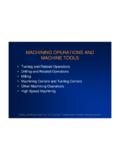
MACHINING OPERATIONS AND MACHINE TOOLS
www.me.nchu.edu.tw•Most common application: to shape metal parts •Machining is the most versatile and accurate of all manufacturing processes in its capability to produce a diversity of part geometries and geometric features Casting can also produce a variety of shapes, but it lacks the precision and accuracy of machining
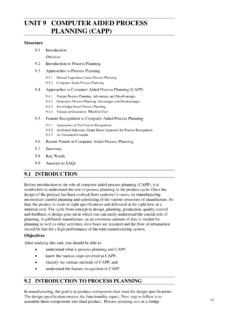
UNIT 9 COMPUTER AIDED PROCESS Computer Aided …
www.ignou.ac.inCIM Modelling and Operations global context. The essentiality of computer can easily be understood by taking an example, e.g. if we change the design, we must be able to fall back on a module of CAPP to generate cost estimates for these design changes. Similarly for the case of …
HYSYS User Guide - University of Alberta
sites.ualberta.caAspen Cim-IO™ for G2, Aspen Cim-IO™ for GE FANUC via HCT, Aspen Cim-IO™ for Hitachi Ex Series, Aspen Cim-IO™ for Honeywell TDC 3000 via HTL/access, Aspen Cim-IO™ for Intellution Fix, Aspen Cim-IO™ for Measurex MCN, Aspen Cim-IO™ for