Example: dental hygienist
An important guide to inserting your SIM into your mobile
nano SIM card nano SIM to standard SIM adapter standard SIM card. Putting a SIM in your phone Removable battery Most mobiles have a removable battery. If yours does, follow these steps: 1. Take out the battery 2. Look for a symbol of a SIM card – …
Tags:
Information
Domain:
Source:
Link to this page:
Documents from same domain

Having your voice heard - Virgin.com
www.virginmobile.com3 1. Introduction At Virgin Media, we aim to give you the best customer service possible. But if you feel we’ve fallen short of this, please let us know.

GT-S5830 user manual - Visit Virgin Mobile around …
www.virginmobile.com2 Using this manual Using this manual Thank you for purchasing this Samsung mobile device. This device will provide you with high quality mobile communication and entertainment based on Samsung’s

User guide - Virgin
www.virginmobile.comRight after you take your phone out from the box for the first time, don’t forget to remove the thin film wrapped around the battery that’s inside your phone. With the phone turned off, hold your phone securely with the front facing down.
User Manual - Virgin
www.virginmobile.com93 Mobile TV Travel & local 94 Maps 95 Local 96 Latitude 96 Navigation 97 NAVIGON select Settings 98bout Settings A 98 Wi-Fi 99 Bluetooth 99 Data usage 99 More settings ... Check the product box for the following items: • Device • Battery • Quick start guide Use only Samsung-approved software. Pirated or illegal software may cause damage
Related documents

MOFI4500-4GXELTE-SIM Card Version V1/V2/V3
www.mofinetwork.comThe MOFI4500-4GXELTE V2 SIM Version can be used in many ways including as a 3G/4G/LTE/LTE2 router or just a regular Cable/DSL/Satellite high speed router. Using a SIM card from your provider direct from provider 1. Insert your SIM card in the SIM card slot on the side of the router and connect all 4 antennas to router.
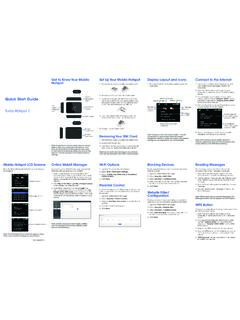
Quick Start Guide button
www.att.com2. Remove the SIM card from the outer card. 3. Locate the SIM card slot. Hold SIM so that the cut corner is at the top and gold contacts are facing downward. Insert SIM by pressing down on the clip and sliding into the SIM slot. 4. Insert the battery. Install the back cover, the arrow on the back cover points downward. 5. Charge mobile hotspot ...

Update a Device IMEI or SIM Card Number - AT&T Wireless
www.wireless.att.comSIM card (see Transfer contacts and content between phones). You won’t be able to copy your contacts after you replace your SIM card. To receive a new SIM card, visit an AT&T retail store. To order SIM cards in bulk, call Premier Support at 866.499.8008, Monday through Friday, 8 …

Activate a FirstNet SIM card and install it in an Android ...
www.firstnet.com1. Get a FirstNet SIM card if you don’t already have one., 2. Verify your device is FirstNet Ready. 3. Activate your FirstNet SIM card . 4. Verify the device operating system. 5. Power your deviceoff . 6. Remove the current SIM card from your device. 7. Insert the activated FirstNet SIM , and then pcard ower the deviceon . It automatically ...

DEVELOPMENT AND IMPACT OF SIM-MOD (STRATEGIC …
psa.gov.phassessment card, enrichment card and reference card. On the other hand, a module may contain the following parts: statement of purpose, desirable skills, instructional objectives, pretest, learning activities, posttest, and answer key. The combination of Strategic Intervention Material (SIM) and Module otherwise known as

Quick Setup for MOFI4500-SIM V2 Enterprise Rugged Router
mofinetwork.comInsert SIM Card in left side of router. When putting in SIM Card, use included adaptor if you have a Micro or Nano SIM. Gold part of SIM Card should face up and notch (cut) on SIM goes in first. You will feel a click when inserted.

AT&T Unlock Code Instructions
www.att.comAug 11, 2020 · Install a non-AT&T SIM card into the device and enter the unlock code on the LCD screen 1. Remove the back cover and battery. 2. Remove the pre-installed AT&T SIM card and install a non-AT&T SIM into the device. 3. Insert the battery, replace the back cover, turn on the device, and tap on the unlock screen. 4. When prompted, enter the 8-digit ...

Mini/MicroSIM to NanoSIM cutting guide
gosoftworks.com- Good quality scissors (test on old credit card) - Nail ˜le or sand paper (220 grit or higher) - Permanent felt tip marker pen Instructions: 1. Measure side rulers on guide to ensure guide has been printed to the correct scale. 2. Tape SIM to matching center outline with gold contacts up. Place tape on edges so as to not cover Nano SIM area. 3.