Transcription of and Electronic Funds Transfer (EFT) …
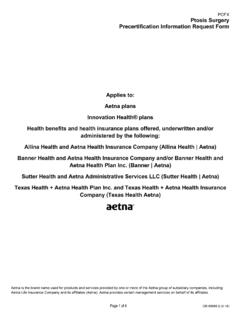
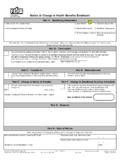
1 GR-68459 (11-12) Page 1 of 4 Electronic Remittance Advice (ERA) and Electronic Funds Transfer (EFT) enrollment / change for Medical Claims and Capitation If you are enrolling in ERA, please also consider enrolling in Electronic Funds Transfer (EFT). EFT is a free and secure way for you to receive your payments faster. You ll no longer have to wait for checks to arrive in the mail. Aetna can issue EFT s to all healthcare provider types, including those receiving capitation. And, EFT doesn t change our overpayment policies and procedures. If you are overpaid, we ll send you a letter asking for a refund by check. Use the following guide when completing your enrollment form. Fields with an asterisk are required; sections left blank or illegible will delay processing. The following is a reference guide only, do not fax with the completed enrollment form.
2 Please use one enrollment form per tax ID and fax multiple enrollment requests separately. If you would like us to deposit EFT payments into multiple bank accounts for the same TIN, complete a separate form for each account. Include your NPI# on the enrollment form. Only one NPI is needed. If you have checked the box 'Split by Billing NPI', be sure to list the additional NPIs in that section. Include a copy of a pre-printed voided check or bank letter. Deposit slips and starter checks are not accepted. We cannot process your enrollment without this information. If you are requesting EFT for your capitated payments, you must be set up for capitation. You only need to complete one form if the bank account is the same for both Medical and Capitation claim payments. Capitation payments made under a single TIN can only be deposited into one bank account.
3 The enrollment form must be signed by two people, an authorized healthcare professional (MD, CFO, CEO), AND a supervisor-level authorized personnel (office manager, billing manager). If a sole proprietorship, only one signature is needed. If you want to receive an email notification each time a new EFT is generated, please check the appropriate box on the form and clearly print your authorized email address. To ensure delivery of e-mail notifications, please add to your address book. EFT e-mail notifications are sent when EFT is active and a claim has been processed where payment has been issued. Requests to unsubscribe or change /update your e-mail address must be submitted through our secure provider website. Register at Want some help with reconciling your Electronic remittance or online EOB with EFT? Register, or log-in to and listen to a recorded webinar by selecting Course Catalog, then Recorded Webinars.
4 IMPORTANT: Please allow 10-15 business days for processing. Processing times may vary depending on number of enrollments received, the accuracy of the information provided and whether the form is legible. We will send confirmation letting you know when ERA and/or EFT will start. To take advantage of direct deposit (EFT), your bank must be a participating member of the Automated Clearinghouse Association (ACH). You are responsible for notifying Aetna of any changes to your banking information. You may receive a phone call from Aetna to ensure accuracy of banking information. Completed forms for new enrollments and vendor/clearinghouse changes should be faxed to 860-754-9122. Completed forms for EFT changes and ERA/EFT terminations should be faxed to 860-262-9883. GR-68459 (11-12) Page 2 of 4 Electronic Remittance Advice (ERA) and Electronic Funds Transfer (EFT) enrollment / change for Medical Claims and CapitationPlease fax only one TIN per form.
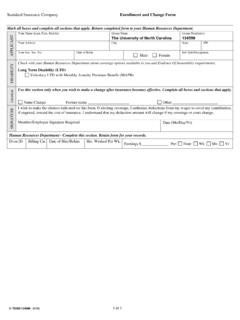
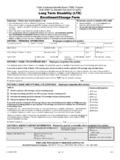
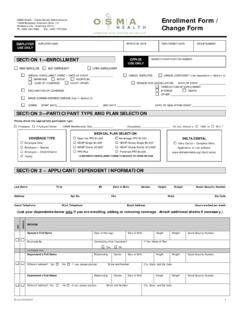
5 A separate form for each TIN must be used. Check all that apply: Sections required to be completed Enroll change Terminate EFT for Medical Claims (No Capitation payments) A, C, D EFT for Medical Claims and Capitation payments (same bank account for both) A, C, D EFT for Capitation Payments A, C, D ERA for Medical Claims Payments A, B, D (If you have more than one bank account to enroll, please fill out a separate enrollment form for each account and include a bank letter or voided check for each account.) * Indicates required fields within each section. Incomplete and/or illegible fields and signatures may cause your enrollment to be delayed. A. Practice Information Please note: Illegible or incomplete fields may cause your enrollment to be delayed. * Name * TIN Type EIN SSN * Pay to/Billing National Provider Identifier (NPI)* Tax ID Number (TIN) * Telephone Number ( ) Fax Number ( ) Contact Name Email Address (used to request additional information and to send completion confirmation) Primary Service Address Primary Billing Address Set Up Options: Check Only One TIN level set up Enroll the entire Tax ID for ERA/EFT payments.
6 (All providers who bill under the TIN enrolled will receive Electronic remittance advice (ERA) and/or Electronic Funds Transfer (EFT). Payments will not be bulked; they will still be generated/split per NPI.) If you are not enrolling the entire Tax ID, please select an alternative setup: Split by Billing Address - Enroll only certain Billing Locations under the Tax ID for ERA/EFT payments. Split by Billing NPI Enroll only certain Billing NPIs under the Tax ID for ERA/EFT payments. ERA/EFT will be generated for two or more NPIs (only to be used when excluding other providers under this TIN). List the applicable Billing Locations or two or more NPIs you would like to enroll for ERA/EFT payments: Electronic Explanation of Benefits (EOBs) As a registered user of Aetna s secure provider website via NaviNet, you can access your EOBs online via the claim EOB tool.
7 Your Electronic EOB is immediately available once a claim is processed. This allows you to post payments several days sooner than if you used a paper EOB. Not registered? Please click here to register: Your paper EOBs will stop on the effective date of the ERA/EFT set up. Your paper EOBs will stop in 30 days from the effective date of an EFT only set up. Yes Navinet registration is complete. Turn off paper EOBs immediately. GR-68459 (11-12) Page 3 of 4 B. Vendor/Clearinghouse selection for ERA Requesting ERA Effective date of: (Populate only if requesting a future effective date greater than 30 days. Future Date only. Date may not be retro-active). Please check only one of the following options: Option 1 Vendor/Clearinghouse Information - You may only receive Aetna ERAs from one of the vendors listed within the attached link.
8 See list of vendors at: * Vendor/Clearinghouse Name Contact Name Email Address Contact Phone Number ( ) User Name/App ID/Customer ID/Key/Acct Number (if applicable) Option 2 Aetna Secure Provider Website via NaviNet * Registration complete? Yes No * Username(s) I utilize the Claim EOB Tool on NaviNet to access my EOB s and no longer need paper EOB s mailed. Yes No Option 3 For Aetna EDI ConnectSM ERA Users Aetna EDI Connect (secure FTP in the X12 format only) * Registration complete? Yes No * User ID(s) Name of Billing Service you use for Aetna EDI Connect C. EFT- Direct Deposit/Banking Information You MUST include a voided check or bank letter in order to enroll for EFT. Deposit Slips will NOT be take advantage of direct deposit (EFT), your bank must be a participating member of the Automated Clearinghouse Association (ACH).
9 Please note if you require payments to be deposited into multiple bank accounts, you must complete bank account information for each account. Capitation payments made under a single TIN can only be deposited into one bank account. New EFT enrollment or changes to existing EFT banking information will trigger a new EFT pre-note period. The EFT pre-note period will run for 10 days and production will start on day 11. You are responsible for notifying Aetna if your banking information changes. * Bank Name Address * Bank routing number (9 digits found on check, NOT deposit slip) * Account Number (voided check or bank letter required; no deposit slip) * Account type Savings Checking Deposit Only If you are requesting an EFT change (changing your bank and/or bank account number), the following information is required.
10 * Previous Bank Name Previous Address * Previous Bank Routing Number (9 digits found on check, NOT deposit slip) * Previous Account Number * Account type Savings Checking Reminder: Your enrollment will not be processed without a pre-printed voided check or bank letter. EFT Email Notification (not available for capitation EFT s) If you would like to receive an email notification when Aetna transmits an EFT to your banking institution, please supply up to two email addresses in the space below. Or, you may sign up for email notification by logging in to our secure provider website via NaviNet and choosing the Aetna Email Options button. EFT e-mail notifications will be sent when: EFT is active A claim has been processed where payment has been issued Any changes or updates to the e-mail address(es) provided and requests to unsubscribe to EFT E-Mail Notification must be submitted through our secure provider website via NaviNet.