Transcription of Application Server Specifications Last Update: …
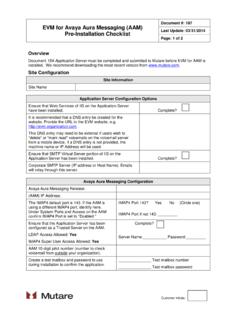
1 Application Server Specifications Document #: 154 Last update : 10/24/2017 Page: 1 of 2 Customer Initials: Overview Complete this checklist and email to your Mutare Project Manager. This document outlines the requirements for an Application Server for EVM, Message Mirror, Vital Link, or other Mutare applications . Server Specifications The following Server Specifications are for an Application Server dedicated to running Mutare applications . Physical or virtual servers meeting the Specifications below are acceptable. Minimum Server Hardware Specifications (Physical or Virtual) GHz or faster CPU, Quad-core preferred (Minimum of 2 virtual machine CPUs With Intel hyper-threading, 2 virtual CPUs per physical core/CPU.)
2 With AMD, one for one.) 4 GB RAM minimum (8 GB recommended). 100 GB hard drive minimum space available. 100 Mbps NIC minimum for Ethernet connection to TCP/IP LAN. Server Software Requirements: EVM3 and Vital Link: o Microsoft Windows 2012* Server . 64-bit are both supported. Standard, Enterprise, or Datacenter editions are both supported. o Microsoft Windows 2016 Server , 64-bit. Standard or Datacenter are supported. Must be GUI Installation. Core Installation is NOT supported. Other applications , including Message Mirror, Message Monitor, etc.
3 O Microsoft Windows 2012* Server . 64-bit are both supported. Standard, Enterprise, or Datacenter editions are both supported. o Microsoft Windows 2016 Server , 64-bit. Standard or Datacenter are supported. Must be GUI Installation. Core Installation is NOT supported. Microsoft Internet Information Server versions , , , or o SMTP Virtual Server o Web Server Microsoft SQL Express 2014 or later (Mutare will provide and install) *NOTE: .NET Framework needs to be loaded on Server 2012 prior to install. *NOTE: .NET Framework needs to be loaded on Server prior to install Application Server Specifications Document #: 154 Last update : 10/24/2017 Page: 2 of 2 Customer Initials: Common Server Ports Used: Port 143 Used to connect to Voicemail system for EVM and Message Mirror/Rescue.
4 Port 110 Used to connect to Voicemail system for EVM on Map5 Intuity. Port 25 Used to relay emails from the Server to your SMTP Gateway. Port 80 Used inbound for EVM, Message Mirror, and Vital Link. External access over port 80 may be needed to perform some EVM admin functions off network. Port 443 (Optional but recommended) Used in place of port 80 if SSL is being used. Customer must provide their own certificate for SSL. Port 389 Used to connect to voicemail s LDAP port for Message Mirror and EVM Sync. Remote Access Mutare must remotely access your Application Server for installation, configuration, and support.
5 Mutare will support most any VPN Client your IT department may require. Mutare will then access the Server via Terminal Services/Remote Desktop. Every Mutare installation requires that files be downloaded from the Mutare technical website. Alternative Remote Access Options: Some company IT departments do not allow remote access to company servers via VPN connection. If this is the case, Mutare can do limited installation and support tasks via web meeting software. Be aware that this type of remote access will delay support, installation, and/or maintenance of your Application .
6 Backups and Anti-Virus Software Mutare s recommendations for backups and anti-virus software are: Backups: Mutare recommends adding the SQL Server database as well as the \OD folder and subfolders to your backup routines. A useful tool for backing up SQL Server Express databases can be found here: Anti-virus: Feel free to install anti-virus software as required by your organization. Please add the \OD folder and subfolders and the SQL Server folders to your exclusions lists for on-demand scanning. Server Configuration Information Configuration Information Application Server IP Address.
7 Fully Qualified Domain Name (FQDN) of Server . A local administrator account must be created for services to run under. This account will also be used by Mutare to login to the Server . Username: _____ Password: _____ Domain: _____