Transcription of APPLICATIONS - climate.emerson.com
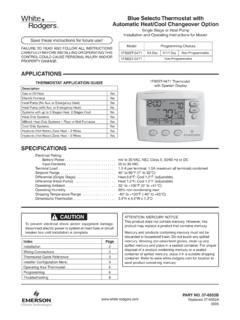
1 ModelProgramming Choices1F95-12777 Day5+1+1 Universal Touchscreen Thermostat with Automatic Heat/Cool Changeover OptionPART NO. 37- 6753 FReplaces 37-6753E1632 Single Stage, Multi-Stage, Heat PumpInstallation and Operating Instructions APPLICATIONS SPECIFICATIONS1F95-1277 Touchscreen ThermostatSave these instructions for future use!FAILURE TO READ AND FOLLOW ALL INSTRUCTIONS CAREFULLY BEFORE INSTALLING OR OPERATING THIS CONTROL COULD CAUSE PERSONAL INJURY AND/OR PROPERTY APPLICATION GUIDET hermostat Configuration OptionsThermostat ApplicationsMaximum StagesHeat/CoolSingle Stage 1No Heat Pump (SS1)Gas, Oil, Electric, Heat Only, Cool Only or Heat/Cool Systems, 2 or 3 wire Hydronic Zone (Hot Water or Steam) Systems, 24 Volt or Millivolt1+1 Multi Stage 2No Heat Pump (MS2)2+2 Heat Pump 1 Single Stage Compressor Heat Pump (HP1)Single Stage Compressor Heat Pump Systems - up to 2 Stages Heat3+1 Heat Pump 2 Two Stage or TwoCompressor Heat Pump (HP2)Two Stage or Two Compressor Heat Pump systems - up to 2 Stages Heat4+2 ATTENTION: MERCURY NOTICEThis product does not contain mercury.
2 However, this product may replace a product that contains and products containing mercury must not be discarded in household trash. Do not touch any spilled mercury. Wearing non-absorbent gloves, clean up any spilled mercury and place in a sealed container. For proper disposal of a product containing mercury or a sealed container of spilled mercury, place it in a suitable shipping container. Refer to for location to send the product containing Diagrams3 Thermostat Quick Reference4 Installer Configuration Menu5 Operating Your Thermostat9 Programming10 Troubleshooting13 Electrical Rating: Battery mV to 30 VAC, NEC Class II, 50/60 Hz or DC Input-Hardwire .. 20 to 30 VACT erminal Load .. per terminal, maximum all terminals combinedSetpoint Range .. 45 to 99 F (7 to 37 C)Rated Differentials: Fast. Slow Heat (Single Stage/Multi-Stage).. F F Cool (Single Stage/Multi-Stage).
3 F F Heat Pump .. F F Emer Heat .. F FOperating 32 F to +105 F (0 to +41 C)Operating Humidity .. 90% non-condensing Temperature Range .. -40 to +150 F (-40 to +65 C)Dimensions 4-9/16"H x 5-13/16"W x 1-3/16"DTo prevent electrical shock and/or equipment damage, disconnect electric power to system at main fuse or circuit breaker box until installation is !WARNING!For California Residents: This product contains a chemical known to the state of California to cause cancer and birth defects and other reproductive Old ThermostatBefore removing wires from old thermostat, mark wires for terminal identification so the proper connections will be made to the new thermostat. Installing New Thermostat1. Pull the thermostat body off the thermostat base. Forcing or prying on the thermostat will cause damage to the Place base over hole in wall and mark mounting hole locations on wall using base as a Move base out of the way.
4 Drill mounting holes. If you are using existing mounting holes and the holes drilled are too large and do not allow you to tighten base snugly, use plastic screw anchors to secure the Fasten base snugly to wall using mounting holes shown in Figure 1 and two mounting screws. Leveling is for appearance only and will not affect thermostat Connect wires to terminal block on base using appropriate wiring Push excess wire into wall and plug hole with a fire resis-tant material (such as fiberglass insulation) to prevent drafts from affecting thermostat Carefully line the thermostat up with the base and snap into Location2 "AA" alkaline batteries are included in the thermostat at the factory with a battery tag to prevent power drainage. Remove the battery tag to engage the replace batteries, set system to OFF, remove thermostat from wall and install the batteries in the rear along the top of the thermostat (see Figure 1). For best results, use a premium brand "AA" alkaline battery such as Duracell or Energizer.
5 If the home is going to be unoccupied for an extended period (over 3 months) and is displayed, the batteries should be replaced before Stealing SwitchesThe Power Stealing Switches (Fig. 1) should be left in the "On" position for most systems. The information in the following table details the thermostat power method and switch !Thermostat installation and all components of the control system shall conform to Class II circuits per the NEC Figure 1 Thermostat Base Multi-Stage 1F95-12772 "AA" BatteriesPower Stealing SwitchesStack PowerStealing SwitchMountingHoleMountingHolePlace Levelacross Mounting Tabs(for appearance only)Place Levelacross Mounting Tabs (for appearance only)+S-W/E6Y2O/BLYW2 Rear view of thermostatThermostat Power MethodSwitch Position/DescriptionBattery Powered, no 24 Volt system power "On", thermostat runs on with Battery Back-up, for 24 Volt systems with common connection from transformer to "C" terminal on "On", thermostat runs on power directly from transformer with battery back-up.
6 *Battery Powered with Power Stealing Assist, for 24 Volt systems with no common connection from transformer to "C" terminal on "On", thermostat runs on batteries and supplemental power drawn through the heat or cool circuit.*Power Stealing Assist is very reliable to increase battery life, but on a small number of heating or cooling systems with high impedance electronic modules you may observe one of the following conditions:1. The furnace draft inducer motor may run with no call for The furnace fan may turn on with no call for heat or may not turn The furnace may not turn off when the call for heat The air conditioner may not turn off when the call for cool the Power Stealing Assist method is not compatible with your system, place the Power Stealing Switches to "Off". This cancels Power Stealing Assist, operates the thermostat on batteries and corrects the WIRING DIAGRAMSF igure 2 Single Stage or Multi-Stage System(No Heat Pump) with Single TransformerSingle Stage 1(SS1)Multi Stage 2(MS2)SystemRCRHCYY2W/EW2GO/B6 LCLASS IITRANSFORMERHOT24 VACNEUTRAL120 VACCall for heatHeat mode-1ststageHeat mode-2ndstageNo output24 volt power for cooling24 volt power for heatingCool mode-2ndstage24 volt common (optional for system operation, required for remote sensor)Call for coolNo OutputCool mode-1ststageBlower/Circulator fanenergized on a call for cool or Fan On(also energized inheating if configuredfor Electric Heat)InstallerConfigurationMenu selects O or B fo r changeoverfunction.
7 Set to O terminalenergized in Cool& Off mode. Set to B terminalenergized in Heat & mergency modePower closedconnection forSPDT 3-wirezone valveFault or SystemMalfunctionIndicator for Heat Pumpswith L production 1F95-1291 s do not have this connectionFigure 3 Heat Pump SystemsHeat Pump ConnectionsIf you do not have a heat pump system, refer to figures 3 & to equipment manufacturers instructions for specific system wiring can configure the thermostat for use with the following heat pump Stage and Multi-Stage ConnectionsRefer to equipment manufacturers instructions for specific system wiring thermostat is designed to operate a single-transformer or two-transformer can configure the thermostat for use with the following fossil fuel systems:HeatPump 1(HP1)Heat Pump 2(HP2)SystemRCRHCYY2*W/E*W2GO/B6 LCLASS IITRANSFORMERHOT24 VACNEUTRAL120 VACHeat mode-2ndstage, EmergencyMode-1st stage*Note: Dual Fueloption de-energizes Heatmode stage 1(compressor)when auxiliaryheat is energizedHeat mode-3rdstage, EmergencyMode-1st stage*Note: Dual Fueloption de-energizes Heatmode stages 1 and 2 (bothcompressors)when auxiliaryheat is energizedHeat mode-4thstage, EmergencyMode-2nd stage*Note: Dual Fueloption de-energizes Heatmode stages 1 and 2 (bothcompressors)when auxiliaryheat is energizedHeat mode-3rdstage, EmergencyMode-2nd stage*Note: Dual Fueloption de-energizes Heatmode stage 1(compressor)when auxiliaryheat is energized24 volt power for cooling24 volt power for heatingHeat mode-2nd stage, Cool mode-2nd stage, (Compressor)No Output24 volt common (optional for system operation, required for remote sensor)Heat mode-1ststage,Cool mode-1ststage,(Compressor)Blower/Circula tor fanenergized on a call for cool or Fan On(also energized inheating if configuredfor Electric Heat)InstallerConfigurationMenu selects O or B fo r changeoverfunction.
8 Set to O terminalenergized in Cool& Off mode. Set to B terminalenergized in Heat & mergency modePower closedconnection forSPDT 3-wirezone valveFault or SystemMalfunctionIndicator for Heat Pumpswith L production 1F95-1291 s do not have this connectionCOOLINGCLASS IITRANSFORMERHOT24 VACNEUTRAL120 VACHEATING120 VAC*Dual fuel option, if selected turns off compressor(s) when Auxiliary stages STAGE (SS 1) gas, oil or (MS 2) gas, oil or wiring, see INSTALLER CONFIGURATION section for proper thermostat PUMP TYPE 1 (HP 1). Single stage compressor system; gas or electric backup. HEAT PUMP TYPE 2 (HP 2). Multi-stage compressor or two compressor system with gas or electric wiring, see INSTALLER CONFIGURATION section for proper thermostat configuration.+S-Supply voltage to remote temperaturesensorRemote temperature sensor signalSupply voltage to remote temperaturesensorFigure 4 Sensors4 Programming and Configuration Items 1 Displays and "Keypad Lockout" when in keypad lockout mode.
9 Displays and "Temperature Limit" and "Keypad Lockout" when limited range is activated and locked. Displays only "Temperature Limit" when limited range is Indicates period of day being RUN SCHEDULE (run program) SET TIME key or HOLD temperature Displays "Change Filter"/"Change UV Lamp" when the system has run for the programmed filter/UV lamp time period as a reminder to change or clean your filter or to replace UV lamp. 6 COPY key or INSTALLER CONFIG CLEAN DISPLAY key allows 30 seconds to wipe off the display or ADVANCE DAY key for Used in programming to set time and in configuration menu to change "Hold Until" indicates the time when a temporary hold period will "Hours" and "Days" displays during steps in installer The words "Hold At" are displayed when the thermostat is in the HOLD mode. "Temporary Hold At" is displayed when the thermostat is in a temporary HOLD "System On" indicates when heating or cooling stage is energized. "+2" indicates when a second stage is "Copy" indicates the copy program feature is being used during A steady "Cool Savings" display indicates the feature is enabled in the installer menu.
10 A flashing "Cool Figure 9 Programming & Configuration Items71565123456789101112131415161718192 0212223242526272829303132333435363738393 1920211110151698171312418 Savings" display indicates the feature is "Remote" indicates that the indoor remote temperature sensor, is being accessed. "Outdoor Remote" indi-cates the outdoor remote temperature sensor is being Display time, remote "Heat Pump" displays when the system configuration is set in HP1/HP2. 18 "Call for Service" indicates a fault in the heating/cooling systems. It does not indicate a fault in the Auto Schedule key for Auto Schedule function20 In Configuration Menu, shows screen number. If blank, thermostat is earlier model and requires instruction sheet 37-6753D. THERMOSTAT QUICK REFERENCEHome Screen DescriptionTime of DayDay of WeekRoomTe mperatureSystemSwitchFanSwitchIndicates whenthermostat is callingfor Heat or CoolBattery Level IndicatorIndicating the current power levelof the 2 AA batteries. Full power remaining.