Example: bachelor of science

ArcGIS Pro – Tips and Tricks Fall 2018

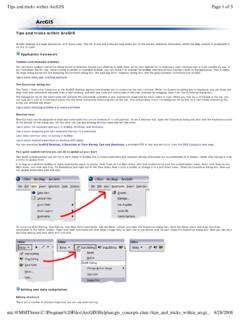
ArcGIS Pro tips and Tricks Fall 2018 Open Pro and log in using Enterprise login Existing Project -- Palms to Pines Copy S: \Workshops\ArcGISPro\PalmToPines2018 to local hard drive Open Project-centric o Multiple project documents o 2D/3D Layer Visibility Ranges -- Turn layers on/off depending on map scale. Stops Navigation -- Bookmarks Opening and closing panes/Auto-Hide Definition queries -- Filter your data. Roads Syncing Map views -- Side-by-side map views New Project Create a New Project Folder and file creation Create a blank project Add Data Map Ribbon or Catalog Pane The window has three places to find data: your project's folder (Project) online (Portal), and your computer (Computer) List by Data Source (packages) Layer Properties Export Features Navigate the map and create bookmarks Symbolize layers and edit features Editing data Explore the canals Locate Rio Tera' 30125 Venezia Basemaps Locate Calle Comello, 30121, Venzia Edit Pro Activity Learn ArcGIS ( ) -- Guided lessons based on real-world problems ArcGIS Pro -- Create 2D and 3D maps of tidal flood patterns in Venice, Italy Resources Tutorials Getting to Know Pro Interacting With Maps Getting to Know Pro Interacting With Data Getting to Know Pro Making Maps Esri Learn ArcGIS -- Guided les

ArcGIS Pro – Tips and Tricks Fall 2018 Open Pro and log in using Enterprise login Existing Project -- Palms to Pines . Copy S:\Workshops\ArcGISPro\PalmToPines2018 to local hard drive

Tags:

  Tips, Tricks, Tips and tricks

Information

Domain:

Source:

Link to this page:

Please notify us if you found a problem with this document:

Other abuse

Advertisement

Transcription of ArcGIS Pro – Tips and Tricks Fall 2018

1 ArcGIS Pro tips and Tricks Fall 2018 Open Pro and log in using Enterprise login Existing Project -- Palms to Pines Copy S: \Workshops\ArcGISPro\PalmToPines2018 to local hard drive Open Project-centric o Multiple project documents o 2D/3D Layer Visibility Ranges -- Turn layers on/off depending on map scale. Stops Navigation -- Bookmarks Opening and closing panes/Auto-Hide Definition queries -- Filter your data. Roads Syncing Map views -- Side-by-side map views New Project Create a New Project Folder and file creation Create a blank project Add Data Map Ribbon or Catalog Pane The window has three places to find data: your project's folder (Project) online (Portal), and your computer (Computer) List by Data Source (packages) Layer Properties Export Features Navigate the map and create bookmarks Symbolize layers and edit features Editing data Explore the canals Locate Rio Tera' 30125 Venezia Basemaps Locate Calle Comello, 30121, Venzia Edit Pro Activity Learn ArcGIS ( ) -- Guided lessons based on real-world problems ArcGIS Pro -- Create 2D and 3D maps of tidal flood patterns in Venice, Italy Resources Tutorials Getting to Know Pro Interacting With Maps Getting to Know Pro Interacting With Data Getting to Know Pro Making Maps Esri Learn ArcGIS -- Guided lessons based on real-world problems ArcGIS Pro tips : Top 10 Questions from the 2017 User Conference ArcGIS Pro: tips & Tricks User Conference Presentation ArcGIS Pro.

2 tips and Tricks YouTube


Related search queries