Transcription of Army Records Management Directorate
1 AR 25-50 - Preparing and Managing Correspondence10 May 2021 army Records Management Directorate5/10/20211 POC: Your Name @ 703-602-9300 Office of the Administrative Assistant to the Secretary of the : Eve Roberts@ AR 25-50, Preparing and Managing Correspondence governs the Management of army correspondence As the proponent, the army Records Management Directorate : Prescribes (on behalf of Secretary of the army ) Department of the army policies, procedures Standardized formats for preparing and processing army memorandums and letters Establishes correspondence standards not printing standardsAR 25-50 - Preparing and Managing CorrespondenceOffice of the Administrative Assistant to the Secretary of the 25-50 establishes the following modes authorized for correspondence: aletter, memorandum and messageAR 25-50 Status:Current edition 10 October 2020 POC: Eve Roberts@ 25-50 - Preparing and Managing CorrespondenceOffice of the Administrative Assistant to the Secretary of the Changes digital signatures will not be used on letters (para 3 6c(2)(b)); however, electronic signatures that are not secured via DoD Common Access Card, such as digitized signatures (for example, a digital image of a handwritten signature ) may be used on letters (para 1 17).
2 army Records Information Management System record numbers will be placed on memorandums (paras 1 5 and 2 4a(2)(a)). Correspondence, internal to army , will be approved via digitally signed documents (paras 1 17 and 5 1b(2)(c)).POC: Eve Roberts@ 25-50 - Preparing and Managing CorrespondenceOffice of the Administrative Assistant to the Secretary of the Changes continued Changes the order of information when preparing references/citations using parenthesis to indicate titles (para 1 30). Changes the requirement from two spaces after ending punctuation to one space (para 1 39). Instructions for preparing a digital signature using adobe Pro (paras 5 1b(2), 6 4e, and app F).POC: Eve Roberts@ 25-50 - Preparing and Managing CorrespondenceOffice of the Administrative Assistant to the Secretary of the Type Fonts and SizesUse type fonts and sizes that make the correspondence easy to read and understand. The following guidelines will provide the best results: Preferred type font is Arial with a point size of 12 is recommended.
3 Unusual type styles, such as Script, will not be used in official correspondence. Use guidance in DA Memorandum 25 52 and M V1 for Congressional or correspondence for the signature of the Secretary of Defense. Ink colorCorrespondence will be printed in black ink and may be signed in blue or black ink. Black ink will be used for date Fonts, Sizes and ColorPOC: Eve Roberts@ of the Administrative Assistant to the Secretary of the Date FormatsDates on memorandums. Express dates on or within memorandums in the following formats: 5 January 2021, 5 JAN 21 or 5 Jan 2021 (date stamps only). Dates on letters. Express dates on letters and refer to dates within letters only in the following format: January 5, 2021. Avoid separating any of the three date elements (day, month, and year) from each other. If absolutely necessary, the four-digit year may be carried over to the next line. Suspense Dates Show the suspense date(s) two lines above the date line, in bold, and in the body of the memorandum in one of the following formats: 5 January 2018, 5 JAN 18 or 5 Jan 2021 (date stamps only).
4 Do not use a suspense date on a : Eve Roberts@ of the Administrative Assistant to the Secretary of the G. RobertsChief, Providing ExamplesDigital signatures will not be used on letters (para 3 6c(2)(b)); however, electronic signatures that are not secured via DoD Common Access Card, such as digitized signatures (example, a digital image of a handwritten signature ) may be used on letters (para 1 17).Using a Digitized Image of a signature on LettersPOC: Eve Roberts@ of the Administrative Assistant to the Secretary of the (25-50a)Applying a record Number to Memorandums Agencies will place the appropriate army record number after the office symbol on memorandums. These numbers are available at the ARIMS/RRS- A website record numbers will correspond with the subject matter of the memorandum you are creating. Place the record number one space after the office symbol in parentheses. Example: AAHS-RD (25-50a) Recordkeeping requirements for delegations of signature authorityIn accordance with AR 25 400 2, delegations of signature authority must be created and maintained using the record number : Eve Roberts@ of the Administrative Assistant to the Secretary of the When referencing correspondence, include the organization or origin, office symbol, type of correspondence, subject of correspondence, and date.
5 Examples--- army Regulation (AR) 25 22 (The army Privacy Program), 22 December 2016 DoD (DoD Joint Ethics Regulation), chapter 4 (Travel Benefits) HQDA EXORD 210-20 (Coronavirus (COVID-19) Transition Framework), 5 May 2020 FRAGO 29 TO HQDA EXORD 144-20 (ArmywidePreparedness and Response to Coronavirus (COVID-19) Outbreak), 29 May 2020 Headquarters, Department of the army memorandum (Reintegrating Headquarters, Department of the army Employees Into the Federal Workspace), 12 June 2020 Secretary of the army memorandum (Delegation of Authority To Approve Travel of army Personnel), 23 April 2020 (hereby superseded)Preparing References / CitationsPOC: Eve Roberts@ of the Administrative Assistant to the Secretary of the For E-mail or fax. When referencing an email or facsimile (fax), use the name of the sender and office symbol, if included, for example: HQ TRADOC, ATPL TDD OR, [full name] email (Correspondence Memorandum), 3 January 2020 HQ FORSCOM, [full name] fax (Copier Management ), 25 February 2020 Preparing References / Citations, continuedPOC: Eve Roberts@ of the Administrative Assistant to the Secretary of the Space after Punctuation and ParagraphsPOC: Eve Roberts@ of the Administrative Assistant to the Secretary of the Save created/existing word document in a Portable Document Format (PDF) format by: Option 1.
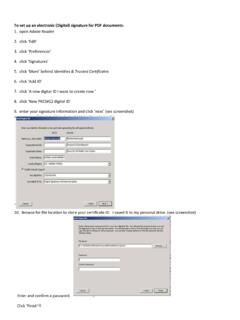
6 Click the ACROBAT menu item on the top menu bar. Select create a PDF. Name the document and choose the location to save your pdf file. If an adobe dialog box pops up regarding saving the original Word file, click Yes to continue. Option 2. Select FILE TAB, select Save as adobe PDF. The PDF maker will prompt you to give a file name and the location to save your newly generated pdf file. Creating digital Signatures Using adobe Pro POC: Eve Roberts@ of the Administrative Assistant to the Secretary of the Creating an adobe digital signature . Openthe PDF file and, if prompted, ENABLE All Features. Select Tools located either in the upper left or upper right of the page. Select Prepare Form under Forms & Signatures TAB. Selectyour PDF document and click Start. An adobe dialog box may appear stating No new form field annotations were detected. Click OK. Selectthe digital signature icon from the Prepare Form menu bar.
7 This will allow you to place the digital signature box. Creating digital Signatures Using adobe Pro, continued POC: Eve Roberts@ of the Administrative Assistant to the Secretary of the Creating an adobe digital signature , continued The date of digital signature is the official date of the document. create a larger depiction of the same date in Arial 12 ptfont in a text box placed at the top of the document, across from the office symbol on the same line. From Tools, then the Prepare Form ribbon, select the text box icon and place and size the box to allow room for ddmonth yyyy format. Alignthe right edge of the date text box with the right margin. Right click on the edge of the text box and select Properties. Click the Appearance tab to set font to Arial 12 pt. From the Options tab, uncheck the boxes next to Multi-line and Scroll long text and, from the Alignment drop-down list, choose Right. The signer must fill in the date before digitally signing.
8 Once the signature block on the document has been authenticated, the document will be locked from further editing. Creating digital Signatures Using adobe Pro - continuedPOC: Eve Roberts@ of the Administrative Assistant to the Secretary of the Creating an adobe digital signature , continued Selectthe digital signature icon from the Prepare Form menu bar under Tools. This will allow you to place the digital signature box directly above and left-aligned with the signer s name. With the digital box highlighted in blue, right click and select Properties. From the Sign tab, click the radio button next to Mark as read-only. From the drop-down list, select just these fields and, from the button, select the name of the date text box associated with the signature . This ensures that the date typed in the box will remain locked after signature . Once you have placed the signature box and set the properties for the text boxes associated with it, click Close in the upper right corner to close the tool bar.
9 The digital signature block is now complete. If you need to adjust the size or placement, click Tools, Prepare Form, and you can move or adjust the size. When finished, click Close. Creating digital Signatures Using adobe Pro - continuedPOC: Eve Roberts@ of the Administrative Assistant to the Secretary of the For a memorandum with multiple signatures, place digital signature boxes for all signers. The date placed in the text box at the top of the document should be associated with the date of last signature on the document. The date at the top should remain blank until the document comes to the final official for signature . When more than one digital signature block has been used, any text boxes remain editable after the final signature unless you assign the Mark a read-only option for the text boxes associated with each signature box (see para F 2f, for the steps). Before distributing or posting, you can also Print the document as an adobe .
10 Pdf to ensure that all the text is locked. Creating Multiple digital Signatures Using adobe Pro POC: Eve Roberts@ of the Administrative Assistant to the Secretary of the THRU memorandums require placement of a digital signature box at the end of each addressee line. Directly to the left of the digital signature box, place a text box for short comments by each THRU addressee (see figs 2 11 and 2 12). To ensure that the text in the comment box is locked when the addressee digitally signs, assign Mark as read-only attributes to each signature box (see para F 2f for the steps). Place a digital signature box for the originating office of the memorandum, as described in paragraphs F 2c, F 2d, and F 2e. For the date, add a text box at the top of the document, across from the office symbol, aligned along the right margin, set to Arial 12 pt. (The official signing the document will have to date the document before digitally signing it.)