Example: bankruptcy
ASIAIR Manual - astronomy-imaging-camera.com
Cameras: Currently supports all ASI USB3.0 and ASI Mini-series cameras Filter wheel: Currently only supports ZWO filter wheels, EFWmini, ZWO EFW (8 x 1.25″/31mm or 7 x 36mm) Equatorial control: ASIAIR controls the mount through INDI. Compatible
Tags:
Information
Domain:
Source:
Link to this page:
Documents from same domain
ASI224 Manual - Astronomy Cameras
astronomy-imaging-camera.comASI224 Manual 3 1. Instruction Congratulations and thank you for buying one of our ASI Cameras!This manual will give you a brief introduction to your ASI camera.

ASI294 Manual - astronomy-imaging-camera.com
astronomy-imaging-camera.comT2 screws inside 11mm length Can be removed Protect and sealed window AR coated D32*2mm Heat Sink USB2.0 Hub USB3.0 or USB2.0 IN Cooler power supply 5.5*2.1 DC socket 12V 3A AC-DC power supply suggested Cooler Maglev fan Only on when cooler power supply is there Protective and sealed window AR coated D32*2mm USB3.0 or USB2.0 IN ST4 Guide Port

Electronic Automatic Focuser Detailed Installation and ...
astronomy-imaging-camera.comacross refractors, Newtonians, Cassegrain and many other telescope designs. The included accessories provide for a quick and simple installation using the supplied hardware and wrenches. Finished in an attractive red anodised finish, the EAF’s original design will grace any telescope. The EAF logo uses the Airy spot

EFW Quick Guide - astronomy-imaging-camera.com
astronomy-imaging-camera.comcamera is too long and protrudes into the filter wheel, hitting the filter or wheel, causing it to jam. 2. My EFW spins but never stops, or stops at the wrong position. ZWO EFW uses an infrared sensor to check wheel position. If the sensor malfunctions, you can usually resolve by recalibrating the EFW in the ASCOM driver.

ASI120 Manual - astronomy-imaging-camera.com
astronomy-imaging-camera.com2. Camera Models and Sensor Type There are 4 types of ASI120 models: Models Mono or Color Interface Sensor ASI120MM Mono USB2.0 AR0130CS ASI120MC Color USB2.0 AR0130CS ASI120MM-S Mono USB3.0 AR0130CS ASI120MC-S Color USB3.0 AR0130CS Why do I choose ASI120? It is mostly used for planetary imaging.

How to Restore the ASIAIR OS - Astronomy Cameras
astronomy-imaging-camera.comLinux “dd” command or the GUI tool Etcher Restore the ASIAIR OS Windows: Insert the new MicroSD card into computer USB interface via a card reader. 1 Run the Win32 Disk lmager, click on its interface to select the image file that just unzipped. 2 Under the Device label of the Win32 Disk lmager software
Related documents

INSTRUCTION MANUAL - Amazon Web Services
celestron-site-support-files.s3.us-east-1.amazonaws.comsophisticated and easy-to-use telescopes available on the market today ... Start by removing the telescope from its shipping carton and setting the round base of the mount on a flat surface It is ... The NexStar SE series uses eyepieces with industry-standard 1 25” barrel diameters You may also use eyepieces with a 2”

Instruction Manual
nimax-img.detelescopes (just like a 1.25” eyepiece). An additional 1.25” extender is supplied. It can be attached to the CS- or C-mount of the camera. The extender is equipped with a 1.25” filter thread that fits to most astronomical filters. 3. CS-mount: The GUIDE and veLOX cameras are equipped with a CS-mount thread. It can be used to attach
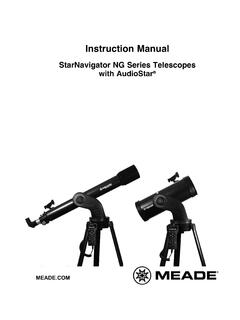
Instruction Manual - Meade Instruments Telescopes, Solar ...
www.meade.comNG Series telescopes are virtually identical. Certain features of your telescope may look different than, or be positioned slightly different than the one pictured here, but the functionality of the features is the same. Fig. 1c (Inset): Computer Control Panel. (A) Handbox port; (B) Power indicator light, (C)

OWNER’S MANUAL
viridianweapontech.combinoculars or telescopes. DO NOT point the beam at mirror-like surfaces. LASER LIGHT DO NOT shine the laser beam into or near anyone’s eyes. DO NOT point the laser at any person, animal, or moving vehicle, including aircraft. This product is compliant to: EN/IEC 60825-1 2014(EU)/60825-1 2007(USA) IMPORTANT: Laser Warning label supplied
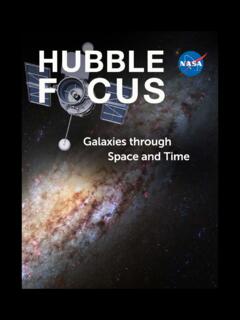
Galaxies through Space and Time
www.nasa.govspace telescopes as well as those on the ground, and build on decades of discoveries that came before Hubble’s launch. Its findings are helping us understand how our universe has come to be the way it is today. Sparkling with new star formation, spiral galaxy NGC 6744 is similar in shape to our Milky Way galaxy but is more than double the size.