Transcription of Automatic Transfer Switches
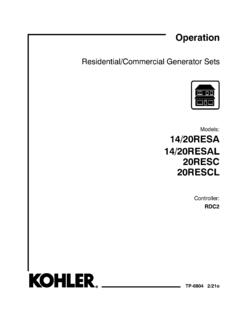
1 Models:KCS/KCP/KCC30 to 4000 AmperesTP-6833 10/21cOperation andInstallationAutomatic Transfer SwitchesProduct Identification InformationProduct identification numbers determine service the product identification numbers in the spacesbelow immediately after unpacking the products so thatthe numbers are readily available for future field-installed kit numbers after installing Switch Identification NumbersRecord the product identification numbers from thetransfer switch DesignationSerial NumberAccessories-Alarm Board-Battery Module-California OSHPD Approval-Controller Disconnect Switch-Current Monitoring-Digital Meter-Heater-IBC Seismic Certification-I/O Module, Standard (max. 4) qty:-I/O Module, High Power (max. 4) qty:-Load Shed-Line-Neutral Monitoring-Supervised Transfer Switch-Surge Protection Device (SPD)------Controller IdentificationRecord the controller description from the generator setoperation manual, spec sheet, or sales DescriptionTable of ContentsTP-6833 10/21 Table of Contents 3 Safety Precautions and of Related 1 Product Model 2 Receipt of IBC Seismic Certification or California OSHPD Manual Operation, Model KCS Standard- Transition Manual Operation, 30- 230 Amp Standard-Transition Manual Operation, 230A/600V and 260- 4000 Amp Standard- Manual Operation, Model KCP Programmed-Transition Manual Operation Test Procedure, 150- 1200 Amp Programmed-Transition Transfer Manual Operation Test Procedure, 1600- 4000 Amp Programmed-Transition Transfer Manual Operation, Model KCC Closed-Transition Manual Operation Test Procedure.
2 150- 1200 Amp Model Manual Operation Procedure, 1600- 4000 Amp Model Controller Controller Input and Output Harness Controller Electrical Source and Load Extended Transfer Time Relay (Model KCC only) Engine Start Auxiliary Communication and Accessory Functional 3 Three-Source Three-Source Three Source Engine Start Mode Mode Preferred Source Three Source System Test and Unloaded Loaded Unloaded Loaded Three-Source System ATS1 and ATS2 System of Contents, continuedTP-6833 10/21 Table of Contents4 Section 4 Communication and Accessory Communication USB Port SiteTech Modbus Ethernet Accessory Accessory Module Input/Output (I/O) External Battery Supply Module (EBSM) Alarm Load Shed (Forced Transfer to OFF) Other 5 Scheduled 6 Functional Tests and Manual Operation Voltage Lamp Automatic Operation System Exerciser User Interface Startup A 10/215 Safety Precautions and InstructionsSafety Precautions and InstructionsIMPORTANT SAFETY ,including generator sets, transferswitches, switchgear, and accessories,can cause bodily harm and poselife-threateningdangerwhenimproperly installed, operated, ormaintained.
3 To prevent accidents beaware of potential dangers and actsafely. Read and follow all safetyprecautions and instructions. SAVETHESE manualhas severaltypes ofsafetyprecautions and instructions: Danger,Warning, Caution, and indicates a hazardoussituation which, if not avoided, willresult in death or serious indicates a hazardoussituation which, if not avoided, couldresult in death or serious indicates a hazardoussituation which, if not avoided, is used to address practicesnot related to physical decals affixed to the equipmentin prominent places alert the operatoror service technician to potentialhazards and explain how to act decals are shown throughout thispublication to improve operatorrecognition. Replace missing ordamaged StartingAccidental cause severe injury or the battery cables beforeworking on the generator the negative (- ) lead firstwhen disconnecting the the negative (- ) lead lastwhen reconnecting the the generator starting can causesevere injury or on the generator set orequipment connected to the set,disable the generator set as follows:(1) Move the generator set masterswitch to the OFF position.
4 (2) Disconnect the power to the batterycharger. (3) Remove the batterycables, negative (- ) lead the negative (- ) lead lastwhen reconnecting the battery. Followthese precautions to prevent starting ofthe generator set by an automatictransfer switch, remote start/stopswitch,or engine start command from aremote computer.(Decision-Makerr3+ and 550 Generator Set Controllers)Disabling the generator starting can causesevere injury or on the generator set orequipment connected to the set,disable the generator set as follows:(1) Press the generator set off/resetbutton to shut down the generator set.(2) Disconnect the power to the batterycharger, if equipped. (3) Remove thebattery cables, negative (- ) lead the negative (- ) lead lastwhen reconnecting the battery. Followthese precautions to prevent thestarting of the generator set by theremote start/stop switch.
5 (RDC, DC, RDC2, DC2,Decision-Makerr3000, 3500 and6000 Generator Set Controllers)Disabling the generator starting can causesevere injury or on the generator set orequipment connected to the set,disable the generator set as follows:(1) If the controller is not already in theMAN (manual) mode, press theController Mode button and then pressthe MAN mode button. (2) If thegenerator setis running,pressandholdthe Manual- Stop button for at least2 seconds to stop the generator set.(3) Press the Controller Mode buttonand then press the controller Off modebutton. (4) Disconnect the power to thebattery charger, if equipped.(5) Remove the battery cables,negative (- ) lead first. Reconnect thenegative (- ) lead last whenreconnecting the battery. Follow theseprecautionstopreventthestartingofth e generator set by the remotestart/stop switch.
6 (Decision-Makerr8000 Controller)Hazardous Voltage/Moving PartsHazardous cause severe injury or all power sources beforeopening the cause severe injury or authorized personnel shouldopen the 10/216 Safety Precautions and InstructionsGrounding electrical or ispossible whenever electricity ispresent. Ensure you comply with allapplicable codes and ground the generator set, Transfer switch, and related equipmentand electrical circuits. Turn off the maincircuit breakers of all power sourcesbefore servicing the equipment. Nevercontact electrical leads or applianceswhen standing in water or on wetground because these conditionsincrease the risk of will cause severeinjury or circuits cancause bodily injury and/or not contact electricalconnections with tools or jewelry whilemaking adjustments or all jewelry before servicing Hazardous voltagewill cause severe injury or electricalshockdeenergizethenormal power source before makingany line or auxiliary the Transfer or all powersources before servicing.
7 Turn off themain circuit breakers of all transferswitch power sources and disable allgenerator sets as follows: (1) Move allgenerator set master controllerswitches to the OFF position. (2)Disconnect power to all batterychargers. (3) Disconnect all batterycables, negative (- ) leads (- )leads lastwhenreconnecting the battery cables afterservicing. Follow these precautions toprevent the starting of generator setsby an Automatic Transfer switch, remotestart/stop switch, or engine startcommand from a remote servicing any componentsinside the enclosure: (1) Remove alljewelry. (2) Stand on a dry, approvedelectrically insulated mat. (3) Testcircuits with a voltmeter to verify thatthey are deenergized.(Decision-Makerr3+ and 550 Generator Set Controllers)Servicing the Transfer causesevereinjury or all powersources before servicing.
8 Turn off themain circuit breakers of all transferswitch power sources and disable allgenerator sets as follows: (1) Press thegenerator set off/reset button to shutdown the generator set. (2) Disconnectpower to all battery chargers. (3)Disconnect all battery cables, negative(- ) leads first. Reconnect negative (- )leads last when reconnecting thebattery cables after servicing. Followthese precautions to prevent thestarting of generator sets by anautomatic Transfer switch, remotestart/stop switch, or engine startcommand from a remote servicing any componentsinside the enclosure: (1) Remove alljewelry. (2) Stand on a dry, approvedelectrically insulated mat. (3) Testcircuits with a voltmeter to verify thatthey are deenergized.(RDC, DC, RDC2, DC2,Decision-Makerr3000, 3500 and6000 Generator Set Controllers)Testing live electrical voltage or current willcause severe injury or and qualified personnel takediagnostic measurements of livecircuits.
9 Use adequately rated testequipment with electrically insulatedprobes andfollow theinstructions ofthetest equipment manufacturer whenperforming voltage tests. Observe thefollowing precautions when performingvoltage tests: (1) Remove all jewelry.(2) Standonadry,approvedelectricallyinsulate d mat. (3) Do not touch theenclosure or components inside theenclosure. (4) Be prepared for thesystem to operate automatically.(600 volts and under)Heavy EquipmentUnbalanced lifting can cause severeinjury or death and adequate lifting leave the Transfer switchstanding upright unless it is securelybolted in place or operator handle the manual operator handle on thetransfer switch for maintenancepurposes only. Return the transferswitch to the normal position. Removethe manual operator handle, if used,and store it in the place provided on thetransfer switch when service material the Transfer switch duringinstallation to keep dirt, grit, metal drillchips, and other debris out of thecomponents.
10 Cover the solenoidmechanism during installation. Afterinstallation, use the manual operatinghandle to cycle the contactor to verifythat it operates freely. Do not use discharge discharge (ESD)damages electronic circuit electrostatic dischargedamage by wearing an approvedgrounding wrist strap when handlingelectronic circuit boards or integratedcircuits. An approved grounding wriststrap provides a high resistance (about1 megohm),not a direct short, 10/217 IntroductionIntroductionThis manual provides operation and installationinstructionsfor thefollowingKohlerrAutomaticTransferSwit ches (ATS):DModel KCS standard-transition any breaker ATSDM odel KCP programmed-transition any breaker ATSDM odel KCC closed-transition any breaker ATSThe Transfer switch is equipped with one of the followingKohlerrtransfer switch controllers:DDecision-MakerrMPAC 1200 controllerDDecision-MakerrMPAC 1500 controllerA separate manual provided with the Transfer switchcovers the Transfer switch controller operation.