Example: stock market
BG-12 Series - Fire-Lite
BG-12 Series Manual Fire Alarm Pull Stations Conventional Initiating Devices DF-52004:A1 † F-050 General The Fire·Lite BG-12 Series is a cost-effective, feature-packed series of non-coded manual fire alarm pull stations. It was designed to meet multiple applications with the installer and end-user in mind. The BG-12 Series features a variety ...
Tags:
Information
Domain:
Source:
Link to this page:
Documents from same domain
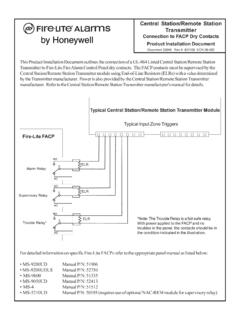
Central Station/Remote Station Transmitter - Fire …
www.firelite.comCentral Station/Remote Station Transmitter Connection to FACP Dry Contacts Product Installation Document Document 53046 Rev A 8/21/06 ECN 06-582
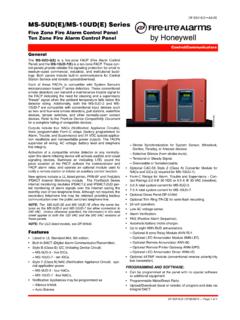
MS-5UD(E)/MS-10UD(E) Series - Fire-Lite Alarms
www.firelite.comDF-52416:D • 07/26/2010 — Page 1 of 4 MS-5UD(E)/MS-10UD(E) Series Five Zone Fire Alarm Control Panel Ten Zone Fire Alarm Control Panel Control/Communicators
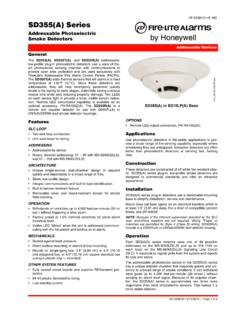
SD355(A) Series - Fire-Lite Alarms
www.firelite.comDF-52384:D • 2/11/2015 — Page 1 of 2 SD355(A) Series Addressable Photoelectric Smoke Detectors Addressable Devices DF-52384:D † E-160 General
Addressable Fire Alarm Control Panel MS-9050UD …
www.firelite.comK P/N 52413:K ECN 15-642 Document 52413 11/20/2015 Rev: Addressable Fire Alarm Control Panel MS-9050UD MS-9050UDC MS-9050UDE
MS-9600LS(E)/MS-9600UDLS(E) - Fire-Lite Alarms
www.firelite.comdf-60334:A4 • 12/29/2009 — Page 1 of 6 MS-9600LS(E)/MS-9600UDLS(E) Intelligent Addressable FACP with Optional 2nd Loop Addressable df-60334:A4 • A1-100
MS-9200UDLS(E) Rev 3 - Fire-Lite Alarms
www.firelite.comDF-60601:A1 • 12/07/2010 — Page 1 of 6 MS-9200UDLS(E) Rev 3 Intelligent Addressable FACP with Built-In Communicator Addressable Fire Alarm Control Panel
MS-9050UD(E) - Fire-Lite Alarms
www.firelite.comDF-52418:E1 • 1/27/12 — Page 1 of 4 MS-9050UD(E) Fire Alarm Control Panel with DACT Addressable DF-52418:E1 • A1-20 52418cov.jpg General The Fire•Lite MS-9050UD(E) is a Fire Alarm Control Panel
General
www.firelite.comDF-60953:B • 3/6/2018 — Page 1 of 4 ES-50X Intelligent Addressable FACP with Communicator Addressable Fire Alarm Control Panels DF-60953:B General
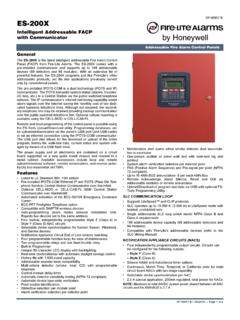
Addressable Fire Alarm Control Panels
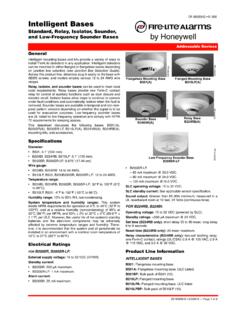
www.firelite.comDF-60957:B • 3/6/2018 — Page 1 of 4 ES-200X Intelligent Addressable FACP with Communicator Addressable Fire Alarm Control Panels DF-60957:B General
Intelligent Bases - Fire-Lite Alarms
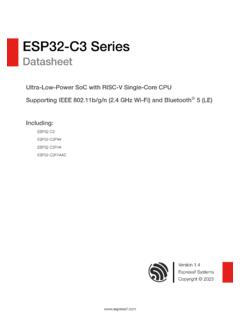
www.firelite.comDF-60059:G • 2/3/2015 — Page 1 of 2 Intelligent Bases Standard, Relay, Isolator, Sounder, and Low-Frequency Sounder Bases Addressable Devices
Related documents
ESP32C3 Series - Espressif
www.espressif.comStationmode,SoftAPmode,Station+SoftAP mode,andpromiscuousmode NotethatwhenESP32-C3scansinStationmode, ... 1 ESP32C3 Series Comparison 9 1.1 ESP32-C3SeriesNomenclature 9 1.2 Comparison 9 2 Pin Definition 10 ... pull-up 1 0 Enabling/Disabling ROM Messages Print During Booting Pin Default Functionality

USER MANUAL - Samsung us
image-us.samsung.comalways pull on the power cord's plug. Never unplug it by pulling on the power cord. Do not touch the power cord with wet hands. • If this apparatus does not operate normally - in particular, if there are any unusual sounds or smells coming from ... a train station, etc. Failure to do so may lead to serious damage to your TV.

Dell Precision 15 7000 series (7510)
dl.dell.comConnecting to a docking station NOTE: Computers requiring more than 130 W power input must also be connected to their own power adapter for charging and operating at full performance. Removing the Secure Digital (SD) card 1. Follow the procedure in Before working inside your computer. 2. Press in on the SD card to release it from the computer.

User guide - ResMed
document.resmed.comHold the humidifier at the top and bottom, press it gently and pull it away from the device. 2. Open the humidifier and discard any remaining water. 3. Hold the cuff of the air tubing and gently pull it away from the device. 4. Hold both the cuff of the air tubing and the swivel of the mask, then gently pull apart.

User guide - ResMed
document.resmed.comHold the water tub at the top and bottom, press it gently and pull it away from the device. 2. Open the water tub and discard any remaining water. 3. Hold the cuff of the air tubing and gently pull it away from the device. 4. Hold both the cuff of the air tubing and the swivel of the mask, then gently pull apart. Cleaning
Sign Fabrication Manual M 55-05
www.wsdot.wa.govWSDOT Sign Fabrication Manual M 55-05 Page 3 July 2021 Suggestion Form Please submit your suggestion by mail or email to: State Traffic Engineer - Signing