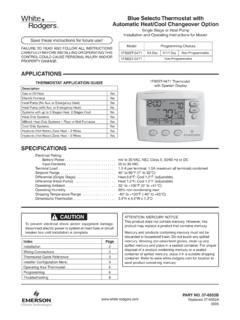
Transcription of Blue Easy Reader Thermostat 1F95EZ-0671 - …
1 blue easy Reader Thermostat1F95EZ-0671 Homeowner s GuideCongratulations on choosing the Emerson blue easy Reader Thermostat . blue easy Reader is designed to be the easiest Thermostat you have ever used. This Thermostat features large numbers and letters for easier viewing, and one button to one function operation for total simplicity. As with all Emerson blue thermostats , no other brand offers better temperature accuracy or easy Reader Thermostat consists of two parts, the base or wall plate mounted on your interior wall and the display and control front that snaps onto the base piece. Depending on your installation, your blue easy Reader may be battery powered or system powered. Either way, it is recommended to keep fresh batteries installed. Batteries are accessible by removing the control front from the base.
2 Whenever Change appears in the display, new premium brand AA alkaline batteries should be installed. If the house will be unoccupied for an extended period and is displayed, install new batteries before you plan to use blue easy Reader as a non-programmable Thermostat , please turn the page to get started. Keep in mind that easy Reader can also be a programmable Thermostat if you should change your mind later. Please call 800-284-2925 if you need assistance in changing to you plan to use easy Reader as a programmable Thermostat , please skip to page to HomeownersBlue easy Reader Thermostat Non-Programmable Mode .. 4 Thermostat Display Overview .. 4 Using Your Thermostat Non-Programmable Mode .. 5 blue easy Reader Thermostat Programmable Mode .. 6 Thermostat Display Overview.
3 6 The Display Icons for Programming .. 7 Setup Guide for Programmable Mode .. 10 Set Current Time and Day .. 10 Energy Saving Factory Pre-program .. 12 Programming Your 13 Copy Program .. 13 Heating and A/C Worksheet .. 14 Enter Heating Program .. 15 Enter A/C Program .. 15 TABLE OF CONTENTSU sing Your Thermostat Programmable ModeAuxiliary Heat .. 16 Temporary Program Override .. 16 Permanent Temperature Hold .. 16 System Diagnostics .. 17 Setting Up Your Thermostat Options .. 18 Confi guration Menu Items .. 18 Confi guration Menu Descriptions .. 20 Record of Thermostat Options Selected .. 24 blue easy Reader Thermostat Homeowner s Guide 3 Thermostat DISPLAY OVERVIEWOff ButtonPress to turn off both Heating and Air Condi-tioning systems and fanA/C ButtonPress to select Air ConditioningHeat ButtonPress to select HeatingBLUE easy Reader Thermostat NON-PROGRAMMABLE MODE4 blue easy Reader Thermostat Homeowner s GuideBattery Status = Full Charge = Half CapacityChange = Replace BatteriesIndicates Heat Pump System (does not appear for multi-stage or single stage)Actual Room TemperatureDesired TemperatureTemperature Adjustment ButtonsMenu ButtonButton LabelsSolid colored labels indicate selection is On.
4 Non-solid or outlined labels indicate not selected or Off. (Heat is on in this example.)Button not usedFan ButtonPress to select Fan operationFan = Fan On/continuous FanFanFan = Fan Auto Fan runs only during a call for Heat or Air Conditioning (typical setting) blue easy Reader Thermostat NON-PROGRAMMABLE MODE1On the home screen display select your desired system operating mode (Heat or A/C).2 Press either the or button to select the desired room temperature setting .3 Press the Fan button to select the desired fan operation, Auto or On. 4 PressOffto turn Heating and A/C system Off. Fan will turn Off if it is your heating or A/C system is a heat pump, the system automatically activates Auxiliary Heating when the outside temperature is too cold for the heat pump to effi ciently heat the home.
5 You can manually activate the auxiliary heating by pressing and holding the Heatbutton until AuxAux changes to Aux. To turn the manual auxiliary off press the Heat button enjoy the simple operation of your easy Reader Non-Programmable USING YOUR THERMOSTATBlue easy Reader Thermostat Homeowner s Guide 5 blue easy Reader Thermostat PROGRAMMABLE MODEA ctual Room TemperatureDesired TemperatureTemperature Adjustment ButtonsMenu ButtonButton LabelsSolid colored labels indicate selection is On. Non-solid or outlined labels indicate not selected or Off. (Heat is On in this example.)Program PeriodOff ButtonPress to turn off both Heating and Air Conditioningsystems and fanA/C ButtonPress to select Air ConditioningHeat ButtonPress to selectHeatingTime of DayDay of Week6 blue easy Reader Thermostat Homeowner s GuideTHERMOSTAT DISPLAY OVERVIEWB utton used for ProgrammingIndicates Heat Pump System (does not appear for multi-stage or single stage)Battery Status = Full Charge = Half CapacityChange = Replace BatteriesFan ButtonPress to select Fan operationFan = Fan On/continuous FanFanFan = Fan Auto fan runs only during a call for Heat or Air Conditioning (typical setting)
6 123456789101112 blue easy Reader Thermostat PROGRAMMABLE MODE OTHER DISPLAY ICONS FOR PROGRAMMINGBlue easy Reader Thermostat Homeowner s Guide 7 RunIndicates button to press to exit any menu and return to normal button used to set time and date. Press button to step through the hour, minute, Year, Month, and DayIndicates button used when programming to advance through the days of the system is selected as heat pump or indicates that auxiliary heating system is for ServiceWill display if your heating or A/C system has diagnostic capability and needs a qualifi ed technician to service the equipment. 6 Shows time of day. When setting the Time, displays time or date. Each press of the Time button will change hour, minute, Year, Month, and Date. In Sched (Schedule) mode, will show start time for period.
7 7In Normal operation, the current day of the week will be displayed. When setting the Time, indicates the day of the week selected. In Sched mode indicates the day of the week being programmed starting with Monday. Press Adv Day button to step through the days of the OTHER DISPLAY ICONS FOR PROGRAMMINGBLUE easy Reader Thermostat PROGRAMMABLE MODE348 blue easy Reader Thermostat Homeowner s Guide8In Normal operation mode indicates the current Program period Morn, Day, Eve, or Night . In Sched mode will indicate the period of the day being programmed9 HoldTempIndicates the program schedule is temporarily overridden. The Thermostat will maintain the current desired temperature for a two hour period. Hold will be displayed when the Thermostat is placed in permanent hold using the Hold button.
8 10 LimitIs displayed when the desired temperature is adjusted with the or keys to the temperature limit selected in the setup menu. 11 HoldCopyMenuMenu indicates button to press to access the programming and time setting functions or to enter the Confi guration menu. Hold indicates button to press to enter permanent Hold. Copy is used in button to press to enter Sched mode to enable setting of program schedule. In Hold or Hold Temp mode, Run Sched indicates button to press to return to easy Reader Thermostat PROGRAMMABLE MODE OTHER DISPLAY ICONS FOR PROGRAMMINGBlue easy Reader Thermostat Homeowner s Guide 92 Press the Time button to display hour and A or P in the clock display SET CURRENT TIME AND DAY1On the Home display in Heat or A/C, press Menu button to display additional button choicesSETUP GUIDE FOR PROGRAMMABLE OPERATING MODE13210 blue easy Reader Thermostat Homeowner s GuideTo change your Thermostat to be a Programmable, Item 14, Schedules per Week, in Confi guration Menu must be changed from P0 to P7.
9 See page 18-19, Setting Up Your Thermostat Options. SETUP GUIDE FOR PROGRAMMABLE OPERATING MODE3 Press the or button to reach the correct hour and A (AM) or P (PM).4 Press Time to display the Repeat steps 3 and 4 to set minute(s), Year, Month and day of Press Run to return to home screen and run the preset program that meets Energy Star easy Reader Thermostat Homeowner s Guide 1146 ENERGY SAVING PRE-PROGRAMF actory Pre-Programmed schedule for the default two period Day / Night programsDayNightHeating Program6:00 AM70 F10:00 PM62 FA/C Program6:00 AM75 F10:00 PM78 FFactory Pre-Programmed schedule for four periods per day, all days of the weekWake Up(Morning)Leave For Work(Day)Return Home(Evening)Go To Bed(Night)Heating Program6:00 AM70 F8:00 AM62 F5:00 PM70 F10:00 PM62 FA/C Program6:00 AM75 F8:00 AM83 F5:00 PM75 F10.
10 00 PM78 FSETUP GUIDE FOR PROGRAMMABLE OPERATING MODEThis Thermostat is set up for 7 independent day programming with 2 or 4 time/temperature periods per day. If the factory programming meets your needs, skip to page 16, using your Thermostat . If you wish to change the heating or A/C schedules, please proceed to the Programming Your Thermostat blue easy Reader Thermostat Homeowner s GuideThe Heating and A/C Worksheet on page 14 allows you to pencil in your own program times and tem-peratures. Factory settings are listed on Monday (for Monday thru Friday), Saturday and Sunday. If you are re-programming all 7 days, fi ll in all lines with the times and temperatures you want. Use this work-sheet as a guide to reprogram the the following guidelines in mind when planning your program.