Transcription of BSBCMM401 Make a presentation
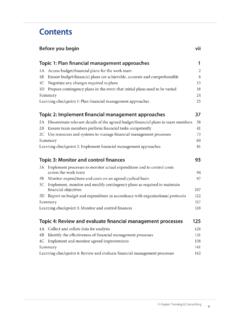
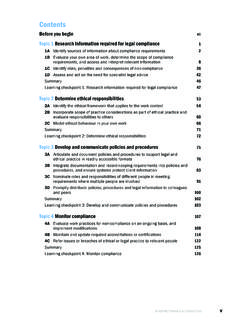
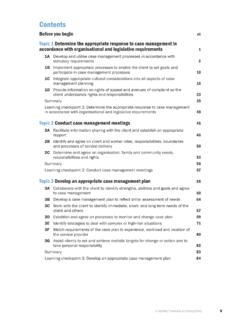
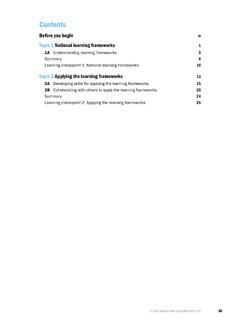
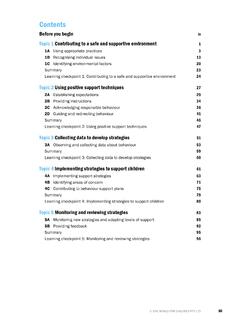
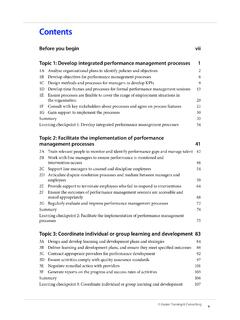
1 Aspire Training & ConsultingvContentsBefore you begin viiTopic 1: Prepare a presentation 11A Plan and document the presentation approach and intended outcomes 21B Choose appropriate presentation strategies, format and delivery methods 111C Select appropriate presentation aids, materials and techniques 231D Brief others involved in the presentation on their roles and responsibilities within the presentation 331E Select techniques to evaluate the effectiveness of the presentation 40 Summary47 Learning checkpoint 1: Prepare a presentation 48 Topic 2: Deliver a presentation 552A Explain and discuss the desired outcomes of the presentation with the audience 562B Use aids, materials and examples to support audience understanding of the key concepts and central ideas 592C Monitor the communication of participants to attain presentation outcomes 632D Use persuasive communication techniques to secure audience interest 692E Provide opportunities for participants to seek clarification, and adjust the presentation to meet participant needs and preferences 732F Summarise key concepts and ideas to facilitate understanding 79 Summary83 Learning checkpoint 2: Deliver a presentation 84 Topic 3: Review the presentation 893A Implement techniques to review the effectiveness of the presentation and discuss reactions 903B Use feedback to make changes to the central ideas presented 97 Summary102 Learning checkpoint 3.
2 Review the presentation 1034 Aspire Training & ConsultingBSBCMM401 Make a presentationResearch presentation contentIt is crucial that the information you present is relevant and well researched. An audience needs to be confident that you and your organisation can be trusted to provide current and accurate information. Material that is not relevant, is of a poor quality or has no factual basis does not help promote the should be appropriate to your topic, the purpose of the talk and the needs and interests of your audience. You may already have the information and data you need in the form of a report, the organisation s policies and procedures or other documentation relevant to the presentation . Sometimes you may have to do additional research by speaking with other professionals, contacting industry professional groups, reading articles in industry journals or conducting internet research. Here are some tips for guiding your is bestFocus your research on the most recent findings, unless you specifically need earlier your factsSeek academic journals and papers for more-detailed information about a topic.
3 Read the abstracts, which give a concise summary of the main body of the paper. Include anecdotal information to illustrate key points, give your presentation some interest to help the audience remember it your sourcesMake sure you are not infringing copyright by reproducing information without permission; that you do not use confidential or restricted information without permission; or reveal any details that could cause distress for a staff member or appropriatelyYou may need to cite the sources you have referred to, particularly for formal presentations such as a conference. Use an accepted format to show where you have found your information. Be aware of plagiarism and copyright Aspire Training & ConsultingBSBCMM401 Make a presentationExample: prepare a delivery planA session delivery plan should be formatted so it is easy to refer to during your presentation . Date: 23 AugustVenue: Conference Room 2, Westerway Council Offices, 28 Raven StreetTime: am to pmSession planSession nameWHS issues in the workplace Target audienceTeam leaders and managersLearning outcomes As a result of attending this program, participants should be able to: understand the legal and practical responsibilities for providing asafe working environment apply this knowledge to their own workplace bring about changes in their own workplace to make it of presenterMalcom ReidDuration of session3 hours, 45 minutesResources Clock/watch Pens and paper for participants to take notes Whiteboard, whiteboard pens and eraser Butcher s paper/large piece of paper Data projector and prepared slides TV and DVD player DVD.
4 WHS in the workplace - the do s and don ts Handouts RefreshmentsTimeContentResources Why we are here Learning outcomes Housekeeping (WHS, breaks,contact details, getting help)Getting to know each otherIcebreaker to WHS: Current legislation Duty-of-care responsibilities Reporting hazards WHS policies and procedures Emergency proceduresSlide DVD: WHS in the workplace the do s and don ts DVDcontinued .. Aspire Training & Consulting13To p i c 1 Prepare a presentationIdentify the target audienceFind out as much as you can about the people who will attend your presentation . The characteristics and needs of the audience determine how you structure and deliver the presentation , its length, the resources required and the presentation strategies you use. This also includes presentation skills you may need to be aware of, such as your rate of speech, tone and the specific language you characteristics may lead you to seek advice and support from specialists such as language, literacy and numeracy (LLN) specialists, or organisations with expertise in working with different cultures or with learners who have special audience informationHow you gather information about the target audience depends on the number of people attending and the purpose of the presentation .
5 If it is a large audience, it may not be practical or desirable for the organiser to gather details about individual audience members. It is important, however, that a process is available to participants to advise the organiser or presenter of any specific characteristics or needs that should be considered to ensure equitable participation and access to the venue and presentation . Presentations that occur in workplace settings provide a greater opportunity to gather information about individual audience are some characteristics you need to consider when preparing a of audience membersVarious age groups interpret information differently. The target audience may be of diverse ages (in a presentation to a community group, for example) or the majority of members may be of a similar age ( a presentation to a sporting team or school group). While it is important to avoid stereotyping the members of the target audience, be aware that their life experiences can shape the way they interpret information and respond to what you making a presentation to a group of people of a similar age, find out as much as you can about the characteristics of the group, including their preferred method for receiving information.
6 For example, older audience members may prefer to receive printed materials rather than being given a DVD containing presentation materials. Aspire Training & Consulting17To p i c 1 Prepare a presentationGroup activities Participants may be divided into groups led by a facilitator or presenter. This technique may be used for discussing new ideas or when you wish people to actively participate in the presentation . Tasks for activities must be well prepared and timed. Groups should be monitored during the presentation to ensure deliveryChoose ways in which you can deliver the presentation to suit the requirements of the presentation brief and the are some common strategies that can be applied individually or in combination to meet the needs of a delivery strategiesOral presentation Oral presentations are excellent for sharing information quickly and efficiently with groups of people. Oral presentations: ensure that a whole group receives the sameinformation at the same time are appropriate where low levels of audienceparticipation will not impact on learning work best where the learning outcomes donot require skills practice may be recorded for further presentationMany presentations are delivered using an overhead projector and slides.
7 This is suitable for small and large groups. It is useful for people who like to read written text as well as listen. Handouts of the presentation are valuable for participants. The presenter can write delivery notes to accompany the slides in a section that is hidden to viewers. Aspire Training & Consulting25To p i c 1 Prepare a presentationAdvantages of using computer presentations The software is easy to use. This type of presentation is relatively inexpensive to prepare and present. Presentations can be used on multiple platforms (face-to-face, LMS,social networking). You can revise and re-use the files. Artwork, animation, diagrams, audio or video can easily be integrated intothis type of simulationsComputer simulations allow participants to interact with people and objects, solve problems and make decisions using software that seeks to replicate a particular environment. Marketing specialists use simulations to immerse customers in an environment where they are able to trial products or services and understand features and benefits.
8 There is evidence that potential buyers who have had the opportunity to use a product and develop a sense of ownership are more likely to make a simulations and computer games provide learning through experience and are particularly useful in training presentations. There is evidence that simulations are useful for engaging the interest of inexperienced learners and those with low skill levels, and may also shorten learning the following aspects before selecting a simulation: Computer simulations may be expensive and time-consuming to develop and trial. Specialist developers, instructional designers and copywriters may be involved in thistype of project. Arrange, where necessary, other facilitators or support staff to assist participants. Have a contingency plan to deal with technical issues. Investigate what opportunities exist for participants to continue to use the simulationafter the presentation . Plan how you will create a record of the participants experience of using the and audio recordingsVideo and audio recordings are effective for reinforcing content and demonstrating the application of concepts and ideas.
9 Audiovisuals can be used to entertain, promote discussion, give other viewpoints or perspectives and share information from experts or industry leaders. However, these resources should be used with caution; they can be expensive and may quickly become presentations may also be recorded and distributed online. When choosing a recording medium, consider audience access to technology. For example, a presentation for older people may miss its target market if it is only available as a the planning and preparation stage: always preview a resource before using it, as flaws in the recording or outdated fashionor technology can detract from its credibility Aspire Training & Consulting29To p i c 1 Prepare a presentationUse live action in presentationsLive action is cinematography not produced using animation. It is used extensively in advertising and marketing to show real people using products or services, and for online learning presentations.
10 Content must be appropriate for the audience and avoid action should be professionally recorded if it will be used to communicate information to customers. Check and comply with copyright restrictions before distributing video recorded by another music in presentationsMusic can be used to add interest and create a specific mood or atmosphere, or to emphasise and reinforce key concepts and ideas, or build brand music that is appropriate for the audience. Check relevant organisational policies; and check and comply with any copyright restrictions. Investigate the suitability of the venue for broadcasting music during your presentation (acoustics, volume, equipment).Use sound effects in presentationsSound effects may be associated with the organisation s brand; used to emphasise important points; or used during demonstrations. Plan how you can use sound effects to maximum advantage. Using excessive or poorly chosen sound effects can distract the audience and detract from central ideas and that the sound effects are culturally appropriate and unlikely to cause offence.