Transcription of CHAPTER 18 How Web Browsers Work - …
1 PART 4 HOW THE WORLD WIDE WEB WORKSHow WebBrowsers Work144 CHAPTER18 LIKE much of the Internet, the World Wide Web operates on a client/server model. You run a webclient on your computer called a web browser such as Microsoft s Internet Explorer or Firefox. Thatclient contacts a web server and requests information or resources. The web server locates and then sendsthe information to the web browser , which displays the web Browsers contact servers, they re asking to be sent pages built with Hypertext MarkupLanguage (HTML). Browsers interpret those pages and display them on your computer. They also can dis-play applications, programs, animations, and similar material created with programming languages such asJava and ActiveX, scripting languages such as JavaScript, and techniques such as , home pages contain links to files the web browser can t play or display, such as sound or ani-mation files.
2 In that case, you need a plug-in or a helper application. You configure your web browser oroperating system to use the helper application or plug-in whenever it encounters a sound, animation, orother type of file the browser can t run or the years, web Browsers have become increasingly sophisticated. Browsers are now full-blown soft-ware suites that can do everything from videoconferencing to letting you create and publish HTML now also blur the line between your local computer and the Internet in essence, they can makeyour computer and the Internet function as a single computer , a browser is not just a single piece of software, but an entire suite.
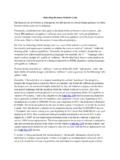
3 The newest version ofInternet Explorer, for example, includes security features such as an anti-phishing filter. The Firefox browserhas a companion piece of email software called Thunderbird that can be downloaded as browsing the Internet, one of the most frustrating experiences is the error messages Browsers dis-play when they re having trouble contacting a website. Depending on which browser you use, and whichversion of the browser you re using, those messages might differ. Sometimes Browsers display error messagesin plain English but more often they don t. The final illustration in this CHAPTER lists the most commonbrowser error messages and what they a Web BrowserWorksPART 4 HOW THE WORLD WIDE WEB WORKS146 Web Browsers consist of clientsoftware that runs on your com-puter and displays home pageson the Web.
4 There are clientsfor a wide variety of devices,including Windows, Macintosh,and Unix web browser displays information on your computer byinterpreting the Hypertext Markup Language (HTML) that isused to build home pages on the Web. Home pages usuallydisplay graphics, sound, and multimedia files, as well aslinks to other pages, files that can be downloaded, andother Internet 18 HOW WEB Browsers WORK147 The coding in the HTML files tells your browser how to dis-play the text, graphics, links, and multimedia files on thehome page. The HTML file your browser loads to display thehome page doesn t actually have the graphics, sound, multi-media files, and other resources on it.
5 Instead, it containsHTML references to those graphics and files. Your browseruses those references to find the files on the server and thendisplay them on the home web browser also interprets HTML tags as links to otherwebsites, or to other web resources, such as graphics, multi-media files, newsgroups, or files to download. Depending onthe link, it performs different actions. For example, if theHTML code specifies the link as another home page, thebrowser retrieves the URL specified in the HTML file whenthe user clicks the underlined link on the page. If the HTML code specifies a file to be downloaded, the browser down-loads the file to your meanings of tags are easily decipherable.
6 Every HTML tag, orinstruction, is surrounded by a less-than and a greater-than sign <P>.Often tags appear in pairs, the beginning tag and the ending tag. Theyare identical except for a simple slash in the ending tag. So, a paragraphof text frequently is surrounded by tags such as this: <P> Paragraph oftext.</P>. Also, tags are not case sensitive. <P>equals <p>.Web Browsers can t display some types of files on the Internet, notablysome kinds of multimedia files, such as sound, video, and animationfiles. (A common file type like this is called Flash.) To view or play thesefiles, you need what is called a helper applicationor plug-in.
7 You mustconfigure your web browser or operating system to launch these helperapplications and plug-ins whenever you click an object that needs themto be viewed. More often than not, when you install the application orplug-in, it will configure itself TitleBackground ColorLayer 1 HyperlinkWhat Common BrowserError Messages MeanPART 4 HOW THE WORLD WIDE WEB WORKS148 Server Does Not Have a DNS Entry Whenyou type a URL in your browser to visit asite, your computer contacts a server calleda Domain Name System (DNS) server. TheDNS server translates the URL into the IPnumber that computers can understand and after it does that, your browser can goto the site.
8 (For more information aboutDNS servers, see CHAPTER 5, How InternetAddresses and Domains work . ) If you getan error message telling you the serverdoesn t have a DNS entry, it means that theserver doesn t have a listing for the URL youtyped. This usually means either you typedthe URL incorrectly or something is wrongwith the DNS server. Check the URL andretype Service Unavailable This is a catch-all errormessage for a variety of problems, but all of themmean that the website is incapable of contact by yourbrowser. The problem might be the site s server hascrashed because of too much traffic or there s net- work Access Forbidden.
9 Too Many Users AreConnected Some websites recognize that ifthey get too much traffic at once, the entire sitecan be brought down and no one will be able tovisit. Those sites put a limit on the number ofpeople who can come to the site at once thatway, the site is always available, even if noteveryone who wants to visit can get in. If you getthis Too Many Users Are Connected message,it usually means that the website is up and run-ning, but you can t get in because the maximumnumber of people are already on the site. Keeptrying when one person leaves, another cancome in, and it might be ServerWeb ServerWeb ServerCHAPTER 18 HOW WEB Browsers WORK149 Spinning hourglass This isn t anerror message your browser dis-plays instead, your Windowscursor turns into a spinning hour-glass.
10 The spinning hourglass tellsyou that your browser is trying tomake a connection to a website. Ifit keeps spinning and a connectionis never made, it can mean that anInternet router someplacebetween where you are and whereyou re trying to visit has crashedand you can t make the connec-tion. It can also mean that you velost your local Internet connectionfor some Not Found When you getthis message, you ve arrived atthe correct website, but thespecific page you re looking forcan t be found. That specificpage might have been deletedfrom the site or moved or youmight have typed the Unauthorized or 403 Forbidden Ifyou get either of these error messages,you re trying to enter a website thatallows only certain people in and it snot allowing you to enter.