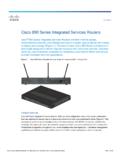
Transcription of Cisco 880 Series Integrated Services Router Software ...
1 Americas HeadquartersCisco Systems, West Tasman DriveSan Jose, CA 95134-1706 : 408 526-4000800 553-NETS (6387)Fax: 408 527-0883 Cisco 880 Series Integrated Services Router Software Configuration GuideText Part Number: OL-22206-01 THE SPECIFICATIONS AND INFORMATION REGARDING THE PRODUCTS IN THIS MANUAL ARE SUBJECT TO CHANGE WITHOUT NOTICE. ALL STATEMENTS, INFORMATION, AND RECOMMENDATIONS IN THIS MANUAL ARE BELIEVED TO BE ACCURATE BUT ARE PRESENTED WITHOUT WARRANTY OF ANY KIND, EXPRESS OR IMPLIED. USERS MUST TAKE FULL RESPONSIBILITY FOR THEIR APPLICATION OF ANY Software LICENSE AND LIMITED WARRANTY FOR THE ACCOMPANYING PRODUCT ARE SET FORTH IN THE INFORMATION PACKET THAT SHIPPED WITH THE PRODUCT AND ARE INCORPORATED HEREIN BY THIS REFERENCE.
2 IF YOU ARE UNABLE TO LOCATE THE Software LICENSE OR LIMITED WARRANTY, CONTACT YOUR Cisco REPRESENTATIVE FOR A Cisco implementation of TCP header compression is an adaptation of a program developed by the University of California, Berkeley (UCB) as part of UCB s public domain version of the UNIX operating system. All rights reserved. Copyright 1981, Regents of the University of California. NOTWITHSTANDING ANY OTHER WARRANTY HEREIN, ALL DOCUMENT FILES AND Software OF THESE SUPPLIERS ARE PROVIDED AS IS WITH ALL FAULTS. Cisco AND THE ABOVE-NAMED SUPPLIERS DISCLAIM ALL WARRANTIES, EXPRESSED OR IMPLIED, INCLUDING, WITHOUT LIMITATION, THOSE OF MERCHANTABILITY, FITNESS FOR A PARTICULAR PURPOSE AND NONINFRINGEMENT OR ARISING FROM A COURSE OF DEALING, USAGE, OR TRADE NO EVENT SHALL Cisco OR ITS SUPPLIERS BE LIABLE FOR ANY INDIRECT, SPECIAL, CONSEQUENTIAL, OR INCIDENTAL DAMAGES, INCLUDING, WITHOUT LIMITATION, LOST PROFITS OR LOSS OR DAMAGE TO DATA ARISING OUT OF THE USE OR INABILITY TO USE THIS MANUAL, EVEN IF Cisco OR ITS SUPPLIERS HAVE BEEN ADVISED OF THE POSSIBILITY OF SUCH , CCENT, CCSI, Cisco Eos.
3 Cisco HealthPresence, Cisco IronPort, the Cisco logo, Cisco Lumin, Cisco Nexus, Cisco Nurse Connect, Cisco StackPower, Cisco StadiumVision, Cisco TelePresence, Cisco Unified Computing System, Cisco WebEx, DCE, Flip Channels, Flip for Good, Flip Mino, Flip Video, Flip Video (Design), Flipshare (Design), Flip Ultra, and Welcome to the Human Network are trademarks; Changing the Way We Work, Live, Play, and Learn, Cisco Store, and Flip Gift Card are service marks; and Access Registrar, Aironet, AsyncOS, Bringing the Meeting To You, Catalyst, CCDA, CCDP, CCIE, CCIP, CCNA, CCNP, CCSP, CCVP, Cisco , the Cisco Certified Internetwork Expert logo, Cisco IOS, Cisco Press, Cisco Systems, Cisco Systems Capital, the Cisco Systems logo, Cisco Unity, Collaboration Without Limitation, EtherFast, EtherSwitch, Event Center, Fast Step, Follow Me Browsing, FormShare, GigaDrive, HomeLink, Internet Quotient, IOS, iPhone, iQuick Study, IronPort, the IronPort logo, LightStream, Linksys, MediaTone, MeetingPlace, MeetingPlace Chime Sound.
4 MGX, Networkers, Networking Academy, Network Registrar, PCNow, PIX, PowerPanels, ProConnect, ScriptShare, SenderBase, SMARTnet, Spectrum Expert, StackWise, The Fastest Way to Increase Your Internet Quotient, TransPath, WebEx, and the WebEx logo are registered trademarks of Cisco Systems, Inc. and/or its affiliates in the United States and certain other countries. All other trademarks mentioned in this document or website are the property of their respective owners. The use of the word partner does not imply a partnership relationship between Cisco and any other company. (1005R)Any Internet Protocol (IP) addresses used in this document are not intended to be actual addresses.
5 Any examples, command display output, and figures included in the document are shown for illustrative purposes only. Any use of actual IP addresses in illustrative content is unintentional and 880 Series Integrated Services Router Software Configuration Guide 2010-2011 Cisco Systems, Inc. All rights reserved. xiiiCisco 880 Series Integrated Services Router Software Configuration GuideOL-22206-01 PrefaceThis preface describes the objectives, audience, organization, and conventions used in this guide, and describes related documents that have additional information. It contains the following sections: Objective, page xiii Audience, page xiii Organization, page xiv Conventions, page xiv Related Documentation, page xv Searching Cisco Documents, page xv Obtaining Documentation and Submitting a Service Request, page xviObjectiveThis guide provides an overview and explains how to configure the various features for the Cisco 880 Series Integrated Services routers (ISR).
6 Some information may not apply to your particular Router warranty, service, and support information, see the Cisco One-Year Limited Hardware Warranty Terms section in Readme First for the Cisco 800 Series Integrated Services routers that was shipped with your guide is intended for Cisco equipment providers who are technically knowledgeable and familiar with Cisco routers and Cisco IOS Software and features. xivCisco 880 Series Integrated Services Router Software Configuration GuideOL-22206-01 Preface OrganizationThis guide is organized into the following parts, chapters, and documents use the conventions listed in Table 1 to convey instructions and reader take note.
7 Notes contain helpful suggestions or references to additional information and symbol means reader be careful. In this situation, you might do something that could result in equipment damage or loss of data. ChaptersProduct OverviewProvides a brief description of the Router models and the available Software Device OverviewProvides an introduction to the wireless device on the Router and its use in network Router ConfigurationProvides procedures for configuring the basic parameters of the Wireless Device ConfigurationProvides procedures for initial configuration of the wireless 1 Command ConventionsConventionDescriptionboldface fontCommands and fontVariables for which you supply values.
8 [ ]Optional keywords or arguments appear in square brackets.{x | y | z}A choice of required keywords appears in braces separated by vertical bars. You must select fontExamples of information displayed on the screen fontExamples of information you must enter.< >Nonprinting characters, for example, passwords, appear in angle brackets in contexts where italics are not available.[ ]Default responses to system prompts appear in square brackets. xvCisco 880 Series Integrated Services Router Software Configuration GuideOL-22206-01 PrefaceTipMeans the following information will help you solve a problem.
9 The tips information might not be troubleshooting or even an action, but could be useful information, similar to a DocumentationIn addition to Cisco 880 Series ISR Software Configuration Guide (this document), it includes the following documents: Readme First for the Cisco 800 Series Integrated Services routers Regulatory Compliance and Safety Information for Cisco 800 Series and SOHO Series routers Declarations of Conformity and Regulatory Information for Cisco Access Products with Radios Software Activation on Cisco Integrated Services routers and Cisco Integrated Service routers G2 Cisco IOS Release Notes for Cisco IOS Release (M)You might also need to refer to the following documents.
10 Cisco System Manager Quick Start Guide Cisco IOS Release Quality of Service Solutions Configuration Guide Cisco IOS Security Configuration Guide, Release Cisco IOS Security Configuration Guide, Release Cisco IOS Security Command Reference, Release Cisco IOS Security Command Reference, Release Cisco IOS Command Reference for Cisco Aironet Access Points and Bridges, versions (10b) JA and (8) JEC Cisco Aironet 1240AG Access Point Support Documentation Cisco 4400 Series Wireless LAN Controllers Support Documentation LWAPP Wireless LAN Controllers LWAPP Wireless LAN Access Points Cisco IOS Release Voice Port Configuration Guide SCCP Controlled Analog (FXS) Ports with Supplementary Features in Cisco IOS Gateways Cisco Software Activation Conceptual Overview Cisco Software Activation Tasks and CommandsSearching Cisco Documents To search an HTML document using a web browser, use the Ctrl+F (Windows) or Cmd+F (Apple) sequences.