Transcription of Client ID: [Client ID] - Home Affairs
1 [Date of email] Dear [First name] [Last name] Sent to email address [email address] In correspondence to the Department quote: Client Name: [First name] [Last name] Client ID: [ Client ID] Request ID: [Request ID] Information regarding your citizenship ceremony The Department of Home Affairs has introduced online Australian citizenship ceremonies while COVID-19 safety measure are in place. Citizenship candidates can make the citizenship pledge and become a citizen via a web-based video conference. These ceremonies will be conducted using the video conferencing application webex . We are sending you this email to ask if you would like to participate in an online ceremony in the coming weeks. Migration agents If you have received this email because you are listed as the primary contact for an applicant for Australian citizenship, forward this email to your Client to consider if they want to participate. They will need to provide their personal email address if they want to participate in an online ceremony.
2 The invitation will be sent directly to them. How to register your interest Read the information below and register your interest in an online ceremony by responding to this email within seven days of receiving this email. You will be invited to an online ceremony as soon as possible. If you do not want to attend an online ceremony you do not need to take any action. In-person citizenship ceremonies are being reintroduced across a number of jurisdictions following the easing of COVID-19 restrictions. Technology requirements you will need for an online ceremony To be eligible to participate in an online ceremony, you must have: a device with video and audio accessibility. the ability to use the cisco webex Meetings application, which is available for mobile phones, tablets, personal computers and laptops. If using your mobile phone or tablet, download the cisco webex Meetings application from the Apple App Store or Google Play (for Android).
3 If you have the option, we suggest that during the ceremony your device is connected to Wi-Fi. If using a laptop or personal computer, download the cisco webex Meetings Desktop App from the following link: About the ceremony We will provide you with a date and time for your ceremony. Online ceremonies are conducted during business hours and take approximately 15 minutes. You will need to show photo identification such as a driver licence or passport. For privacy reasons, digital recording of your virtual citizenship ceremony is not permitted. Your ceremony will be conducted on a one-on-one basis or in family groups. If you want to attend your ceremony with a family member who has been approved citizenship, respond to this email with that person s full name and date of birth and if known, a Client ID. This will enable the Department to arrange a joint ceremony. You will be required to repeat the Citizenship Pledge (below) out loud to the Presiding Officer.
4 From this time forward, under God*, I pledge my loyalty to Australia and its people, whose democratic beliefs I share, whose rights and liberties I respect, and whose laws I will uphold and obey. *you may choose whether or not to use the words under God Australian citizenship certificate You will receive your citizenship certificate by registered post within three weeks after your online ceremony. We look forward to hearing from you. Citizenship and TIS Branch Citizenship and Multicultural Programs Division Citizenship and Social Cohesion Group Department of Home Affairs meeting body template: Ceremony Details: Date: XX Time: XX The Department of Home Affairs invites you to participate in a virtual Australian citizenship ceremony to make the citizenship pledge by video. The ceremony will take approximately 15 minutes. Unable to attend your ceremony Due to high demand, there are limited opportunities to reschedule your virtual citizenship ceremony.
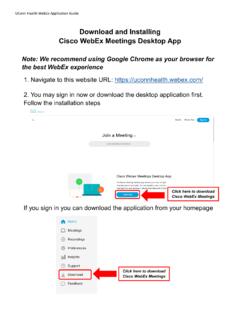
5 We encourage you to attend at the specified time. Ceremonies can only be conducted during business hours. If you are unable to attend the ceremony, or you are unable to access a device with audio and video facilities, please respond to this email address advising your unavailability and decline the meeting invitation. Preparation for your ceremony Identity Documents Before your ceremony, have your photo identification document ready, such as your driver licence or passport. You will show this document to your presiding officer at the start of your ceremony. Accessing webex Before your ceremony you will also need to choose the device you intend to use and check that your device has a camera and audio accessibility. If using your mobile phone or tablet, download the cisco webex Meetings application from the Apple App Store or Google Play (for Android). If you have the option, we suggest that during the ceremony your device is connected to Wi-Fi. If using a laptop or personal computer, download the cisco webex Meetings Desktop App from the following link: Join the webex meeting To join the meeting scroll to the end of this email and click on the green Join meeting button or enter the meeting number (access code) and meeting password.
6 Do not use the phone numbers listed under Join by phone to join the webex meeting . Calling these numbers will not enable video communication which is a requirement for the ceremony to proceed. Identification At the start of your ceremony you will need to show photo identification such as a drivers licence or passport. Citizenship Pledge You will be required to repeat the below Citizenship Pledge out loud to your Presiding Officer. From this time forward, under God*, I pledge my loyalty to Australia and its people, whose democratic beliefs I share, whose rights and liberties I respect, and whose laws I will uphold and obey. *you may choose whether or not to use the words under God Participation in the ceremony Attendees should be visible on camera during the ceremony. For privacy reasons, digital recording of your virtual citizenship ceremony is not permitted. Dependent children included on your application are not required to attend the ceremony, but they are welcome to join in.
7 If you experience IT issues during the ceremony If the ceremony is interrupted with IT issues, and a new connection is unable to be made, the Department will contact you to schedule another ceremony. Australian citizenship certificate You will receive your citizenship certificate by registered post within three weeks of your ceremony. If your residential and/or postal addresses have changed since your last contact with the Department of Home Affairs , please ensure the details have been updated in ImmiAccount. After you become an Australian citizen In Australia all Australian citizens aged 18 and over, must enrol and vote. This way you can have your say on who represents you about issues that are important to you and your community. To enrol to vote you need to complete the enrolment form included in your citizenship certificate, and submit the form to the AEC online at: As an Australian citizen, you can apply for an Australian passport. We recommend that you wait until you receive your citizenship certificate to apply.
8 For more information, or if you need to travel urgently, visit the website of the Australian Passport Office We look forward to celebrating your citizenship ceremony with you. Citizenship and TIS Branch Citizenship and Multicultural Programs Division Citizenship and Social Cohesion Group Department of Home Affairs Virtual Ceremony mailbox Auto response Thank you for your email and interest in online ceremonies. Due to the high demand for online citizenship ceremonies, responses may take up to three weeks. If your question is answered by the frequently asked questions below, you will not receive a further response. My webex ceremony invitation disappeared after I accepted the meeting , what do I do? Depending on your email settings, once you click accept on the ceremony meeting invitation, it will appear in your calendar. The webex ceremony invitation email is then moved to the deleted folder. I am having technical issues downloading or using webex , where can I go for more information?
9 If using your mobile phone or tablet, download the cisco webex Meetings application from the Apple App Store or Google Play (for Android). If using a laptop or personal computer, download the cisco webex Meetings Desktop App from the following link: If you encounter technical issues we suggest referring to the following articles on the webex website: Join a webex meeting Sign-In Issues with webex Troubleshooting Meetings Need to update address or contact details? If your contact details have recently changed, please update them as soon as possible on your ImmiAccount or By updating your details through your ImmiAccount, the changes will be immediate. I have not been contacted by the Department, but can I have an online ceremony? There is currently a large number of people waiting for an Australian citizenship ceremony. As has always been the case, approved citizenship applicants are being invited to attend ceremonies in order of the date of their approval.
10 During these unprecedented times, wait times for a citizenship ceremony may exceed six months from the date of citizenship approval. For further information on processing times for citizenship ceremonies, visit There is no need to contact the Department or your local council to register your interest for an online citizenship ceremony. As you can appreciate, there is a high demand for online citizenship ceremonies and we ask that you be patient whilst we work hard to invite you to a ceremony as soon as possible. I need to become a citizen urgently, what do I do? If your application has been approved and you believe that you have exceptional or compelling circumstances which require you to become an Australian citizen, please provide full details and supporting evidence to this email. Urgent cases will be reviewed and assessed as required. The following types of circumstances are not considered genuinely exceptional or compelling: Your ceremony was cancelled by your local council.