Transcription of ClikSTAR - Lantus
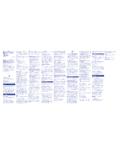
1 ClikSTAR quick guide You have just been prescribed Lantus (insu-lin glargine) or Apidra (insulin glulisine) in a ClikSTAR reusable insulin pen. This quick guide contains information on how to use your ClikSTAR . You can find more detailed information in the instructions that come in the ClikSTAR packaging. You can also call +46 (0)20-52 68 87 at any time for answers to your questions about sanofi-aventis insulin and its componentsEach cylinder ampoule contains300 units of following needles are suitable for use with ClikSTAR : BD Micro-Fine, Ypsomed Penfine, Artsana Insupen and Owen Mumford Unifine latest update regarding ap-proved needles and further informa-tion can be found on sleeveAmpoule sleeveDose windowDosage knobPlunger rodInjectionbuttonProtective filmPen bodyOuter needle capInner needle capNeedle (not included)Check markingCheck markingHow to get started1 Remove the protec-tive sleeve.
2 Unscrew the ampoule sleeve from the pen body. Insert a new cylinder ampoule into the ampoule the pen with the needle pointing up. Get rid of any air bubbles by tapping on the insulin the injection button all the way in. Check that there is insulin coming out of the tip of the needle and that the dose window is displaying 0 . Choose a dose of 2 units by turning the dosage knob. Remove the outer and inner needle caps. 2 Push the plunger rod straight in with the aid of the ampoule sleeve. You can also push the plunger rod in using your the ampoule sleeve back onto the pen body until it clicks into place and the markings line a needle directly to the pen.
3 Screw or push the needle on depending on which needle you are out a safety test prior to each injectionSet the dose and inject1 Set the required dose. If you turn past the unit you want to inject, simply turn back to the correct unit. Inject your dose in the way that your diabetes nurse or doctor showed you. Stick the needle into your skin and press the injection button all the way in. As you inject, the dose window counts down to 0 .4 Once you have injectedNB!Always remove the needle after an injection and store the ClikSTAR without a needle. This helps to prevent contamination, air bubbles and insulin the injection button depressed for a count of 10, then pull the needle on the outer needle cap and unscrew the needle.
4 Dispose of the needle as instructed. Replace the pen cap on your ClikSTAR and store in a safe use Always attach a new needle before each injection. Always check the label on the insulin before use to ensure that you have the correct type of Never use a cylinder ampoule that is damaged. Never use the ClikSTAR if it is damaged or not functioning correctly. If you use different types of insulin, you should have different-coloured pens for each type of you are unable to set the required dose, check that there is sufficient insulin in the cylinder ampoule.
5 If there is not enough insulin left in the cylinder ampoule, you can do one of the following: inject what is left in the cylinder ampoule and make up your dose using a new cylinder ampoule. or use a new cylinder ampoule to inject the full force the dosage knob. When the insulin is getting low, you can see on the cylinder ampoule s graded scale rough-ly how much insulin is left. This scale only gives a rough idea of how much is left and should not be used for precise dose of your ClikSTAR Store out of reach and sight of children. If the cylinder ampoule is stored in a cold place ( in a fridge), take it out 1-2 hours before injecting to allow it to warm up.
6 Once a cylinder ampoule has been started, it can be used for up to 28 days under normal circumstances. After 4 years of use, you should discard your ClikSTAR pen as instructed by medical staff and as per local regulations. Protect your ClikSTAR from direct sunlight. See the insulin package leaflet for further information on you need to clean the outside of your ClikSTAR , you can wipe it with a damp cloth. Do not soak or wash your you have any questions about your ClikSTAR , call us on our service number +46 (0)20-52 68 87 (open 24 hours).
7 Tips and adviceOwn notes AB, Tel: +46 (0)8 - 634 50 00. you have any questions about our pharmaceuticals, please contact: is can find more information about diabetes at can also read about different insulins at gor om v ra insulinpennor.