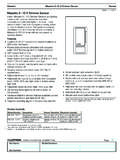
Transcription of Color and Finish Codes NTGRX-2B-SL- - Description 2-Button ...
1 RJob Name:Job Number:Model Numbers:PageSPECIFICATION SUBMITTAL ntgrxwstns-1 Style Turns lights scene scene previous dims selected Units act independently: movablewall closed to make two zone sequencing scene scene scene scene 16 (all lighting full on).Locks all other system brightens selected Units act in combination; movablewall open to make one large only temporary zone scene settings are not continuously through scenes 5 to16 using fade times entered at WallstationScene SelectionPanic WallstationFine TuningSingle-PartitionStatus WallstationZone LockoutSequencingNTGRX-2B-SL-__-_ 2-Button with Status Light WallstationDescription Often used in entryways to turn lights onand off. Functionality can be selected in the field. Status lights indicate which button waspushed last. Works with GRAFIK Eye 3000 and 4000 Series Control Units.
2 Invokes functions in just one Control Unit orgroup of up to eight Control and Engraving OptionsAvailable with engraving to meet specificproject LightStatus LightColor and Finish CodesField Selected FunctionalityDIP Switch Settings5 6 7 Top button:Bottom button:RJob Name:Job Number:Model Numbers:PageSPECIFICATION SUBMITTAL ntgrxwstns-2 Style ntgrx -KS-__-_ Keyswitch WallstationDescription Ideal for public spaces. Limits access to GRAFIK Eye Control personnel must use a key to adjustlighting. Functionality can be selected in the field. Works with GRAFIK Eye 3000 and 4000 SeriesControl Units. Invokes functions in just one Control Unit or agroup of up to eight Control Units. Finish and Engraving OptionsAvailable with engraving to meet specificproject and Finish CodesTurns lights scene scene previous dims selected Units act independently: movablewall closed to make two zone sequencing scene scene scene scene 16 (all lighting full on).
3 Locks all other system brightens selected Units act in combination; movablewall open to make one large only temporary zone scene settings are not continuously through scenes 5 to16 using fade times entered at WallstationScene SelectionPanic WallstationFine TuningSingle-PartitionStatus WallstationZone LockoutSequencingField Selected FunctionalityDIP Switch Settings5 6 7 Turning key clockwise:Turning key counter-clockwise:RJob Name:Job Number:Model Numbers:PageSPECIFICATION SUBMITTAL ntgrxwstns-3 Style ntgrx -4B-__-__4-Button WallstationDescription Used to select scenes in GRAFIK Eye ControlUnits. Scene selection functionality can be selected inthe field. Status LEDs indicate which scene is selected. Works with GRAFIK Eye 3000 and 4000 SeriesControl Units. Selects scenes in just one Control Unit or a groupof up to eight Control Units.
4 Can be ganged with the ntgrx -4S Wallstation togive occupants access to 8, 12, or 16 and Engraving Options Available with engraving to meet specific projectneeds. Available in a no-insert version for a sleeker and Finish CodesField Selected FunctionalityScene selectionbuttons activate:Scenes 1 to 4 Scenes 5 to 8 Scenes 9 to 12 Scenes 13 to 16 DIP Switch Settings5 6 RJob Name:Job Number:Model Numbers:PageSPECIFICATION SUBMITTAL ntgrxwstns-4 Style ntgrx -4S-__-_ 4-Scene with Off and Raise/LowerWallstationDescription Used to select and adjust scenes in GRAFIK EyeControl Units. Scene selection functionality can be selected inthe field. Status LEDs indicate which scene is selected. Off button turns all lights off. Master raise/lower button brightens or dims alllighting in the selected scene. Works with GRAFIK Eye 3000 and 4000 SeriesControl Units.
5 Selects scenes in just one Control Unit or a groupof up to eight Control Units. Finish and Engraving Options Available with engraving to meet specific projectneeds. Available in a no-insert version for a sleeker raise/lowerSceneselectionbuttonsInsertCo lor and Finish CodesField Selected FunctionalityScene selectionbuttons activate:Scenes 1 to 4 Scenes 5 to 8 Scenes 9 to 12 Scenes 13 to 16 DIP Switch Settings5 6 RJob Name:Job Number:Model Numbers:PageSPECIFICATION SUBMITTAL ntgrxwstns-5 Style ntgrx -4S-IR-__-__4-Scene with Off and IR ReceiverWallstationDescription Allows user to select scenes at the Wallstationor by Wireless Remote Control. Scene selection functionality can be selected inthe field. Status LEDs indicate which scene is selected. Off button turns all lights off. Infrared receiver allows infrared transmitters toselect scenes and raise/lower lighting zones.
6 Raise/lower button on GRX-IT and GRX-8 ITWireless Remote Controls brightens or dimsall lighting in the selected scene. Works with GRAFIK Eye 3000 and 4000 SeriesControl Units. Selects scenes in just one Control Unit or agroup of up to eight Control Units. Finish and Engraving Options Available with engraving to meet specific projectneeds. Available in a no-insert version for a and Finish CodesField Selected FunctionalityScene selection buttons andGRX-IT 4-Scene WirelessRemote Control activates:Scenes 1 to 4 Scenes 5 to 8 Scenes 9 to 12 Scenes 13 to 16 GRX-IT 8-Scene WirelessRemote Control activates:Scenes 1 to 8 Scenes 5 to 12 Scenes 9 to 16 Scenes 13 to 16/1 to 4 DIP Switch Settings5 6 RJob Name:Job Number:Model Numbers:PageSPECIFICATION SUBMITTAL ntgrxwstns-6 Style ntgrx -SI4S-IR-__-__ Switch Interface, 4-Scene with Off,and IR Receiver WallstationDescription Ideal for partitionable spaces.
7 Allows user toaccess different sets of scenes depending onwhether partition wall is open or closed. Terminals on the back of the Wallstationconnect to a contact closure such as aswitch on a movable wall. Scene selection functionality can be selectedin the field. Occupants can also select scenes using aGRX-IT Wireless Remote Control. Status LEDs indicate which scene is selected. Off button turns all lights off. Raise/lower button on GRX-IT WirelessRemote Control brightens or dims alllighting in the selected scene. Works with GRAFIK Eye 3000 and 4000 Series Control Units. Selects scenes in just one Control Unit or agroup of up to eight Control Units. (Locate theControl Units away from the usable space sooccupants must control lighting from theWallstation.)Contact Closure Specifications Maintained dry contact closure only - 15mAminimum. Terminals accept one #18 AWG ( )standard and Engraving Options Available with engraving to meet specificproject needs.
8 Available in a no-insert version for a receiverSceneselectionbuttonsInsert12345 674321 ComN/OColor and Finish CodesDIP SwitchesTerminals to contactclosure:Com: CommonN/O: Normally OpenTo low-voltagecontact closuresby Lutron (NT-PS,IR-PS) or othersField Selected FunctionalityDIP SwitchSettings5 6 When contact is OPEN,scene selection buttonsand GRX-IT select:When contact is CLOSED,scene selection buttons andGRX-IT select:Scenes 1 to 4 Scenes 9 to 12 Scenes 5 to 8 Scenes 1 to 4 Scenes 13 to 16 Scenes 9 to 12 Scenes 1 to 4 Scenes 9 to 12 RJob Name:Job Number:Model Numbers:PageSPECIFICATION SUBMITTAL ntgrxwstns-7 Style ntgrx -4PS-__-__4-Partition Status WallstationLEDsFor wall open, Control Units work in wall closed, Control Units work buttonsResetDescription Coordinates lighting for up to four movable walls(five rooms). Each toggle button is set up tooperate the Control Units associated with amovable wall.
9 When the wall is open to make one large space,the user presses the wall s toggle button tomake the LED light up. The GRAFIK Eye ControlUnits assigned to the buttons now work incombination. Scene changes at one ControlUnit occur on all of these Control Units. When the wall is closed to make several smallerspaces, the user presses the wall s togglebutton to turn off the LED. The Control Unitsnow work independently. The bottom button resets all Control Units toindependent operation. The example shows how to use the Wallstationfor a space with four movable and Finish Codes1 ABCDEM ovable WallMovable Wall23 Movable WallMovable Wall4 ExampleButton:Button 1 Button 2 Button 3 Button 4 Wall:Wall 1 Wall 2 Wall 3 Wall 4 CombineControl Units:A and BB and CC and DD and ERJob Name:Job Number:Model Numbers:PageSPECIFICATION SUBMITTAL ntgrxwstns-8 Style ntgrx -4M-__-___ 4-Button Master WallstationDescription Allows user to control several different areas ofGRAFIK Eye lighting from one master location.
10 Each button can operate a different GRAFIK EyeControl Unit or group of Control Units. Four buttons toggle their associated Control Unitson (to Scene 1) and off. Status LEDs indicate which Control Units are on. The bottom button either turns all associatedControl Units on (to scene 1) or off, depending onsettings of DIP switches 5 and 6. In a home, a Master Wallstation might be placedinside the main entry. The first button would turnon foyer lights, the second button would light apath to the kitchen, etc. The Master Wallstation can work with a total ofeight GRAFIK Eye 3000 or 4000 Series ControlUnits. The Control Units may be assigned tobuttons in any and Engraving Options Available with engraving to meet specific projectneeds. Available in a no-insert version for a sleeker (to scene1)or offInsertToggle buttonsColor and Finish CodesField Selected FunctionalityBottom button:DIP Switch Settings5 6 Turns all associatedControl Units on toScene all associatedControl Units Name:Job Number:Model Numbers:PageSPECIFICATION SUBMITTAL ntgrxwstns-9 Style 2 3/4"(70mm)5/16"(8mm)1 3/8"(35mm)4 9/16"(116mm)12345674321 Color and Finish CodesMatte FinishesStandard Ship in 48 hoursWhiteWHIvoryIVBeigeBEGrayGRBrownBRB lackBLMetal FinishesShip in 4 to 6 weeksBright BrassBBBright ChromeBCBright NickelBNSatin BrassSBSatin ChromeSCSatin NickelSNAntique BrassQBAntique BronzeQZAnodized Aluminum FinishesShip in 4 to 6 weeksClearCLAB lackBLAB rassBRAE ngravingENo InsertNIAlso available:-Custom Controls- Color MatchingShip in 4 to 6 weeks.