Transcription of Company (MU1) Form Filing
1 Company (MU1) form Filing Updated: 3/31/2014 Copyright State Regulatory Registry LLC To submit a license request through NMLS, follow the steps below. Note that the Company Filing (MU1) is intended to be completed with your corporate location information. A Company form must be submitted/filed to each state regulator through NMLS. The state regulator will review your request, update the license status and set license items for additional information if applicable through NMLS. Branch license requests must be submitted by Filing a Branch (MU3) form and Individual MLO license requests must be submitted by Filing an Individual (MU4) form .
2 The NMLS Policy Guidebook is also available on the NMLS Resource Center if you have questions on how to complete any section in the Company (MU1) form . 1. Begin by consulting the license descriptions and requirements in the State Licensing section of the NMLS Resource Center. Any questions related to the type of license you wish to apply for should be directed to the appropriate state agency, their contact information is located at the bottom of the license description document and each checklist. The checklist will provide information to help you understand your regulator s requirements for completing the MU1 form in NMLS.
3 The checklist also includes the requirements your regulator requires to be submitted outside NMLS in order to complete your application. 2. Log in to your Company account. NOTE: If you need to create your Company account, complete the Company Account Request form . 3. Click the Filing tab. 4. Click Company (MU1) from the sub-menu. 5. Click the Create New Filing button. 6. Select Add Activity to identify the business activities conducted by your Company . 7. Select the appropriate activities and click Next. 8. Select the appropriate states in which you conduct the activities and click Next.
4 9. Associate the activities to the applicable states and click Next. 10. Confirm the selections made and click the Request License button. 11. Select the license(s)/registration(s) you need to apply for. Enter your existing license number if applicable and instructed to do so by your regulator; otherwise leave this box blank and click Next. 12. Confirm the license(s)/registration(s) selected and click the Continue with Filing button. 13. Each section on the left navigation panel will need to be completed. You can select each section or click Next button to take you to the next section.
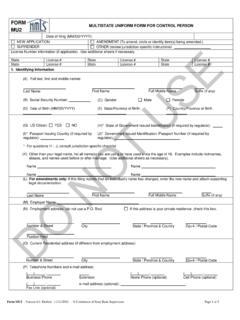
5 Update: 3/31/2014 Copyright State Regulatory Registry LLC Page 2 of 2 14. An Individual (MU2) form is automatically created as part of your Company (MU1) form for each Control Person or Qualifying Individual identified. Each individual identified will need to establish an individual account and attest to the information provided. NOTE: Do not direct the control person or qualifying individual to create an individual account until you have identified them on the appropriate section of the MU1 Filing . By the Company initiating this action, the Company will automatically have access to the individual s record.
6 15. Once all individuals have attested to their individual form and all sections are complete on the left navigation panel, select Attest and Submit 16. If all completeness checks pass, attest to and submit the Filing . If there are sections listed that require action to be taken, select each section listed and complete the action required as appropriate. NOTE: If attestation is required for an MU2 form , be sure the MU2 form section has a status of Attestation Required for each individual listed. If it is not in this status, but says Request Attestation , select the Requested Attestation icon to request for the individual to attest.
7 The individual will now need to log into their individual account and attest to their record. If the attestation status is Attested , but the Filing is requiring attestation for the individual, select the Recall icon to recall the Filing . You will then be able to request attestation and the individual will need to log into their individual account and attest to their record. 17. Once your Filing is submitted, be sure to mail the appropriate jurisdiction-specific checklist as noted in step 1 and all items required with it. Be sure the checklist includes the Company name and NMLS ID.
8 Checklists should be mailed to the state within 5 business days of submitting the Filing through NMLS. Next Steps You can check the status of your license request at any time by logging into your NMLS account. See the License Status Review & Definitions Quick Guide for details on reviewing your license status. The regulator will communicate with you through NMLS by placing a license item on your record if there are any missing requirements or documentation they require from you. You will receive an email notification from NMLS each time a license item is placed or the status is changed.
9 You can also review your record in the Composite View tab in NMLS. For additional assistance navigating the system, please contact the NMLS Call Center at 1-855-NMLS-123 (1-855-665-7123).