Transcription of Complete Train Control - Digitrax
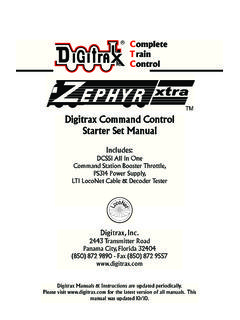
1 CTCompleterainontrolDigitrax, Transmitter Road Panama City, Florida USA 32404 Support: Manuals & Instructions are updated visit for the latest version of all manuals & for available firmware ManualIncludes Instructions for: DCS240 Advanced Command Station BoosterIntroduction .. DCS240 Quick Start Guide .. Connect the DCS240 to the power supply .. Connect Your Throttle to the DCS240 .. Track power on and off .. Shutting Down the System .. Resuming your session .. Connecting to an Existing Digitrax Installation .. Quick Start Problems? .. LocoNet: The Digitrax Difference! .. System Architecture .. Event Driven or Polled?
2 Network Speed .. LocoNet Personal Edition .. LocoNet Expansion for Complete Train Control .. LocoNet Wiring Components .. Making LocoNet Cables .. Testing LocoNet Cables with an LT1 .. LocoNet Throttle & Connection Jacks .. Advanced Installation On Your Layout .. Setting Up A Programming Track .. Ops mode programming .. Service mode programming .. Direct Home Wiring vs. Common Rail Wiring .. Recommended wire sizes .. Other Track Wiring Considerations .. Layout Power Districts .. Number of Locos .. Short Circuits .. To set up power districts & sub-districts: .. Do I have enough power to run my trains?.
3 Adding a Booster .. Reversing Section Wiring .. Power Managers for Sub-Districts & AutoReversing .. Using AR1 for AutoReversing .. Troubleshooting Layout Wiring .. DCS240 Control Panel .. Power (PWR) Indicator .. Power In Barrel Plug (5A) or Terminals ( + and - 8A) Program A and B terminals (PA and PB) .. Program (PROG) Indicator .. Ground (GR) Terminal .. Rail B (RB) and Rail A (RA) Terminals .. USB Connector .. USB Indicator .. TRACK STATUS Indicator .. LOCONET Jacks A, B and C .. SCALE Switch (O/G, N, HO) .. DCS240 Voltage Trim Settings.. Heat Dissipation .. Troubleshooting DCS240 Shutdowns .. DCS240 Safe Operation Mode.
4 MODE Switch .. NET Indicator .. LOCO RESET Button .. Easy Routes (EZ RTS) button .. DCS240 Audible Sounds .. DCS240 Indication Lights .. Customizing DCS240-Option Switch Setup .. Changing DCS240 Option Switches .. DCS240 Option Switch Tables .. Fast Clock and Routes .. Fast Clock Basics .. Stop the Fast Clock .. Edit Fast Clock Time, Rate and Alarm .. Route Basics .. DCS240 Routes OpSW .. External Routes .. Setting up Routes using the EZ RTS button .. Edit Routes Using a DT4xx or later throttle .. How the DCS240 Manages Purging of addresses: .. Decoder Status .. Status Editing Decoders .. Note for Non- Digitrax Decoder Users.
5 Connecting the DCS240 to a Computer .. Driver Installation .. Hardware Installation .. Software Installation .. Connecting the DCS240 to a Computer Additional Troubleshooting .. Updating the DCS240 to the latest firmware .. Troubleshooting Problems .. I m lost! .. Runaway Train or layout! .. Nothing is responding .. Can t select a loco on my throttle .. Clean Track .. The Quarter Trick .. The LT1 Tester .. Decoder Won t Respond .. Strange Locomotive Lights ..50 Glossary ..51 FCC Information ..60 Warranty and Repair Information ..61 Index ..62 2016 Digitrax , Inc. on your purchase of a Digitrax DCS240 advanced command station!
6 The design of the Digitrax Complete Train Control system lets you operate your layout the way you choose. With LocoNet you simply connect system components to build the layout Control system that you ve always wanted! The Digitrax system reduces and simplifies layout wiring. The DCS240 is an advanced command station that is intended to be used in conjunction with an existing Digitrax installation. The DCS240 offers a num-ber of features that make it ideal for large layouts, clubs, and modular groups who will be running many operators and trains. These features included in the DCS240 are as follows: Run up to 400 locos and supports up to 400 throttles in command station mode Direct USB connection for easy computer interface Independent SoundFX and decoder programing function via USB port using SoundLoader II Hardware Loco Reset button for easy clearing of mobile decoder info from DCS240 Hardware EZ Routes button for simple route setup Automatic Command Station collision detection via LocoNet Full continuous F0-28 refresh support Improved Program Track output with automatic support for Power Extender equipped locos All storage is in non-volatile memory, no battery changes required!
7 User selectable multi-scale operation for Z, N, HO, and large-scale layouts Electronic Non-Volatile track voltage customization for each scale settingIn addition to your DCS240 you ll need: A DC to 24V power supply with 5 or 8 amp capability (you may be able to use one you already own) A Digitrax Advanced Throttle One or more mobile decoders for your locomotives. Note: This manual is written assuming you will be using a DT4xx or later throttle. Some throttles may not have access to all features. For specific instructions for other throttles please see your throttle throttles prior to DT402 with rev software update will operate up the max of 120 slots as they do now.
8 To access slots above 120 automatical-ly please update your DT402 to the latest code available at 2016 Digitrax , Inc. 66 There are many different combinations of Digitrax components that you can use to set up a layout Control system that is just right for you. You can combine Digitrax products with compatible decoders, boosters and computer software made by other companies that build compatible success with and enjoyment of our products are very important to us. After all, this is a hobby and it is FUN!!! Please read this manual carefully before you install your DCS240. We recommend running the Quick Start Guide to become familiar with the DCS240 before adding it to existing instal-lations.
9 The manual has all the information you will need to get your DCS240 up and running. The manual also includes lots of hints and operating ideas based on our experiences. If you have questions not covered by this manual please visit our web site at where you ll find the Digitrax on-line Tech Support Depot is always open! For more specific questions go to to open a support ticket so our tech support reps can help you DCS240 Quick Start GuideThese instructions will get you up and running in just a few minutes! It is rec-ommended that you use this quick start guide before adding the DCS240 to an existing Digitrax installation to ensure the DSC240 is in working order and to test any features your are unfamiliar with.
10 A full description of all controls and technical reference information are included later in this manual to help you fully incorporate the DCS240 into your layout Control system. Once you ve completed the initial testing of your DCS240 on a test track, you can remove your existing command station from your layout and replace it with the DCS240. 2016 Digitrax , Inc. DCS 240 RLOCONETABRCUSBPWRPROGNETTRACKSTATUSMODE RUNOPSLEEPSCALEO/GNHO+PAGRPBRBRA5 ALOCO RESET-8 APower District (Double Gapped)RF UNCMUSWCHRcLOCOY +LtCBABACKOPTNC LOCPWR101112123456 ENTER0 EXIT789 DISPPROGEDITFIND_RLDT402 NEMRGS TOP LocoNet Network to other LocoNet devices. Devices can be connected to A,B, or CNotes:1.