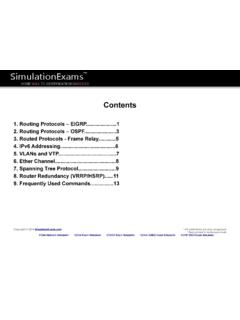
Transcription of Contents
1 Contents 1. Introduction - OSI and 2. Cisco IOS 3. Router Password 4. IPv4 5. IPv6 6. 7. Routing Protocols - EIGRP ..10 8. Routing Protocols 9. Network Address Translation (NAT)..1410. Access Control Lists (ACLs)..1511. VLANs and Ether Spanning Tree Router Redundancy (VRRP/HSRP)..2015. Frequently Used 2014 * All trademarks are duly recognized * Best printed in landscape modeCCNA Network Simulator CCNA Exam Simulator CCENT Exam Simulator CCNA ICND2 Exam Simulator CCNP BSCI Exam SimulatorCisco CCNA : OSI and TCP/IPCopyright 2014 * All trademarks are duly recognized * Best printed in landscape modeCCNA Network Simulator CCNA Exam Simulator CCENT Exam Simulator CCNA ICND2 Exam Simulator CCNP BSCI Exam Simulator 1 Application : Responsible for identifying and establishing the availability of desired comm partner and verifying sufficient resources exist for comm.
2 Ex: FTP, SMTP Presentation : Responsible for presenting the data in standard formats. Some Presentation layer standards are JPEG, MPEG, MIDI, PICT, Quick Time, TIFF. Session : Responsible for co-ordinating communication between systems/nodes. Some of the session layer protocols and interfaces: NFS, RPC, SQL, ASP, DNA SCP OSI model Transport : Responsible for multiplexing upper-layer applications, session mgmt tearing down of virtual circuits, flow control and to maintain data integrity. TCP/IP model Application : Defines TCP/IP application protocols and how host programs interface with transport layer services to use the network. Ex: FTP, SMTP, Telnet Transport : Provides communication session management between host computers.
3 Ex: TCP, UDP Internet : Performs routing of IP datagrams. Ex: IP, ARP, ICMP Some important port numbers FTP : Port 20-21 Telnet : Port 23 DHCP : Ports 67 and 68 POP3 : Port 110 TFTP : Port 69 SMTP : Port 25 DNS : Port 53 HTTP : Port 80 Network : Responsible for sending packets from the source network to the destination network using routing methods. Routers work at network layer. Datalink : Consists of LLC sublayer and MAC sublayer. LLC handles error control, flow flow control, framing etc. MAC handles access to shared media such as ethernet. Physical : Responsible for ultimate transmission of data over network communications media. Some of the standard interfaces at physical layer are EIA/TIA-232, , , HSSI Physical : Controls the hardware devices and media that make up the network.
4 Port numbers used by TCP/UDP 0-255 : Used for public applications 255-1023 : Assigned to companies Above 1023 : Used by upper layers to set up sessions with other hosts and by TCP to use as source and destination CCNA : IOSC opyright 2014 * All trademarks are duly recognized * Best printed in landscape modeCCNA Network Simulator CCNA Exam Simulator CCENT Exam Simulator CCNA ICND2 Exam Simulator CCNP BSCI Exam Simulator 2 Internal memory components of a cisco router ROM : Memory containing micro-code for basic functions to start and maintain the router.
5 RAM/DRAM : Stores the running configuration, routing tables, and packet buffers. NVRAM : Memory that does not lose information when power is lost. Stores the system s configuration file and the configuration register. Flash Memory : Stores the compressed IOS image. Router boot configuration commands boot system ROM : boots from system ROM boot system flash <IOS file name> : boots IOS from flash memory boot system tftp <IOS file name> <tftp_addr> : boots IOS from a tftp server Cisco router configurable locations Console port, Virtual Terminals (vty), Auxiliary port, TFTP server and Network management station Router modes of operation include Mode---------------------------> Prompt user exec---------------------> Router> Privileged----------------------> Router # global config------------------> Router(config)# Interface config--------------> Router(config-if)# Router passwords Enable password Console password Enable Secret Virtual terminal password (vty) Auxiliary password Three ways router learns to forward packets 1.
6 Static routes : Configured by the administrator manually. Syntax : ip route <ip-addr> <mask-addr> <ip-addr> Ex: R1(config)#ip route 2. Default routes : This is used when a route is not known or is infeasible. Syntax : ip route <ip-addr> Ex: R1(config)#ip route 3. Dynamic routes : In dynamic routing, the routing tables are automatically updated. Dynamic routing uses broadcasts and multicasts to communicate with other routers. Router Cursor Commands <ctrl> A: Move to the beginning of the command line <ctrl> E: Move to the end of the command line <ctrl> F: Move forward one character, same as using Right Arrow <ctrl> B: Move backward one character, same as using Left Arrow".
7 <ctrl> P: Repeat Previous command, same as using Up Arrow <ctrl> N: Repeat Next (more recent) command, same as using "Down Arrow" <esc> B: Moves to beginning of previous word. <esc> F: Moves to beginning of next word. <ctrl>R: Creates new command prompt, followed by all the characters typed at the last one. More info To enable the Cisco IOS to forward packets destined for obscure subnets of directly connected networks onto the best route, use "ip classless" command. By default, Cisco routers support 5 simultaneous telnet sessions. This number can be configured using IOS commands. Router Default Boot Sequence for Cisco IOS 1.
8 NVRAM 3. TFTP server 2. Flash (sequential) 4. ROM The router first looks at Startup Config file in NV RAM, if not available, it falls back to Flash, then to TFTP and then to ROM. Configuration Register Command Router(config)# config-register 0x10x (where that last x is 0-F in hex), when the last x is: 0 = boot into ROM Monitor mode; 1 = boot the ROM IOS; 2 - 15 = look in startup-config file in CCNA : Password RecoveryCopyright 2014 * All trademarks are duly recognized * Best printed in landscape modeCCNA Network Simulator CCNA Exam Simulator CCENT Exam Simulator CCNA ICND2 Exam Simulator CCNP BSCI Exam Simulator3 Note : The given procedures are generic in nature, and for exact sequence of steps, please refer to product manual.
9 Procedure 1 Complete these steps in order to recover your password: 1. Attach a terminal or PC with terminal emulation to the console port of the router and set terminal settings to 9600 baud rate, No parity, 8 data bits, 1 stop bit, No flow control. The configuration register is usually set to 0x2102 or 0x102. If you can no longer access the router you can safely assume that your configuration register is set to 0x2102. 2. Use the power switch in order to turn off the router, and then turn the router back on. 3. Press Break on the terminal keyboard within 60 seconds of power up in order to put the router into ROMmon. 4. Type confreg 0x2142 at the rommon 1> prompt in order to boot from Flash.
10 This step bypasses the startup configuration where the passwords are stored. 5. Type reset at the rommon 2> prompt. The router reboots, but ignores the saved configuration. 6. Type no after each setup question, or press Ctrl-C in order to skip the initial setup procedure. 7. Type enable at the Router> prompt. You are in enable mode and should see the Router# prompt. 8. Type configure memory or copy startup-config running-config in order to copy the nonvolatile RAM (NVRAM) into memory. 9. Type configure terminal. The router(config)# prompt appears. 10. Type enable secret <password> in order to change the enable secret password. For example: router(config)#enable secret cisco 11. Issue the no shutdown command on every interface that you use.