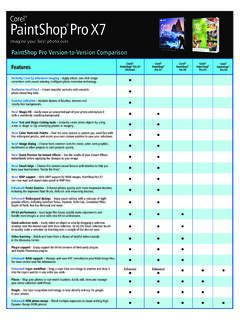
Transcription of Corel PaintShop Pro X7 User Guide
1 ContentsiContentsWelcome to Corel PaintShop Pro X7 .. 1 The digital workflow .. 9 Learning how to use Corel PaintShop Pro .. 15 Workspace tour .. 23 Getting started .. 59 Reviewing, organizing, and finding photos .. 99 Using the Adjust workspace .. 139 Working with camera RAW photos .. 143 Adjusting images.. 149 Retouching and restoring images .. 229 Merging exposures and content .. 273 Working with selections .. 291 Working with layers.. 325 Working with masks .. 369 Working with colors and materials .. 385 Applying effects .. 413 Working with text.
2 531 Drawing and editing vector objects.. 551 Working with brushes .. 593 Painting and drawing with the Art Media tools.. 607iiCorel PaintShop Pro X7 User GuideWorking with advanced color features .. 629 Customizing Corel PaintShop Pro .. 657 Automating tasks .. 705 Printing .. 729 Sharing photos.. 749 Creating images for the Web .. 757 Welcome to Corel PaintShop Pro X71 Welcome to Corel PaintShop Pro X7 For people with a passion for photography, Corel PaintShop Pro is an easy-to-use, professionally powered, image-editing software that helps you achieve stunning photos and creative section presents the following topics.
3 What s new in Corel PaintShop Pro X7 Installing and uninstalling Corel programs Starting and exiting the program Registering Corel products Updates and messages Corel Support Services About CorelThe availability of features depends on the version of the software you s new in Corel PaintShop Pro X7 Corel PaintShop Pro X7 is defined by better performance, new tools that help you focus on enjoying the creative journey, and enhanced functionality in key areas. As always, working closely with our users was an essential part of creating this version of the easy-to-use photo-editing tool that many professional and enthusiast photographers and designers have come to rely PaintShop Pro X7 User GuideNew!
4 Magic FillMagic Fill is a content-aware feature that can make unwanted elements of your photos vanish. Use your favorite selection tools to select an area or object that you want to remove and apply Magic Fill to replace the selection with a background that matches the surrounding area even when the surrounding area is textured or varied. For more information, see Using Magic Fill to erase image areas on page ! Shape Cutter and Text Cutter tool optionsCreate photo objects instantly with the Shape Cutter and Text Cutter. The cutouts are filled with the underlying photo or imagery and placed in a new image with a transparent background perfect for collage, scrapbook, and other creative photo projects.
5 For more information, see Filling cutout shapes with images on page 561 and Creating a text cutout filled with an image on page & Enhanced!Materials palette, custom palettes, and color harmoniesThe redesigned Materials palette makes it easier to select colors, and for the first time, you can build custom color palettes for your projects. A built-in dropper tool lets you sample colors in your images or from any application or Web page displayed on your desktop. Color swatches for the most recently used colors display automatically at the bottom of the palette and color harmonies help you choose colors that look great together.
6 For more information, see Working with colors and materials on page !PerformanceMany areas of PaintShop Pro have seen performance improvements. Some notable examples: Switching between workspaces is smoother, RAW image processing is speedier, and some brushes are up to 30% faster (Paint Brush, Airbrush, and the retouch brushes).Welcome to Corel PaintShop Pro X73 New! Smart Edge technology for brushesThe Smart Edge brush mode lets you tap into content-aware technology to apply brush strokes only to specific areas that match the brush stroke sample area no path or selection required.
7 Smart Edge is available from the Tool Options palette for many brush-based tools. For more information, see Choosing brush options on page & Enhanced!Drag-and-drop layersBuilding on the popular drag-and-drop improvements to layers in the last version of PaintShop Pro, PaintShop Pro X7 gives you even more control by letting you drag a layer from one image to another and drop it between or above a specific layer in the Layers & Enhanced!A better way to start creative projectsThe New Image dialog box has been redesigned with new category buttons that help you find the right preset for your project.
8 A new visual display helps you view the dimensions and proportions. For custom sizes and settings, you still have access to a full range of !Redesigned Adjust and Effect dialog boxesEight popular Adjust and Effect filters have been updated with a new layout: Selective Focus, Vignette, Retro Lab, Graduated Filter, Depth of Field, Red Eye Removal, Smart Photo Fix, and Digital Noise Removal. Bigger preview areas and an improved layout for the controls make it easier to get the results you ! XMP support for RAW filesCorel PaintShop Pro can now read and import data saved in XMP files.
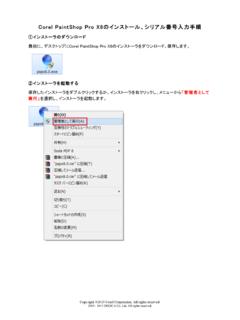
9 XMP sidecar files are created by many RAW image-editing applications, such as Corel AfterShot Pro, as a way of saving image metadata without affecting the original RAW files. After editing in PaintShop Pro, 4 Corel PaintShop Pro X7 User Guideyou can save the metadata to the associated XMP files. For more information, see Working with XMP files on page and uninstalling Corel programsThe Installer makes it easy to install Corel programs and components. Before installing Close all open programs. Note that antivirus software and firewall applications may affect installation.
10 Ensure that you are logged in to your computer as Administrator or as a user with local administrative and 32-bit installation optionsWhen you install the application, you have the option of installing the 64-bit version, the 32-bit version, or both versions. Which version should you choose? It really depends on your computer system and the plug-ins and other devices you use. If you have a 64-bit operating system, 4 or more GB of RAM, and lots of free disk space (need more than 700 MB free), then the most flexible option is to install the 64-bit and 32-bit versions.