Transcription of CS Fundamentals 2018 | Course C
1 Course 1 2 3 4 5 6 7 8 9 10 11 12 13 14. C 15 16. Course C. Course C was developed for students in and around the second grade. It uses a limited understanding of shapes and elementary math concepts. Students will create programs with loops, events, and conditionals. They will translate their initials into binary, investigate different problem-solving techniques, and discuss how to respond to cyberbullying. By the end of the Course , students will create interactive games that they can share. Each concept in Course C is taught from the beginning, graduating toward experiences that allow for growth and creativity to provide all students a rich and novel programming experience.
2 Teacher Links: Teacher Videos Playlist Lesson 1: Building a Foundation Unplugged Build a structure that can hold a textbook. You might feel frustrated- remember to be persistent! Lesson 2: Programming with Angry Birds Programming | Algorithms | Maze | Sequencing Learn about sequences and algorithms with Angry Birds. Lesson 3: Debugging with Angry Birds Debugging | Bug | Maze Find problems in puzzles and practice your debugging skills. Lesson 4: Paper Planes Unplugged | Algorithms | facilitating discussion Let's make paper airplanes using algorithms! Lesson 5: Collecting Treasure with Laurel Collector | Program | Programming Write algorithms to help Laurel the Adventurer collect lots of gems!
3 Lesson 6: Creating Art with Code Artist | Sequencing Create beautiful images by programming the Artist. Lesson 7: Getting Loopy Unplugged | Loops In this lesson, we'll have a dance party using repeat loops! Lesson 8: Loops with Rey and BB-8. Loops | Maze Help BB-8 through mazes using loops! Lesson 9: Sticker Art with Loops Loop | Artist In this lesson, loops make it easy to make even cooler images with Artist! Lesson 10: Harvesting Crops with Loops Loops | Harvester Let's use loops to help the harvester collect some veggies! Lesson 11: The Big Event Unplugged | Events Play a fun game to learn about events.
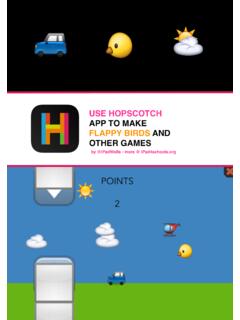
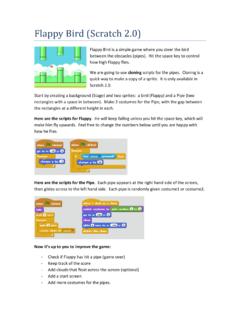
4 Lesson 12: Build a flappy game flappy | Event Build you own flappy Bird game however you like, then share it with your friends! Lesson 13: Screen Out the Mean Common Sense Education | Cyberbullying | Unplugged In this lesson, you'll learn what to do if something online makes you feel angry, sad, or scared. Lesson 14: Chase Game with Events Play Lab | Event It's time to get creative and make a game in Play Lab! Lesson 15: Looking Ahead with Minecraft Conditional | Minecraft Avoid the lava! Here you will learn about conditionals in the world of Minecraft. Lesson 16: Binary Bracelets Unplugged | Binary Create your very own binary bracelet and learn how computers remember information!
5 If you are interested in licensing materials for commercial purposes,contact us. Course 1 2 3 4 5 6 7 8 9 10 11 12 13 14. C 15 16. Lesson 1: Building a Foundation Unplugged Overview View on Code Studio In this lesson, students are asked to build a load-bearing structure Objectives using common materials. The structure will be tested on its ability to Students will be able to: hold a textbook for more than ten seconds. The goal of this activity is to engage students in a difficult challenge to highlight strategies for Identify the feeling of frustration when felt or showing persistence in the face of frustration.
6 Most students will not described get this right the first time, but if they continue trying and iterating, you List strategies for overcoming frustration can help them identify techniques to make struggle productive. during a difficult task Model persistence while working on a difficult Purpose task While this lesson may not at first seem connected to Computer Preparation Science, it plays an essential role in preparing students to tackle some of the more difficult challenges that will come their way when Watch Practicing Persistence - approaching new CS content. This lesson teaches that failure is not Teacher Video.
7 The end of a journey, but rather a step towards success. The majority Watch the Building a Foundation - of students should feel frustrated at some point in this lesson, but it's Lesson in Action Video. important to emphasize that failure and frustration are common steps Print Building a Foundation - Teacher that lead to creativity and success. Prep Guide. Gather enough building elements Agenda (marshmallows or gumdrops with toothpicks or popsicle sticks) for each group. You don't Warm Up (15 min). have to give any certain amount; just make Try, Try Again sure you put some limit on materials. Activity (20 min) Give a Think Spot Journal - Reflection Building a Foundation Journal to each student.
8 Testing and Iteration Wrap Up (10 min) Links Vocabulary Flash Chat: What did we learn? Heads Up! Please make a copy of any documents you plan to share with students. For the Teacher Building a Foundation - Lesson in Action Video Building a Foundation - Teacher Video Building a Foundation - Teacher Prep Guide For the Students Think Spot Journal - Reflection Journal Vocabulary Frustrated - Feeling annoyed or angry because something is not the way you want it. Persistence - Trying again and again, even when something is very hard. Teaching Guide Warm Up (15 min). Try, Try Again Think: Ask students to close their eyes and think of a Lesson Tip time where they tried to do something and didn't succeed.
9 Maybe it was attempting a new sport, playing a As you work to embed persistence into your classroom tough video game, or learning a new skill. As they are culture, consider using some of these images as thinking silently, ask that they focus specifically on: occasional reminders. Mouse Wants a Cracker What were you feeling? Fall 7 Times, Stand Up 8. What were you thinking? Never Ever Give Up What were you saying? If You Quit Too Soon What were you doing? Pair: Without discussing what the actual situation was, have students share with a neighbor about what it looked to try something and not succeed. Encourage them to talk about the things they were feeling, thinking, saying, and doing.
10 Share: Once all of the students have had a chance to Discussion share thoughts with their neighbors, ask a few to share Goal what they were talking about with the whole class. Keep Focus on the experience: The goal of this discussion is track of common answers somewhere that students can to remind students what it feels like to fail, because we refer to later in the lesson (and possibly during future want to be able to identify those feelings when they occur so that we know when to rely on persistence strategies. lessons as well). Students may be temped to share information about the Discuss: Using the list that the class generated, discuss specific memories they thought of, but redirect students to focus on their experience.