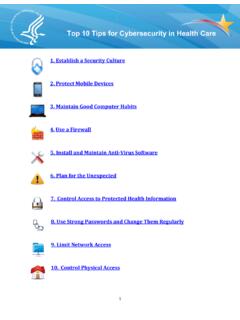
Transcription of CYBERSECURITY
1 V November, 2010. CYBERSECURITY . The protection of data and systems in networks that connect to the Internet 10 Best Practices For The Small Healthcare Environment Your Regional Extension Center Contact [Name]. [Address 1]. [Address 2]. [City], [State] [Zip Code]. [Phone Number]. [Email Address]. 1. V November, 2010. This document is for duplex printing. 2. V November, 2010. Table of Contents Background ..5. How to Use This Why Should Healthcare Practices Worry About Security? .. 7. Practice 1: Use strong passwords and change them regularly ..8. Practice 2: Install and Maintain Anti-Virus Practice 3: Use a Firewall ..11. Practice 4: Control Access to Protected Health Information ..12. Practice 5: Control Physical Access.
2 14. Practice 6: Limit Network Access ..15. Practice 7: Plan for the Practice 8: Maintain Good Computer Configuration Management .. 17. Software Maintenance .. 17. Operating Maintenance .. 18. Practice 9: Protect Mobile Practice 10: Establish a Security Practice 1: Password Checklist ..25. Practice 2: Anti-Virus Checklist ..27. Practice 3: Firewall Checklist ..29. Practice 4: Access Control Checklist ..31. Practice 5: Physical Access Practice 6: Network Access Checklist ..35. Practice 7: Backup and Recovery Checklist ..37. Practice 8: Maintenance Practice 9: Mobile Devices Checklist ..41. List of Acronyms ..43. References & Resources ..44. 3. V November, 2010. This page intentionally left blank. 4. V November, 2010. Background CYBERSECURITY : The protection of data and systems in networks that connect to the Internet - 10 Best Practices for the Small Healthcare Environment Good patient care means safe record-keeping practices.
3 Never forget that the electronic health record (EHR) represents a unique and valuable human being: it is not just a collection of data that you are guarding. It is a life. Stage 1 Meaningful Use criteria make it virtually certain that eligible providers will have to have an Internet connection. To exchange patient data, submit claims electronically, generate electronic records for patients' requests, or e-prescribe, an Internet connection is a necessity, not an option. To protect the confidentiality, integrity, and availability of electronic health record systems, regardless of how they are delivered; whether installed in a physician's office, accessed over the Internet, basic CYBERSECURITY practices are needed. The Department of Health and Human Service (HHS), through the Office of the National Coordinator for Health Information Technology (ONC) is providing this guide as a first take on the key security points to keep in mind when protecting EHRs.
4 Depending on the configuration of the EHR, some of these best practices may be more applicable than others. ONC's Regional Extension Centers (RECs) can be of assistance in determining which are applicable and which are not. We also remind small practices that the Health Insurance Portability and Accountability Act (HIPAA) Privacy and Security Rules provides federal protections for protected health information (PHI) held by covered entities and gives patients an array of rights with respect to that information. Individuals, organizations, and agencies that meet the definition of a covered entity under HIPAA must comply with the Rules' requirements to protect the privacy and security of health information, including the requirement under the HIPAA.
5 Security Rule to perform a risk analysis as part of their security management processes. It is important to understand that the following CYBERSECURITY practices are not intended to provide guidance regarding how to comply with HIPAA; rather, they are a first step to the effective setup of new EHR systems in a way that minimizes the risk to health information maintained in EHRs. Guidance about how to comply with the HIPAA Privacy and Security Rules can be found on the HHS Office for Civil Rights (OCR) website at 5. V November, 2010. How to Use This Guide This guide contains explanations for each of the ten identified best practices, as well as checklists to support healthcare practices validating that they are meeting the basic requirements outlined in each section.
6 The document has been formatted for ease of use. Simply print out the guide in a duplex (double-sided) format. The checklists, numbered by section, are at the end of the document and can be removed to be used as standalone pages. In electronic form, each checklist is linked back to the section that references it. The information contained in this guide is not intended to serve as legal advice nor should it substitute for legal counsel. The material in this guide is designed to provide information regarding best practices and assistance to Regional Extension Center staff in the performance of technical support and implementation assistance. The guide is not exhaustive, and readers are encouraged to seek additional detailed technical guidance to supplement the information contained herein.
7 6. V November, 2010. Introduction Why Should Healthcare Practices Worry About Security? The Threat of Cyber Attacks: Most everyone has seen news reports of cyber attacks against, for example, nationwide utility infrastructures or the information networks of the Pentagon. Healthcare providers may believe that if they are small and low profile, they will escape the attentions of the bad guys who are running these attacks. Yet, every day there are new attacks aimed specifically at small to mid-size organizations for the very reason that What is cyber security? they are low profile and less likely to have fully protected themselves. Criminals have been highly The protection of data and systems in successful at penetrating these smaller networks that connect to the Internet.
8 Organizations, carrying out their activities while their unfortunate victims are unaware until it is This definition applies to any too late. computer or other device that can transmit electronic health records to It is vital to do as much as possible to protect another device over a network sensitive health information in EHRs. The connection, whether it uses the consequences of a successful cyber attack could Internet or some other network. be very serious, including loss of patient trust, violations of the Health Insurance Portability and Accountability Act (HIPAA), or even loss of life or of the practice itself. Real-world examples large and small abound. Barely a day goes by that the press does not have reports of the latest cyber-attacks.
9 Until now, relatively few healthcare practices have been targeted by these criminals. With increasing adoption of EHRs, many more practices will soon have new systems in place, which could increase the level of attacks. Our Own Worst Enemy: Even though cyber attacks from hackers and other criminals grab a lot of headlines, research indicates that often times, well-meaning computer users can be their own worst enemies. Why? Because they fail to follow basic safety principles. This might be due to lack of training, time pressures, or any of a range of reasons. Yet, following these practices can sometimes be just as important and just as basic to patient safety as good hand-washing practice. This document will discuss ten simple best practices that should be taken to reduce the most important threats to the safety of electronic health records.
10 This core set of best practices was developed by a team of CYBERSECURITY and healthcare subject matter experts to address the unique needs of the small healthcare practice. They are based on a compilation and distillation of CYBERSECURITY best practices, particularly those developed under the auspices of the Information Security Alliance. 7. 11/22/2010. Practice 1: Use strong passwords and change them regularly Passwords are the first line of defense in preventing unauthorized access to any computer. Regardless of type or operating system, a password should be required to log in and do any work. Although a strong password will not prevent attackers from trying to gain access, it can slow them down and discourage all but the most determined.