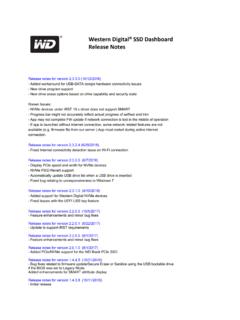
Transcription of Dashboard 3.4 Release Notes
1 Dashboard Release Notes June 10, 20 22 (3 . 4) Application Fixed rare crash on startup caused by Windows returning invalid strings from boot drive inquiry Force all erase options through the Linux embedded toolkit, which provides a more stable and feature-complete environment for drive erasure Enable Format on supported devices when the security state is Frozen Resolved an issue which caused a long load time after running Sanitize on some devices Resolved detection issues for P40 devices , and improved Dashboard 's performance when they're attached to USB ports of older standards Resolved an issue for P50 devices which could cause stale data or an invalid LBA count to be shown Restricted Gaming Mode file watcher to only support drives local to the system and adjusted behavior to only start Gaming Mode on the drive that launched the game Resolved issue where Gaming Mode could be left in the wrong state until a game starts when set to AUTO and the system was rebooted Restricted volumes without assigned letters or names from being shown in Dashboard Improved messages relating to write cache settings and NVMe SMART data for
2 Better clarification Installer ( ) Added a silent mode Removed installation of the P40 HAL, it is no longer required Dashboard Release Notes April 2 0, 202 2 (3. 5) Application Improved the Status page view for Temperature and Volumes. Please use the Performance page if you are interested in a graph of Temperature over time Improved Sanitize support for WD Green SATA products Fixed Life Remaining being calculated incorrectly for certain older SSD products General updates to technology stack to improve security Resolved various display bugs, such as performance chart malfunctioning on some configurations and incorrect font colors Fixed an issue that caused Trim to sometimes fail to run when requested Dashboard Release Notes M arc h 18, 2022 (.)
3 Application Reintroduced support for Microsoft Storage Spaces Reworked how USB drives are treated; now all supported USB devices will be available for USB creation operations and more data is presented about each device in that flow Changed NVMe SMART parsing to display more easily human readable values and organized them according to the NVMe specification Removal Policy updated to be more consistent with the underlying Windows settings Fixed SMART data sometimes not appearing Fixed incorrect working directory being set when Dashboard was configured to start with Windows Fixed scheduled Trim jobs not always executing Dashboard Release Notes Nov e mbe r 18, 202 1 (3.)
4 Application Removed dependency on Windows Media Foundation Known Issues Dashboard and do not detect drives configured with the Microsoft Storage Spaces Controller o A fix will be released in Dashboard , until then please use Dashboard for Microsoft Storage Spaces support Se pt e mbe r 30, 20 21 ( .8) Application Added support for WD Blue SN570 product line Improved the Enhanced Diagnostic feature Improved WD_Black P10 and D10 support by fixing Quick Overwrite and SATA revision display Added support for third party software offers tied to a WDC product Added support for picking any file in firmware update file chooser Fixed bug with Trim Now that sometimes caused it to have no effect Enhanced Acronis offer messaging and improved download experience Fixed ability to dismiss limited features popup for NVMe drives on Windows and Windows 7 Changed Windows 10 OS Details page to show OS build number instead of service pack Known Issues
5 Dashboard Removal Policy control and Windows Removal Policy control can mismatch in some configurations on USB or Thunderbolt 3 connected devices o Until a fix is released, if you are affected please use the Windows Device Manager controls for Removal Policy Dashboard Release Notes July 21, 20 21 Application Added support for SN750 SE product line Added support for enhanced diagnostic log collection - a new flow for users to provide Customer Support detailed drive diagnostics Enhanced SCSI device handling, most notably cleaning up incorrect handling on Windows 7 and Windows for NVMe devices that surface as SCSI When an unselected device is removed from the system Dashboard will no longer trigger a full rescan and application refresh o This should make usage smoother when using some peripherals like USB drives Changed Acronis third-party link to launch the support landing page.
6 Where users get more details and download the tool Added support for devices with more than a single temperature sensor Fixed firmware update failures on SATA devices found on some AMD chipsets using the Windows inbox driver Resolved numerous issues with Device Self Test related to specific devices and drivers No longer invoke UAC prompt when Start with Windows is selected Save the Start with Windows & Start Minimized options across software updates; and allow them to function in a multi-user environment Additional support for My Passport and My Book products Resolved rare issue where RGB control would not be detected for the D50 Game Dock Fixed the maximum LBA calculation on the Device Details page Fixed display of RAID devices on the iRST driver for versions 18+ Also includes other minor bug fixes Installer ( ) Fixed a bug that caused uninstalling Dashboard to require a working internet connection Dashboard Release Notes De c e mbe r 9, 2020 Application Added RGB support for the new WD_BLACK SN850 Fixed issue where Microsoft storage spaces device (software RAID)
7 Caused screen to not load Fixed NVMe life remaining reporting bug (was reporting 100%) Critical health values now show reasons in tooltip Added support for some external devices (WD_BLACK P10/D10/P50) Fixed self-test execution issues Properly report 4k Alignment Support non-UEFI bootable USB creation Fixed Removal Policy/Write-cache settings not reporting correctly Dashboard Release Notes Oc t obe r 7, 2020 Application Added options to disable background tasks per-drive Fix sector size calculation for Write Zeroes drive erase functions Support creating Linux toolkit on USB over 32 GiB in size Enhanced integration with third-party software vendors Installer ( )
8 Shifted some third-party dependency installation into the Dashboard application itself so that it only applies to devices which require those dependencies Dashboard Release Notes Se pt e mbe r 12, 20 20 Application Migration to a new internal device access library with better support for next generation user systems and additional hardware support for external products ( USB and Thunderbolt connected devices ) Migration to a new Javascript based GUI stack, enhancing the look and feel of the application Unify WD SSD Dashboard and SanDisk SSD Dashboard to the new single Dashboard application Added support for HDD devices , converging the WinDLG feature set into Dashboard o Life Remaining on Status page is replaced with Drive Health for HDD, which provides a SMART status health check report to the user o Write Zeroes overwrite options are added for HDDs and transparently support both CMR and SMR devices Added support for WD_BLACK upcoming RGB devices , D50 Game Dock and AN1500 Added support for display resolution scaling.
9 Tested on up to 4K resolution Added a Dark Mode option for the default skin Added Fahrenheit / Celsius temperature toggle Added logging to the application, greatly enhancing our ability to support users in the field Added support for Quick Removal toggle in addition to Windows Write Cache Buffer Flush toggle Added high temperature warning to temperature display on Status page Installer ( ) Added toggle to launch Dashboard after installation instead of automatic launch Enhanced error reporting for various download or installation failure scenarios Multi-threaded installation to smooth out progress reporting and keep the installer responsive Linux Toolkit Added support for Thunderbolt connected devices Added support for D50 Game Dock and AN1500 devices