Transcription of Dell EMC PowerEdge T140 Technical Guide
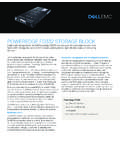
1 Dell EMC PowerEdge T140. Technical Guide Regulatory Model: E59S Series Regulatory Type: E59S001. Dec. 2020. Rev. A03. Notes, cautions, and warnings NOTE: A NOTE indicates important information that helps you make better use of your product. CAUTION: A CAUTION indicates either potential damage to hardware or loss of data and tells you how to avoid the problem. WARNING: A WARNING indicates a potential for property damage, personal injury, or death. 2018 2020 Dell Inc. or its subsidiaries. All rights reserved. Dell, EMC, and other trademarks are trademarks of Dell Inc. or its subsidiaries. Other trademarks may be trademarks of their respective owners. 1. Product overview Topics: Introduction New technologies Introduction The Dell EMC PowerEdge T140 is the practical entry-level 1-socket mini-tower server that is easy to use and secure. New technologies The PowerEdge T140 is the practical entry-level 1-socket mini-tower server for growing businesses and organizations. The PowerEdge T140 is easy to use and helps keep your data safe to grow your business.
2 Now with faster 6 core Intel Xeon . processors, it helps run applications faster and support for full-feature remote management (iDRAC9), the T140 is also excellent for Remote Offices / Branch Offices (ROBO) of large institutions. Enhanced by quiet operation and compact mini-tower dimensions, the PowerEdge T140 1-socket tower server delivers the performance, efficiency and expandability needed for success. The T140 is versatile enough to address many customer segments and workloads. Target workloads include: Small Businesses and organizations: File and print, mail and messaging, point of sale, web serving, and other collaboration and productivity applications. ROBO: Applications and workloads specific to the particular industry, Retail, Healthcare, Finance, Education, etc. Table 1. Detailed information of new technologies New technologies Description Intel C246 series chipset Please refer to the chipset section for details. Intel Xeon processor E-2100 and E-2200 Product The Intel processor that works with Intel C246 series Family chipset.
3 The Xeon E-2100 and E-2200 processors have increased core count and embedded PCIe lanes that will improve the IO performance and a lot more features. Next Generation SW RAID, PERC S140 The new 14G 1-socket servers support the latest S140. software RAID along with H330 and h730p controller cards with improved functionality and faster performance. New SW. RAID supports RAID 0, 1, 5 and 10. iDRAC 9 The new embedded system management solution for 14G. server features hardware and firmware inventory and alerting, in depth memory alerting, faster performance, dedicated gigabit port, email alerts, electronic licensing, editable user work notes log, and more. Dedicated iDRAC Direct microUSB. port improves at-the-box management. Product overview 3. 2. Product features Topics: Product comparison Specifications Product comparison The following table shows the comparison between the PowerEdge T130 and the PowerEdge T140: Feature PowerEdge T130 PowerEdge T140. Processor Intel Xeon processor E3-1200 v6 Intel Xeon processor E-2100 and product family E-2200 product family Intel Core i3 Intel Core i3.
4 Intel Pentium Intel Pentium . Intel Celeron Intel Celeron . Front Side Bus DMI DMI Number of processors 1 1. Number of cores Up to 4 cores Up to 6 cores L2/L3 cache MB per core 4 MB or 8 MB MB per core 8 MB or 12 MB. Chipset Intel C236 chipset Intel C246 chipset DIMMs 4 UDIMMS DDR4 Up to 2400MT/s 4 UDIMMS DDR4 Up to 2666MT/s Min/Max RAM 4GB/64GB 8GB/64GB. Hard drive bays 4x " cabled 4x " cabled Hard drive types " Enterprise SATA HDDs " Enterprise SATA HDDs " Near Line SAS HDDs " Near Line SAS HDDs " SATA Entry Drives " SATA Entry Drives External drive bay(s) 1x slim ODD 1x slim ODD Embedded hard drive Chipset based SATA PERC S130 Chipset based SATA PERC S140. controller (Embedded SW RAID) (Embedded SW RAID). Optional storage controller Non-RAID: 12GB SAS HBA Non-RAID: 12GB SAS HBA, PERC. RAID: PERC 330, PERC H730, PERC BA330. 830 RAID: PERC 330, PERC h730p . Boot Optimized Storage Not Supported 2x 240GB (RAID 1 or No RAID) 1x Subsystem (BOSS) 240GB (No RAID only). Server management Dell Open Manage featuring Dell Dell Open Manage featuring Dell Management Console Management Console 4 Product features Feature PowerEdge T130 PowerEdge T140.
5 Lifecycle Controller Lifecycle Controller iDRAC8 Enterprise iDRAC9 Enterprise I/O slots 1x8 Gen3 (x16 connector) FH/HL 1x8 Gen3 (x16 connector) FH/HL. 1x4 Gen3 (x8 connector) FH/HL 1x8 Gen3 (x8 connector) FH/HL. 1x4 Gen3 (x8 connector) FH/HL 1x4 Gen3 (x8 connector) FH/HL. 1x1 Gen3 (x1 connector) FHHL 1x1 Gen3 (x1 connector) FH/HL. NIC/LOM 2 X 1 GbE LOM 2 X 1 GbE LOM. USB Rear: 2 USB , 4 USB Rear: 2 USB , 4 USB Front: 1 USB , 1 USB Front: 1 USB , 1 Micro USB Internal: 1 USB (Dedicated iDRAC direct). Internal: 1 USB Power supplies Non-Redundant D5 290W Bronze EPA Non-Redundant D5 365W Gold EPA. (Auto sensing) (Auto sensing). Fans Non-redundant, non-hot swappable Non-redundant, non-hot swappable Form factor Mini Tower Mini Tower Dimension (HxWxD) Height in / cm Height in / cm Width in / cm Width in / cm Depth in / cm Depth in / cm Weight Max or ( Kgs) Max or ( Kgs). Specifications The following table shows the specifications for the PowerEdge T140: Table 2. Product specifications Feature Specifications Form Factor Mini Tower Processors Intel Xeon processor E-2100 and E-2200 product family Intel Core i3.
6 Intel Pentium . Intel Celeron Processor sockets 1. Front Side Bus or HyperTransport DMI. Cache MB per core 8 MB or 12 MB. Chipset Intel C246 Chipset Memory Up to 64GB (4 DIMM Slots). 8GB/16GB 2666MT/s Unbuffered with ECC only Min/Max RAM: 8GB/64GB. Product features 5. Table 2. Product specifications (continued). Feature Specifications I/O Slots 4 Gen3 PCIe slots: One x8 slots (one with x16 connectors). Two x4 slot (with x8 connector). One x1 slot RAID Controller Internal controllers: PERC S140, PERC H330, PERC h730p . External HBAs (non-RAID): 12GB SAS HBA. Drive bays Up to four cabled SAS or SATA drives Hard drives Enterprise SATA HDDs Near Line SAS HDDs SATA Client Drives Capacity: 1 TB ,2 TB ,4 TB (4TB requires PERC H330 or h730p ). Embedded LOM/NIC Integrated BROADCOM BCM5720 Gigabit Ethernet Controller Communications Optional add-in NICs: 1GB Intel (Dual) Powerville Troi-Stony Dual port 1Gb Base-T adapter - FH. 1GB Intel (Quad) Powerville Lore-Stony Quad port 1Gb Base-T adapter - FH.
7 1GB Broadcom (Dual) 5720 Bashir Dual port 1Gb Base- T adapter - FH. 1GB Broadcom (Quad) 5719 Cardassia Quad port 1Gb Base-T adapter - FH. Power supply Cabled 365W Gold (100 240 V AC). Availability ECC Memory, ADD-in RAID, TPM/CTPM. Video Integrated Matrox G200 with iDRAC9. Remote Management Base Management Console,IDRAC Express and IDRAC. Enterprise (Upsell option). Systems Management Dell Open Manage featuring Dell Management Console Lifecycle Controller iDRAC9 Enterprise Featured Database Applications Microsoft SQL Server solutions 6 Product features 3. Chassis views and features Topics: Front view of the system Rear view of the system Inside the system Locating the Service Tag of your system Chassis views and features 7. Front view of the system Figure 1. Front view of the system 1. Power button 2. System health and ID indicator 3. USB port 4. iDRAC direct micro USB port 5. Optical drive (optional). For more information about the ports, see the Ports and connectors specifications section.
8 8 Chassis views and features Rear view of the system Figure 2. Rear view of the system 1. Security Cable Lock 2. iDRAC MAC address and iDRAC secure password label 3. Service Tag, Express Service Code, QRL label 4. OpenManage Mobile (OMM) label 5. PCIe expansion card slots (4) 6. USB port (4). 7. System identification button 8. NIC port (Gb 2). 9. USB ports (2) 10. NIC port (Gb 1). 11. iDRAC dedicated NIC port 12. VGA port 13. Serial port 14. Power supply unit 15. PSU Built-in Self Test (BIST) LED 16. PSU Built-in Self Test (BIST) Button NOTE: For more information about the ports and connectors, see the Ports and connectors specifications section. Chassis views and features 9. Inside the system CAUTION: Many repairs may only be done by a certified service technician. You should only perform troubleshooting and simple repairs as authorized in your product documentation, or as directed by the online or telephone service and support team. Damage due to servicing that is not authorized by Dell is not covered by your warranty.
9 Read and follow the safety instructions that are shipped with your product. Figure 3. Inside the system 1. Cabled Power Supply Unit (PSU) 2. Optical drive 3. Cabled drives (4) 4. System board 5. Expansion card retention latch 6. PCIe expansion card slots (4). 7. Intrusion switch 8. Fan 9. Memory module sockets Locating the Service Tag of your system You can identify your system using the unique Express Service Code and Service Tag. Pull out the information tag in front of the system to view the Express Service Code and Service Tag. Alternatively, the information may be on a sticker on the chassis of the system. The mini Enterprise Service Tag (EST) is found on the back of the system. This information is used by Dell to route support calls to the appropriate personnel. Figure 4. Locating Service Tag of your system 1. Information tag (top view) 2. Information tag (back view). 10 Chassis views and features 3. OpenManage Mobile (OMM) label 4. iDRAC MAC address and iDRAC secure password label 5.
10 Service Tag Chassis views and features 11. 4. Processor The PowerEdge T140 is the 1-socket, entry-level tower server based on the Intel Xeon processor E-2100 and E-2200. product family. Topics: Processor features Supported processors Chipset Processor features The following table lists the features of the Intel Xeon processor E-2100 and E-2200 product family: Up to six execution cores per processor Four DMI3 lanes 16 PCIe Gen 3 links capable of GT/s Socket H4, LGA package (LGA1151). Integrated 2 channel DDR4 memory controller Execute Disable Bit Support Turbo Boost Technology Increases CPU frequency if operating below thermal, power, and current limits Intel Virtualization Technology (Intel VT). NOTE: We do not support graphics with E-2100 and E-2200 processors, Graphics cannot be enabled on Dell EMC servers using this processor due to Technical restrictions. Supported processors The following table lists the supported processors for the PowerEdge T140: Model Speed Power Cores L3 Cache Threads Turbo Max Hyper- Intel (GHz) (Watts) (MB) Memory threading Software Speed Guard (MT/s) Extensions Support E-2286G 4 95 6 12 12 Yes 2666 Yes Yes E-2276G 80 6 12 12 Yes 2666 Yes Yes E-2274G 4 83 4 8 8 Yes 2666 Yes Yes E-2246G 80 6 12 12 Yes 2666 Yes No E-2244G 71 4 8 8 Yes 2666 Yes No E-2236 80 6 12 12 Yes 2666 Yes No E-2234 71 4 8 8 Yes 2666 Yes No E-2226G 80 6 12 6 Yes 2666 Yes No E-2224 71 4 8 4 Yes 2666 Yes No Core i3 65 4 6 4 Yes 2666 No No 9100.