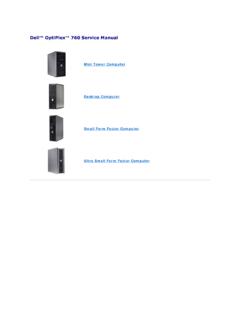
Transcription of Dell OptiPlex 3020
1 Empower your workforce with the dell OptiPlex 3020, dell s newest budget-friendly desktop, developed to meet your users workplace requirements. Available with up to Intel Core i5 Processors, Intel HD Graphics 4600, and dual monitor capabilities, the dell OptiPlex 3020 provides the vehicle for increased productivity and collaboration especially when combined with dell essential accessories such as award winning monitors, keyboards, mice, and headsets for a complete computing experience. The OptiPlex 3020 provides you with the choice of two durable chassis sizes designed to integrate seamlessly into your office environment.
2 Built with thumbscrews for tool-less serviceability makes the OptiPlex 3020 one of the most serviceable commercial-level desktops on the market. dell OptiPlex is synonymous with stability, longer lifecycles and easily managed transitions. dell s chassis have undergone dell reliability testing to help ensure they are built to last. By partnering with dell for your client needs, that s what you get for every stage of client management from dell Configuration services through product recycling. dell OptiPlex 3020 comes with award-winning dell ProSupport for 24X7 access to dell experts to help keep your systems up and running. dell OptiPlex 3020 The dell OptiPlex 3020 provides great customer value and performance, featuring 4th Generation Intel Core processors for reliable workplace productivity while also delivering peace of mind with best-in-class security.
3 The essential computing experience Inspired, reliable design Best-in-class security Your data is your company s most important asset. dell OptiPlex 3020 provides peace of mind for IT with comprehensive, best-in-class security features. dell OptiPlex 3020 provides TCG certified TPM for secure credential storage, and ships with dell Data Protection | Security Tools and dell Data Protection | Protected Workspace for advanced authentication and leading edge malware prevention, and can protect data on any device, across external media and in the cloud with optional dell Data Protection | Encryption, available factory-installed. Help save time and provide IT efficiency with dell manageability features.
4 Easily manage your OptiPlex fleet with tight integration into Microsoft System Center and dell KACE appliances. Save time and eliminate guesswork with dell automated tools and utilities for deploying, monitoring and updating systems. In addition, you can rely on dell Services to configure, deploy and help manage your systems. The OptiPlex 3020 supports dell Cloud Client Computing solutions such as client hosted virtualization and virtual remote desktop providing your business with more flexibility especially for businesses with remote locations. Easy manageability Integrated complete solution A single point of contact v dell OptiPlex 3020 OptiPlex 3020 MT/SFF technical Specifications1 Processors1 Intel 4th generation Core i5 Quad Core, Core i3 Dual Core, Pentium Dual Core and Celeron Dual Core Chipset Intel H81 Chipset Operating System Options1 Microsoft Windows 8 Standard 64-bit, Microsoft Windows 8 Pro 64-bit Microsoft Windows 8,1 Standard 64-bit, Microsoft Windows 8 Pro 64-bit Microsoft Windows 7 Home Premium SP1 (32/64 bit), Microsoft Windows 7 Professional SP1 (32/64 bit)
5 , Microsoft Windows 7 Ultimate SP1 (32/64 bit); Ubuntu Graphics2 Integrated Intel HD Graphics 4600 (with select CPUs); supports optional discrete graphics solutions from AMD Memory3 2 DIMM slots; Non-ECC dual-channel 1600 MHz DDR3 SDRAM, supports up to 16GB Networking Integrated Realtek RTL8151GD Ethernet LAN 10/100/1000; supports optional PCIe 10/100/1000 network card, optional wireless card I/O Ports 2 external USB ports (rear) and 6 external USB ports (2 front, 4 rear); 1 Serial port (optional); 1 PS/2 (optional); 1 RJ-45; 1 VGA; 1 DisplayPort ; 1 Mic-in & 1 Headphone out (front); 1 Mic-in/Line-in & 1 Line-out(rear) Removable Media Options Supports optional optical disc drives and media card reader options Hard Drives4 Options Hard Disk Drives: up to 1TB Supports Solid State Drives, Hybrid and Hybrid Opal SED FIPS No Hard Drive Supports dell Cloud Desktop diskless option Chassis Minitower (MT) Small Form Factor (SFF) Dimensions (H x W x D) Inches/(cm) x x / ( x x ) x x / ( x x ) Min.
6 Weight (lbs/kg) / Number of Bays 2 internal 2 external 1 internal 1 external (slimline) Expansion Slots 1 full height PCIe x16 3 full height PCIe x1 1 half height PCIe x16 1 half height PCIe x1 Power Supply5 Unit (PSU) Standard 290W PSU Active PFC or optional 290W up to 90% Efficient PSU (80 PLUS Gold); ENERGY STAR compliant, Active PFC Standard 255W PSU Active PFC or optional 255W up to 90% Efficient PSU (80 PLUS Gold); ENERGY STAR compliant, Active PFC Recommended dell Monitors: dell OptiPlex 3020 OptiPlex 3020 MT/SFF technical Specifications1 Accessories dell 22 Monitor P2214H, E2214H dell 23 Monitor E2314H dell 20 Monitor P2014H, E2014H dell Dual Monitor Stand MDS14, dell Single Monitor Arm MSA14 Keyboards & Mice.
7 dell Standard Keyboard, dell Multimedia Keyboard, dell Smartcard Keyboard, dell USB Mouse, dell Laser Mouse dell 1TB Portable Hard Drive dell Security Lock LP500 Security Trusted Platform Module6 (TPM) , dell Data Protection|SecurityTools, dell Data Protection|Encryption, Chassis lock slot support, Chassis Intrusion Switch, Setup/BIOS Password, I/O Interface Security, optional Smart Card keyboards, Intel Trusted Execution Technology, Intel Identity Protection Technology, Intel Ant-Theft Technology, KACE Security, dell Secure Works, BIOS support for optional Computrace7 Systems Management Options8 In-Band Systems Management Environmental & Regulatory Standards Environmental Standards (eco-labels).
8 ENERGY STAR , EPEAT Registered10, CECP, WEEE, Japan Energy Law, South Korea E-standby, South Korea Eco-label (for SFF only), EU RoHS, China RoHS Other Environmental Options: Carbon Off-set; Asset Resale and Recovery Service. Warranty and Service Limited Hardware Warranty11; Standard Next Business Day On Site Service after Remote Diagnosis12 (term varies by region); Optional 3-year dell ProSupport for IT; 4 year and 5 year service and support options13 Configuration Services Factory image load, BIOS customization, hardware customization, asset tagging, reporting Discover professional class desktops at 1. Offering may vary by region.
9 Some items may be available post-RTS. Offering may vary by region and configuration. For complete details, refer to the technical Guidebook published on 2. System Memory and Graphics: Significant system memory may be used to support graphics, depending on system memory size and other factors. 3. 4GB or Greater System Memory Capability: A 64-bit operating system is required to support 4GB or more of system memory. 4. Hard Drive: GB means 1 billion bytes and TB equals 1 trillion bytes; actual capacity varies with preloaded material and operating environment and will be less. 5. Computrace: Not a dell offer. Certain conditions apply.
10 For full details, see terms and conditions at 6. Please refer to for specific country registration rating and participation. 7. Limited Hardware Warranty: For copy of Ltd Hardware Warranty, write dell USA LP, Attn: Warranties, One dell Way, Round Rock, TX 78682 or see , 8. Onsite Service after Remote Diagnosis: Remote Diagnosis is determination by online/phone technician of cause of issue; may involve customer access to inside of system and multiple or extended sessions. If issue is covered by Limited Hardware Warranty ( ) and not resolved remotely, Technician and/or part will be dispatched, usually within 1 business day following completion of Remote Diagnosis.