Transcription of DELL optipLEx 755
1 dell optipLEx 755 technical guiDE bookinsiDE thE optipLEx 755ovErviEw 3 Mini Tower Computer (MT) View 5 Desktop Computer (DT) View 6 Small Form Factor Computer (SFF) View 7 Ultra Small Form Factor Computer (USFF) View 8 MarkEting systEM configurationsOperating System, Chipset 9 Processor 10 Advanced System Manageability Modes, Deployment Mode Options 11 Memory 12 Drives and Removable Storage 13 System Board Connectors 14 System Board Connector Maximum Allowable Dimensions, Graphics/Video Controller 15 External Ports/Connectors 20 Communications Network Adapter (NIC) 21 Communications Modem 23 Audio and Speakers, Keyboard and Mouse, Security 24 Service and Support, Software 25 DEtaiLED EnginEEring spEcificationsSystem Dimensions (Physical)
2 26 System Level Environmental and Operating Conditions 27 Power 28 Audio 29 Hard Drives 30 Optical Drives 34 BIOS Defaults 38chassis EncLosurE anD vEntiLation rEquirEMEnts 41rEguLatory coMpLiancE anD EnvironMEntaLAcoustic Noise Emission Information 42table of contentsversion 3 dell optipLEx 755 technical guiDe3robust MainstrEaM DEsktop DEsignED to MEEt your nEEDs, now anD in thE futurEThe new dell optipLEx 755 offers a compelling, versatile solution that can help you meet evolving business needs with the right technologies and services. Thanks to dell s innovative approach to scalable remote client management, the optipLEx 755 offers you a choice between several systems-management options.
3 These options allow you to select an approach that s appropriate for your current infrastructure, while easily scaling to meet future needs. Options include: Widely installed ASF (Alert Standard Format) standards-based technology, which supports basic in- and out-of-band hardware inventory, alerting, and power control Intel Active Management Technology (Intel AMT), which adds encrypted communications to ASF requirements, and also provides remote diagnosis and troubleshooting capabilities Intel vPRO processor-based technology adds processor-specific security technologies to Intel AMT s functionalityIn addition, dell continues to expand our Deployment Services now featuring ImageDirect, a web-based tool that can enable you to build and apply custom images for current and future systems.
4 And because we know data security is a vital concern, the optipLEx 755 offers optional RAID 1 support for real-time data-mirroring protection. Plus, those who elect for a full vPRO platform can enjoy additional advanced security and remote remediation 4 dell optipLEx 755 technical guiDe4 SIMPLY PUT:rEMotE ManagEMEnt, sMart sEcurity, anD custoMizED DEpLoyMEnts hELp siMpLify your opErationsaDvancED rEMotE ManagEMEnt: New capabilities that allow IT to have greater control Your choice of flexible options from ASF to Intel AMT , and even full Intel vPro processor technology Standards-based management (DASH and WS-MAN) help ensure simplicity and interoperability dell Client Manager brings it all together in one management consolepowEr EfficiEncy.
5 Productivity and power savings in a proven, reliable design dell s Energy Smart is a unique approach to energy efficient computing which includes hardware and software, tool, and partnerships. Energy Smart hardware and software includes Intel Core 2 Duo processors, efficient management power settings and remote power policy management, available 80+ power supplies and ENERGY STAR configurations dell s online Energy Calculator indicates potential savings of up to 78% by choosing the most efficient configurations dell is working alongside industry leaders and standards organizations worldwide to help drive revolutionary changesMart sEcurity.
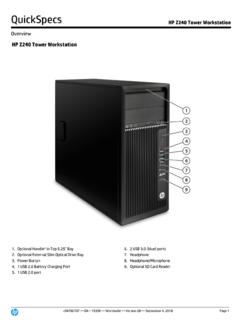
6 Strategic, comprehensive endpoint solutions for all types of businesses Intel vPro technology helps simplify asset inventory, isolation of virus-infected PCs, security patch deployment and more RAID 1 support helps keep data intact and accessible via real-time redundancy Built-in TPM helps protect the network from unauthorized access, while enabling multi-factor authentication via optional Smart Card Reader and/or fingerprint readerDELL DEpLoyMEnt sErvicEs: Image management, customization and deployment made easy Specific provisioning and pre-configured setting options for iAMT and Intel vPro technology customers ImageDirect allows you to create, manage and load your custom images to dell client systems Microsoft Windows Vista Assessment and Migration options help streamline and optimize your deployment processesversion 5 dell optipLEx 755 technical guiDe55front drive drive drive bay4 USB connectors (2)5 LAN indicator light6diagnostic lights7power button8power light9hard drive activity light10headphone connector11microphone connectorMini towEr coMputEr (Mt)
7 ViEwback view1card slots2serial port3power connector4voltage selection switch5padlock ring6cover release latch7parallel port8 VGA port1234567891011654381system boarD components 1speaker connector (INT_SPKR)2fan (FAN_CPU)3processor connector (CPU)4processor power connector (12 VPOWER)5memory module connectors (DIMM_1, DIMM_2, DIMM_3, DIMM_4)6password jumper (PSWD)7 SATA drive connectors (SATA0, SATA1, SATA2, SATA3) 8front-panel connector (FRONTPANEL)9power connector (POWER)10external SATA connector (eSATA)11internal USB (INT_USB)12 RTC reset jumper (RTCRST)13intrusion switch connector (INTRUDER)14battery socket (BATTERY)15 PCI Express x16 connector (SLOT1)16 PCI Express x1 connector (SLOT4)17 PCI connector (SLOT2)18 PCI connector (SLOT3)19serial connector (SERIAL2) 20system board speaker (BEEP) 21aux power LED (aux_LED)22floppy connector (DSKT)23 VGA connector24parallel port25serial port264x USB ports271 - RJ 45 network port282 - USB ports29stereo in/microphone30stereo out1234567789101112131415161718192021222 32425262728293027version 6 dell optipLEx 755 technical guiDe6 DEsktop coMputEr (Dt) viEwfront view1 USB connectors (2)
8 7hard drive activity light2 LAN indicator light8headphone connector3power button9microphone connector4 dell drive bay5power drive bay6diagnostic lights1234568101197back view1card slots2serial port3power connector4voltage selection switch5padlock ring6cover-release latch7parallel port8 VGA port12563487system boarD components 1internal speaker (INT_SPKR)2processor connector (CPU)3processor power connector (12 VPOWER)4memory module connectors (DIMM_1, DIMM_2, DIMM_3, DIMM_4)5password jumper (PSWD)6 SATA connectors (SATA0, SATA1, SATA2)7front-panel connector (FRONTPANEL)8power connector (POWER)9external SATA connector (eSATA)10internal USB (INT_USB)11 RTC reset jumper (RTCRST)12intrusion switch connector (INTRUDER)13battery socket (BATTERY)14 PCI Express x16 connector (SLOT1)15 PCI connector (SLOT2)16 PCI connector (SLOT3)17riser connector (uses PCI-E port/SLOT1 and PCI port/SLOT2)18serial connector (SERIAL2)19system board speaker (BEEP)20aux power LED (aux_LED)21floppy connector (DSKT)22fan connector (FAN_CPU)1234567891011121314151617181920 21226version 7 dell optipLEx 755 technical guiDe7sMaLL forM factor coMputEr (sff) viEwfront view1 USB connectors (2)
9 7power light2power button8headphone connector3 dell badge9microphone connector4 LAN indicator drive bay5diagnostic drive bay6hard drive activity light1234568101197back view1card slots2serial port3power connector4voltage selection switch5padlock ring6cover-release latch7parallel port8 VGA port12563487system boarD components 1internal speaker connector (INT_SPKR)2processor connector (CPU)3processor power connector (12 VPOWER)4memory module connectors (DIMM_1, DIMM_2, DIMM_3, DIMM_4) 5password jumper (PSWD)6 SATA connectors (SATA0, SATA1)7front-panel connector (FRONTPANEL)8power connector (POWER)9fan connector (FAN_HDD)10eSATA connector (eSATA)11internal USB connector (INT_USB)12 RTC reset jumper (RTCRST)13intrusion switch connector (INTRUDER)14battery socket (BATTERY)15 PCI Express x16 connector (SLOT1)16 PCI connector (SLOT2)17serial connector (SERIAL2)18system board speaker (BEEP)19aux power LED (aux_LED)20floppy drive connector (DSKT)21fan connector (FAN_CPU)1234567891011121314151617181920 216version 8 dell optipLEx 755 technical guiDe8uLtra sMaLL forM factor coMputEr (usff) viEwback view1diagnostic lights2computer cover release knob3parallel port4power connector5vents6serial port7 DVH portfront view1 USB connectors (2)
10 6vents2headphone connector7module bay3microphone connector8hard drive access light4power light9vents5power buttonsystem boarD components 1fan connector (FAN_FRONT)2internal speaker connector (INT_SPKR)3system board speaker (BEEP)4channel B memory connector (DIMM_2)5channel A memory connector (DIMM_1) 6 SATA data cable connector (SATA0)7battery (BATT)8password jumper (PSWD)9hard drive fan connector (FAN_HDD)10clear CMOS jumper (RTCRST)11hard drive power connector (SATA_PWR)12fan connector (FAN_REAR)13intrusion switch connector (INTRUDER)14processor (CPU)15 DVI-1 connector16parallel port17serial port181- RJ 45 network connector192 - USB connectors203 - USB ports21line-out connector22line-in microphone connector1234568971234567123457891011121 31461516171819202122version 9 dell optipLEx 755 technical guiDe9mtDtsffusffWindows Vista Operating SystemWindows Vista Ultimate 32-bit, Windows Vista Business 32- and 64-bit, Windows Vista Home Basic 32 bitWindows XP Operating System Windows XP Professional SP2, Windows XP Home Edition SP2 (all 32-bit only)OtherFreeDOS for (n-series), Red Flag Linux (China only)OS Media Suppor