Transcription of Disaster Recovery Plan Sample
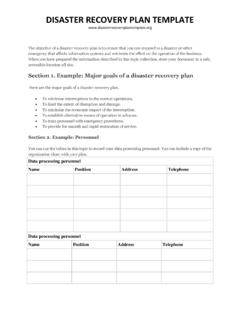
1 Disaster Recovery plan TEMPLATE The objective of a Disaster Recovery plan is to ensure that you can respond to a Disaster or other emergency that affects information systems and minimize the effect on the operation of the business. When you have prepared the information described in this topic collection, store your document in a safe, accessible location off site. Section 1. Example: Major goals of a Disaster Recovery plan Here are the major goals of a Disaster Recovery plan . To minimize interruptions to the normal operations. To limit the extent of disruption and damage.
2 To minimize the economic impact of the interruption. To establish alternative means of operation in advance. To train personnel with emergency procedures. To provide for smooth and rapid restoration of service. Section 2. Example: Personnel You can use the tables in this topic to record your data processing personnel. You can include a copy of the organization chart with your plan . Data processing personnel Name Position Address Telephone Data processing personnel Name Position Address Telephone Disaster Recovery plan TEMPLATE Data processing personnel Name Position Address Telephone Data processing personnel Name Position Address Telephone Section 3.
3 Example: Application profile You can use the Display Software Resources (DSPSFWRSC) command to complete the table in this topic. Application profile Application name Critical Yes / No Fixed asset Yes / No Manufacturer Comments Comment legend: 1. Runs daily. 2. Runs weekly on _____. Disaster Recovery plan TEMPLATE Application profile Application name Critical Yes / No Fixed asset Yes / No Manufacturer Comments 3. Runs monthly on _____. Section 4. Example: Inventory profile You can use the Work with Hardware Products (WRKHDWPRD) command to complete the table in this topic.
4 Application profile Manufacturer Description Model Serial number Own or leased Cost Notes: 1. This list should be audited every _____ months. 2. This list should include the following items:Processing units System printer Disk units Tape and optical devices Models Controllers Workstation controllers I/O Processors Personal computers General data communication Spare workstations Spare displays Telephones Racks Air conditioner or heater Humidifier or dehumidifier Miscellaneous inventory Description Quantity Comments Disaster Recovery plan TEMPLATE Application
5 Profile Manufacturer Description Model Serial number Own or leased Cost Note: This list should include the following items: Tapes CDs and DVDs PC software Emulation packages File cabinet contents or documentation Language software (such as COBOL and RPG) Tape vault contents Printer supplies (such as paper and forms) Optical media Section 5. Information services backup procedures Use these procedures for information services backup.
6 O System i environment Daily, journals receivers are changed at _____ and at _____. Daily, a saving of changed objects in the following libraries and directories is done at _____: _____ _____ _____ _____ _____ _____ _____ _____ The preceding procedure also saves the journals and journal receivers. On _____ at _____ a complete save of the system is done. All save media is stored off-site in a vault at _____ location. Disaster Recovery plan TEMPLATE o Personal Computer It is suggested that all personal computers be backed up. Copies of the personal computer files should be uploaded to the System i environment on _____ (date) at _____ (time), just before a complete save of the system is done.
7 It is then saved with the normal system save procedure. This provides for a more secure backup of personal computer-related systems where a local area Disaster can wipe out important personal computer systems. Section 6. Disaster Recovery procedures For any Disaster Recovery plan , these three elements should be addressed. Emergency response procedures o To document the appropriate emergency response to a fire, natural Disaster , or any other activity in order to protect lives and limit damage. Backup operations procedures To ensure that essential data processing operational tasks can be conducted after the disruption.
8 Recovery actions procedures o To facilitate the rapid restoration of a data processing system following a Disaster . Disaster action checklist This checklist provides possible initial actions that you might take following a Disaster . Recovery startup procedures for use after actual Disaster Consider these Recovery startup procedures for use after actual Disaster . Section 7. Recovery plan for mobile site This topic provides information about how to plan your Recovery task at a mobile site. 1. Notify _____ of the nature of the Disaster and the need to select the mobile site plan .
9 2. Confirm in writing the substance of the telephone notification to _____ within 48 hours of the telephone notification. 3. Confirm all needed backup media are available to load the backup machine. 4. Prepare a purchase order to cover the use of backup equipment. 5. Notify _____ of plans for a trailer and its placement (on _____ side of _____). Disaster Recovery plan TEMPLATE 6. Depending on communication needs, notify telephone company (_____) of possible emergency line changes. 7. Begin setting up power and communications at _____. a. Power and communications are prearranged to hook into when trailer arrives.
10 B. At the point where telephone lines come into the building (_____), break the current linkage to the administration controllers (_____). These lines are rerouted to lines going to the mobile site. They are linked to modems at the mobile lines currently going from _____ to _____ would then be linked to the mobile unit via modems. c. This can conceivably require _____ to redirect lines at _____ complex to a more secure area in case of Disaster . 8. When the trailer arrives, plug into power and do necessary checks. 9. Plug into the communications lines and do necessary checks.