Transcription of DiskStation DS1821+ - Synology
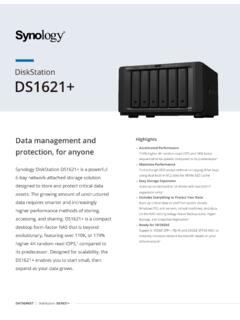
1 DiskStationDS1821+DATASHEET | DiskStation DS1821+ Highlights Accelerated Performance 177% higher 4K random read IOPS and 76% faster sequential write speeds compared to its predecessor1 Maximize Performance Turbocharge HDD arrays without occupying drive bays using dual built-in slots for NVMe SSD cache Expansion Made Easy Scale up on demand to 18 drives with two DX517 expansion units2 Includes Everything to Protect Your Data Back up critical data from public clouds, PCs, servers, VMs, and Synology NAS with Synology Active Backup suite, Hyper Backup, and Snapshot Replication Ready for 10/25 GbE Supports 10 GbE SFP+/RJ-45 and 25 GbE SFP28 NICs to instantly increase network bandwidth based on your infrastructure3 High-capacity storage and data protection for anyone Synology DiskStation DS1821+ is a powerful 8-bay network-attached-storage solution designed to store and protect mission-critical data.
2 Designed to tackle increasing amounts of unstructured data, the low-noise desktop form-factor of the DS1821+ is built for both SOHO and SMB environments. With performance over 110K or 177% higher 4K random read IOPS than its predecessor, the DS1821+ is fast, with ample room for | DiskStation DS1821+ Versatile Storage Powerhouse in a Single SolutionSynology DS1821+ is designed for multi-purpose use and is suitable for a wide range of usage environments. The compact 14 L desktop form-factor makes it easy to store away whether it is at home or in a quiet office environment. Up to 113,458 4K random read IOPS and 2312 MB/s sequential write speeds1 for demanding workloads Dual 2280 slots for NVMe SSD let you maximize performance and capacity efficiently4 Features 8 bays for SATA HDD/SSD " and " drives, and can be expanded to 18 bays with two Synology DX517 expansion units Powered by Synology DiskStation Manager (DSM), Synology 's unified operating system built for data managementRobust Data Protection with BtrfsDS1821+ supports a Btrfs file system optimized by Synology to offer both high reliability and high performance.
3 Btrfs supports advanced storage technologies that meet the needs of modern business: Advanced snapshot technology provides schedulable and near-instantaneous data protection of shared folders and LUNs File and folder level data restoration offers users who wish to restore only a specific file or folder more flexibility Flexible Shared Folders and user quota system provides comprehensive quota control for all user accounts and shared folders File self-healing allows Btrfs file systems to autodetect corrupted files using mirrored metadata and to recover broken data using RAID configurations Inline compression compresses data before writing it to the drive, to optimize storage use and reduce write commands to the drives Next-Generation File SystemBtrfs is a modern file system designed to safeguard data integrity through metadata mirroring.
4 File self-healing, and fast snapshot | DiskStation DS1821+ On-Premises CollaborationSynology Collaboration Suite allows businesses to host their own fundamental IT services for file sharing, concurrent document editing, emails, instant messaging, and more. Create a multi-user collaborative environment while leveraging private cloud infrastructure to reduce privacy concerns. Multi-layered security enables secure access to files and services, even for a distributed or remote workforce across Windows , macOS , Linux , Android , and iOS platforms. Synology Drive enables data access , synchronization, and backup via web portal and desktop applications across Windows , macOS , and Linux platforms. Intelliversioning saves historical versions while minimizing storage space usage and supports on-demand data restoration.
5 Synology Office includes Documents, Spreadsheets, and Slides. The online collaborative editing environment allows multiple users to edit, comment on, and share data together. Synology MailPlus5 enables you to set up a secure, reliable, and private email server, with an intuitive web-based client to boost productivity Synology Chat enables instant conversations and optimizes team communications with powerful features including message encryption, pinning, forwarding, reminders, and scheduling. Synology Calendar helps teams keep track of what is important, with easy to use sharing and scheduling keeping everyone on the same & Protecting Virtual MachinesSynology Virtual Machine Manager (VMM) is a hosted hypervisor that lets users easily set up virtual machines running Windows or Linux -based platforms and a virtualized version of Synology DSM, Virtual DSM, on the DS1821+.
6 Users can set up a cluster environment with multiple Synology systems for flexibility to perform online migration based on load balancing and resource allocation requirements. High performance snapshots, replication, cloning, and recovery mechanisms enable comprehensive management and data protection on each DSM also simplifies the provisioning and management of storage for virtual machines. Certified for VMware vSphere , Microsoft Hyper-V , Citrix XenServer , and OpenStack, Synology systems can integrate with your virtualization platform of choice through iSCSI or NFS protocols. Install Synology Storage Console for VMware/Windows for additional ease of management and functionality right in the FlexibilityWhether providing VM storage through iSCSI, NFS, or running them directly on the DS1821+ using Virtual Machine Manager, Synology DSM provides comprehensive tools to protect your virtual Collaboration SuiteA powerful and secure private cloud solution that lets teams collaborate, sync files, and communicate with others anytime, | DiskStation DS1821+ Comprehensive Data Protection OptionsDS1821+ includes a range of free backup solutions to protect local, remote , and cloud-based applications.
7 Easily set up automated backups and even enable self-serve functionality to reduce maintenance and upkeep. Back up data on Synology NAS: Snapshot Replication enables lightning-fast snapshots for point-in-time file versioning, great for rolling back unintended file modifications and protecting your data against ransomware attacks. Hyper Backup offers a wide range of destinations for backups of your NAS, including to on-premises devices and cloud storage providers. Back up business infrastructure: Synology Active Backup suite is a collection of powerful backup solutions built to protect Windows PCs and servers, VMware and Hyper-V VMs, other file servers, and even Google Workspace and Microsoft 365 cloud applications. Private Video SurveillanceWith Synology Surveillance Station, DS1821+ becomes a powerful VMS solution.
8 With support for up to 40 IP cameras, you can easily cover large 7,900 supported cameras, and counting: Find a compatible camera from our constantly updated compatibility lists to match your video requirements and budget. ONVIF support prevents vendor lock-in. Private and subscription-free: Unlike with cloud-based cameras, you can keep your recordings private and on premises. Simple per-camera licensing means no subscriptions are needed to access your data. Flexible monitoring & control: access your surveillance system from a web browser, dedicated desktop clients, or from the DS cam mobile app. Internet access is optional. Automation & notification: Set up rules to trigger specific actions when an event occur, such as automatically taking a picture when motion detection is triggered.
9 Get notified by email, SMS, or push notification so that you can act Backup SolutionsDSM backup solutions are designed to be low-maintenance, with different RPO/RTO targets, storage efficiency, and backup destinations available depending on your On GuardProtect your home or office with Synology 's reliable and intuitive VMS solution. Surveillance Station combines intelligent monitoring and robust management features for flexible deployment | DiskStation DS1821+ 1 Status indicator2 Alert indicator3 Power button and indicator4 LAN indicator5 Drive status indicator6 Drive tray7 Drive tray lock8 USB Gen 1 port9 Power port 10 System fan11 PCIe expansion slot12 Kensington Security Slot13 Expansion port141 GbE RJ-45 port15 Reset button16 USB Gen 1 portTechnical Specifications Hardware CPUAMD RyzenTM V1500B quad-core GHzHardware encryption engineYes (AES-NI) Memory4 GB DDR4 ECC SODIMM (expandable up to 32 GB)Compatible drive types8 8 x " or " SATA HDD/SSD (drives not included) 2 x 2280 NVMe SSD (drives not included)Hot swappable drivesYesExternal ports 4 x USB Gen 1 2 x eSATASize (HxWxD)
10 166 x 343 x 243 kgLAN ports4 x 1 GbE RJ-45 Wake on LAN/WANYesPCIe slots 1 x 4-lane x8 slot Supports 10/25 GbE network interface cards Scheduled power on/offYesSystem fans2 (120 x 120 x 25 mm)AC input power voltage100 V to 240 V ACPower consumption access : W HDD Hibernation: WPower frequency50/60 Hz, single phaseOperating temperature0 C to 40 C (32 F to 104 F)Storage temperature-20 C to 60 C (-5 F to 140 F)Relative humidity5% to 95% RHMaximum operating altitude5,000 m (16,400 ft)Hardware OverviewFrontRearDATASHEET | DiskStation DS1821+ General DSM specificationNetworking protocolsSMB, AFP, NFS, FTP, WebDAV, CalDAV, iSCSI, Telnet, SSH, SNMP, VPN (PPTP, OpenVPN , L2TP)File systems Internal: Btrfs, ext4 External: Btrfs, ext4, ext3, FAT32, NTFS, HFS+, exFAT9 Supported RAID typesSynology Hybrid RAID (SHR), Basic, JBOD, RAID 0, RAID 1, RAID 5, RAID 6, RAID 10 Storage management Maximum single volume size: 108TB Maximum system snapshots: 65,53610 Maximum internal volumes: 64 SSD cache4 Read/write cache support NVMe SSD supportFile sharing capabilities Maximum local user accounts: 2,048 Maximum local groups: 256 Maximum shared folders: 512 Maximum concurrent SMB/NFS/AFP/FTP connections.