Transcription of DisplayKEY Electronic Key - Supra Real Estate
1 1 These error solutions are for operations that have been attempted at least two (2) times and the error has occured more than once. For any error that was not resolved or is not listed in this document, contact Supra Support (1-877-699-6787).Check Error CodesCheck the five (5) most recent error codes in your Press ENTER on the DisplayKEY to turn it Scroll down to ERROR Press ENTER. Note: For 2-3 seconds NET v#.# (#.# is the version of the key software) displays and then the error codes will five (5) most recent error codes show, each immediately followed by a count of how many times the error occurred (starting at 00 and counting up). If the screen displays 7102 1A00 4000 0200 7A01, that means that Error Code 71 occurred three times, 1A occurred once, 40 occurred once, 02 occurred once and 7A occurred twice (the count starts at 00 and counts up from there; 01, 02, etc.)
2 Common Troubleshooting StepsSet DisplayKEY Phone NumbersCheck the eSYNC phone numbers listed in the Press ENTER on the DisplayKEY to turn it Scroll down to ESYNC PHONE # and press Press Enter 1 877 840 6174 (without spaces; if the number is already correct, skip this step) and press Repeat steps 1-4 selecting 2 for PHONE the DisplayKEYWith the key NOT in the cradle, hold down the ENTER and 1 at the same time on the key for three (3) seconds then release both the CradleThe DisplayKEY should NOT be in the cradle when doing the Unplug the USB cable or phone cord(s), and the black power cord (if applicable) from the back of the Wait 10 For modem cradles, plug the black power cord into the cradle and wait five (5) Plug in the USB cable or phone cord(s) into the cradle and wait for the light on the top of the cradle to turn Electronic Key Error Codes 2016 United Technologies Corporation.
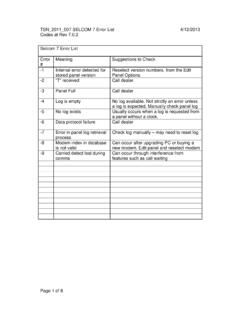
3 All rights reserved. Supra is a part of UTC Climate, Controls & Security (CCS), and a unit of United Technologies Corporation. Supra is a registered trademark of United Technologies Corporation. Other brand and product names are or may be the trademarks of, and are used to identify products or services of, their respective owners. UTC assumes no responsibility for inaccuracies or omissions and specifically disclaims any liabilities, losses, or risks, personal or otherwise, incurred as a consequence, directly or indirectly, of the use or application of any of the contents of this document. The information in this document is subject to change without notice. 2 USB Cradle Error CodesError CodeDescriptionSolution02 Key Account Status Issue The key is not assigned (contact Association/MLS unless key was just received from Supra , then contact Supra Support) The Supra account has not paid (contact Supra Billing) The Association/MLS status is bad (contact Association/MLS)03 Failed to establish SSL connectionSoftware on the computer is not allowing the eSYNC to complete.
4 Check for firewall or security software that may be blocking the connection Make sure the USB cradle software is up-to-date05 Data Connection Incomplete Make sure the eSYNC phone numbers are correctly listed in the key Check for firewall or security software that may be blocking the connection Make sure the USB cradle software is up-to-date06 Failed to Resolve Server Reset the cradle Reboot the computer09 Server Connection Failed Check for firewall or security software that may be blocking the connection Make sure the USB cradle software is up-to-dateModem Cradle Error CodesError CodeDescriptionSolution02 Key Account Status Issue The key is not assigned (contact Association/MLS unless key was just received from Supra , then contact Supra Support) The Supra account has not paid (contact Supra Billing) The Association/MLS status is bad (contact Association/MLS)03 Failed or Incomplete Connection Verify the phone line is not Voice-over-IP or digital If using DSL service use a DSL filter Make sure the eSYNC phone numbers are correctly listed in the key05 Phone Number Error Make sure the eSYNC phone numbers are correctly listed in the key Make sure the phone numbers are listed the same way you would dial them (including required dial-out prefixes)06No Dial ToneNote: If error code 21 is displayed, the cradle may be damaged by a digital phone system.
5 Check the phone cord connections Connect directly to the phone jack at the wall07 Phone Line Busy Make sure the eSYNC phone numbers are correctly listed in the key Reset the key and cradle08No Answer Verify phone line is not Voice-over-IP or digital If using DSL service use a DSL filter Make sure the eSYNC phone numbers are correctly listed in the key09eSYNC Time Out Check if there is audible static on the phone line Connect directly to the phone jack at the wall Make sure the eSYNC phone numbers are correctly listed in the key19No Phone Line De-tected Check the phone cord connections Reset the key and cradle Try to make a phone call with a phone through the cradle20 Phone Line in UseThe phone line may have someone talking on it or a fax machine in use. Wait until the phone line is no longer in use or connect to a different phone Much Power on Phone LineSome digital phone systems provide too much power and can damage the cradle.
6 Verify that the phone line plugged into the cradle is an analog line3 Keybox Error CodesError CodeDescriptionSolutionA8 Too Many Digits EnteredVerify the PIN code is correct and that no extra buttons are pushed or Update NeededManually updating the key requires an update code for the primary Association/MLS, then additional update codes for each cooperating area system that the key has permission. KIM Voice (1-888-968-4032) and SupraWEB will provide each of these codes. Enter update codes for the primary Association/MLS followed by any cooperating area codes Contact the cooperating association to have key added to cooperate in their system While on a cradle, perform a MANUAL ESYNC functionD1 Incorrect Shackle Code (during Read Keybox) Verify the keybox shackle code Check SupraWEB for the correct shackle code Contact the Association/MLS for the correct shackle codeD2 Incorrect Shackle Code (during Timed Access Change) Verify the keybox shackle code Check SupraWEB for the correct shackle code Contact the Association/MLS for the correct shackle codeD3 Incorrect Shackle Code (during Release Shackle)
7 Verify the keybox shackle code Check SupraWEB for the correct shackle code Contact the Association/MLS for the correct shackle codeE2 Timed Access ErrorThe key is trying to access a keybox outside the programmed Access Hours (during daylight-saving time, the keybox opens an hour later). Access the keybox within the programmed access MissingTo access a cooperating area, your key must have the correct code programmed into it and the cooperating system must have your key added to their system. Manually eSYNC the DisplayKEY twice on the cradle to activate the cooperating system access. With the system code it s using, the key does not have permission to access the keybox Enter a new update code and eSYNC the DisplayKEY3 BIncorrect CBS CodeObtain and verify the CBS code for the keybox and re-enter Update Code Verify and re-enter the update code While on a cradle, perform a MANUAL ESYNC function5D, 5 EInfrared (IR)
8 Communication Failure Reset the DisplayKEY Shield the lens on the keybox from direct sunlight Make sure the DisplayKEY and keybox are 3 - 6 apart Wipe off the lens on the top of the key and on the lens on the keybox5A, 5B, 5 CContacts Not making Connection Wipe off the metal contacts on the top of the key and on the cradle Wipe off the lens on the top of the key and on the cradle38 Tracking Full Lockout While on a cradle, perform a MANUAL ESYNC function Reprogram the DisplayKEY at the Association/MLS40 Key Expired While on a cradle, perform a MANUAL ESYNC function Get and enter an update code42 Bad ID Cookie Try another keybox While on a cradle, perform a MANUAL ESYNC twice in a row43 Bad Config Cookie While on a cradle, perform a MANUAL ESYNC function Reprogram the DisplayKEY at the Association/MLS46 Copy Protection Error Verify the PIN code is correct Try another keybox Reprogram the DisplayKEY at the Association/MLS47 AAccess Hour Restric-tionThe key is trying to access a keybox outside the programmed Access Hours (during daylight-saving time, the keybox opens an hour later).
9 Try accessing the keybox within the programmed access PIN CodeThe PIN code is programmed into the key and does not change unless the agent takes it to the Association/MLS to program the key. Verify the DisplayKEY PIN code Contact the Association/MLS for correct PIN Code72 Incorrect Shackle Code Verify the keybox shackle code Check SupraWEB for the correct shackle code Contact the Association/MLS for the correct shackle code73 Incorrect Program-ming (Shackle) Code Verify the keybox shackle code Check SupraWEB for the correct shackle code Contact the Association/MLS for the correct shackle code74 Bad Code LockoutAn incorrect code was entered five (5) times within 10 minutes. Verify the PIN or shackle code Wait 10 minutes and try the function again75 Obtain Key LockoutAn incorrect PIN code was entered five (5) times within 10 minutes.
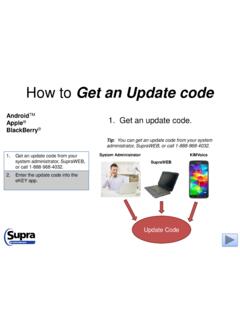
10 Verify the PIN code Wait 10 minutes and try the function again76 Key Not Updated (Coop)Manually updating the key requires an update code for the primary Association/MLS, then additional update codes for each cooperating area system that the key has permission. KIM Voice (1-888-968-4032) and SupraWEB will provide each of these codes. Verify the DisplayKEY is updated (if a new update code is entered, then get new updated codes for each cooperating area as well) While on a cradle, perform a MANUAL ESYNC function77 Incorrect CBS CodeThe CBS code is entered under INPUT UPDATE or CBS, then perform the OBTAIN KEY function as normal. Verify and re-enter the CBS code for the keybox Contact the listing agent to get the CBS code80 Low BatteryThe DisplayKEY battery is getting low. The key can be used only a few times once this message appears.