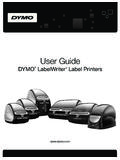
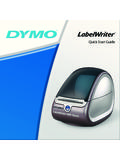
Transcription of DYMO Label User Guide
1 user GuideDYMO LabelTM Copyright 2012 Sanford, , ,DYMOL abel, 'sNewinDYMOL abel1 What' ' ' (Windows) (Mac)3 LabelFiles3 AddressBook3 LabelandTapeEditors4 ChoosingaLabel4 DesignToolbar4 ChoosingaPrinter4 LabelWriterTwinTurboUsers5 IntelligentMail Barcode5 SupportedLabelPrinters5 HelpingtoImproveDYMOP roducts(WindowsOnly) (Windows)14 ZoomingtheWorkspace(Mac)15 GettingStarted17 AddingMyReturnAddress17 AddingMyLogo17iiiFindingYourLabelType18 ChoosingaLayout19 PrintingYourFirstLabel19 CorrectinganAddress19 PrintingfromtheDesktop(Windows)19 UsingtheQuickPrintWidget(Mac) (Windows)24 PrintQuicklyfromAnywhere(Mac)24 PrintaLargeMailingListContinuously25 CreateaMulti-LineCDLabel25 CreateaTwo-SidedLabel26 AddYourOwnLogo26 FrequentlyAskedQuestions27 MovingYourFilestoAnotherComputer27 ChangingthePostalBarcodePosition27 SharingLabelFiles28 RemovingtheSampleAddressBook28 FindingYourVersion7 Labels(WindowsOnly)28 ViewingtheStatusofYourLabelMaker29 PrintingLabels31 PrintingaSingleLabel31 PrintingfromtheAddressBook31 PrintingfromtheDesktop(Windows)32 UsingtheQuickPrintWidget(Mac)
2 32 PrintingDirectlyfromOtherPrograms32 PrintingDirectlyfromMicrosoftWord33 PrintingMultipleLabels33 PrintingMultipleCopies34 PrintingMultipleAddresses34 PrintingMultipleLabelsQuicklywithSmartPa ste34 ImportingandPrintingData35 AboutSmartPaste35 PrintingMultipleLabelsQuicklywithSmartPa ste36ivPrintingfromaSpreadsheetUsingSmar tPaste36 PrintingfromaTextFileUsingSmartPaste37 PrintingfromaWordProcessorUsingSmartPast e38 ChoosingaPrinter39 PrintingtoaLabelWriterTwinTurboPrinter40 UsingBothLabelRolls40 AdjustingthePrintQuality41 ChangingtheTapeLabelAlignment41 PrintingCutMarksBetweenLabels42 SettingtheDefaultCopiestoPrint42 DesigningaLayout43 CreatingaNewLayout43 ModifyingaSampleLayout44 SavingaLayout44 AddingDesignObjects44 AddinganAddressObject45 AddingaTextObject47 AddingaCircularTextObject50 AddinganImageObject53 AddingaShapeObject54 AddingaBarcodeObject55 AddingaCounterObject57 AddingaDateandTimeObject58 UsingClipArt59 AddingClipArttoYourLabel60 AddinganImagetotheClipArtLibrary60 DeletinganImagefromtheClipArtLibrary60 AddingaScreenGrabtoYourLabel61 ChangingtheFont61 InsertingaSymbol61 AligningText62 CreatingVerticalText62 AligningObjects62 RotatingObjects63 ResizingObjects63 AddingaBordertoanImage63 AddingaBordertoaTapeLabel63 AddingShadingtoObjects64vCreatingaVariab leTextObject64 UsingtheAddressBook67 CreatingaNewAddressBook67 AddinganAddress68 AddinganAddressfromaLabel68 CorrectinganAddressBookEntry68 CorrectingMultipleAddresses69 EditinganAddress69 DeletinganAddress69 UsingOutlookContacts69 UsingtheMacAddressBook70 SwitchingAddressBooks71 SearchingtheAddressBook71 FilteringtheAddressBook71 ExportinganAddressBook72 ImportingDatatoanAddressBook72
3 EditingAddressBookKeywords(WindowsOnly)7 4 PrintingLabelsfromOtherPrograms75 UsingtheWordAdd-In(Windows)75 UsingtheWordAdd-In(Mac)76 UsingtheOutlookAdd-In(WindowsOnly)76 UsingtheMacAddressBookAdd-In(MacOnly)77 UsingtheExcelAdd-In(Windows)78 UsingtheExcelAdd-In(Mac)78 UsingtheACT!Add-In(WindowsOnly)79 AbouttheDYMOL abelAdd-InforQuickBooks(WindowsOnly)80 EnablingtheDYMOL abelAdd-In80 PrintingaSingleLabelfromQuickBooks80 SelectingMultipleLabelstoPrint81 PrintingMultipleLabelsfromQuickBooks82 PrintingLabelsforLetters82 PrintingDirectlyfromOtherApplications83 CustomizingDYMOL abel85 AddingMyReturnAddress85 AddingMyLogo85 ChangingtheLanguage(WindowsOnly)86 ChangingtheUnitsofMeasure86viHidingtheRu lers86 ChangingtheDefaultFont87 ChoosingtheStartupLabel87 SettingtheDefaultFolders87 SettingOtherOptions88 SuppressingtheFileSavePrompt88 SuppressingtheCheckLabelSizeWarning88 SettingthePasteButtontoAutomaticallyPrin t89 CustomizingAddressFixer89 RemovingPunctuationwithAddressFixer89 SettingtheCapitalizationPreferences89 AboutLabels91 LabelRolls91 LabelCassettes91 AboutLabelRolls91 AboutLabelCassettes92 FindingYourLabelType92 BuyingLabels93 AboutCustomLabels93 AboutNetworkPrinting95 SharingaPrinter(Windows)95 AddingaNetworkPrinter(Windows)96 SharingaPrinter(Mac)96 AddingaNetworkPrinter(Mac) 'snewandwhat'schangedinDYMOL abel 'sNewinDYMOL abelTourDYMOL abelSoftwareWhatVersion7 UsersNeedtoKnowWhat' , ' ' !
4 ' ,fromthedesktop, Add-InsforMicrosoftOfficeapplications,Ma cAddressBook,ACT!, , (Windows) ,theDYMOL abelFirstRunwizardguidesyouthroughthefol lowingprocedures:nImportingyoursettingsf romanearlierversionofthesoftwareManyofyo urprevioussettingscanbeimported;includin gyourdefaultfont,defaultreturnaddress, , , (Mac) :yourdefaultfont,defaultlabelfilefolder, defaultreturnaddress, :Windows:..\Libraries\Documents\DYMOL abel\LabelsMac:Documents/ , :3 Chapter2 WhatVersion7 UsersNeedtoKnowWindows:..\Libraries\Docu ments\DYMOL abel\AddressBooksMac:Documents/ , , :TwinTurbowithLeftRollselectedIntelligen tMail ,thenewLabelWriter4 XLfour-inchwidelabelprinterandtheLabelMa nager500TS,LabelManager420P, (WindowsOnly) , , ,how-tos,FAQs, , , (forexample,aLabelManager420 PorLabelManagerPnP), onetypeoflabelprinterinstalledorifyouhav eaLabelWriterDuoprinterinstalled, ,suchasAddress,Shipping, , , ,thelogoisanImageobject,thereturnaddress isafixedTextobject,ahorizontallineisasha peobject, :LabelObjectsnAddressnTextnCounternDatea ndTimenBarcodenShape,suchaslines,rectang les,circles, , ,delete, , ,ifyoualreadyhaveallyourcontactssavedinO utlookortheMacAddressBook, ,youcandothefollowing.
5 NQuicklyaddanaddresstoalabelnSelectmulti pleaddressestoprintnAdd,delete,andeditad dressesinaDYMO addressbooknCorrectaddressesandaddtheZIP +4codewithAddressFixer(ForUSaddressesonl y)nSwitchtoadifferentAddressBooknViewand printyourOutlookorMacAddressBookcontacts nSearchforoneormoreaddressesnFiltertheAd dressBooktoviewonlytheaddressesyouwantto seeToselectorclearthecheckboxesforalladd resses, (whatyouseeiswhatyouget) , :nAtoolbarforquicklyformattingyourlabelt extnQuickaccesstolabellayouts12 PrintAreanApreviewofyourlabelThefeatures availableintheEditarevary, , , , ,LabelManager420P,orLabelManagerPnPlabel makerconnectedtoyourcomputer, , (Windows) , ,pointtoZoomLabel, ,pointtoZoomWindow, (Mac)ZoomingtheWorkspace(Mac) ,pointtoZoomLabel, ,selectandinsertyourdefaultlogoandreturn address, (Windows)nUsingtheQuickPrintWidget(Mac)A ddingMyReturnAddressWhenyoustoreadefault returnaddress, :lForWindows.
6 LForWindows, , , , , , (forexample,aLabelManager420 PorLabelManagerPnPlabelmaker), , , , ,enteringyourdata, , , , ,youcancheckanaddressthatyouhaveaddedtoy ourlabelwithadatabaseofUSaddresses,corre ctanymistakes,andautomaticallyaddthecomp letenine-digitZIP+ + (Windows)UsingQuickPrint, ,fromtheStartmenu,pointtoAllPrograms,DYM OL abel, ,paste, (Optional) , (TwinTurbo Only) (Mac)UsingtheQuickPrintwidget, , ,clickinthebottom- , ,eachcellistreatedasaseparateaddress(ort extblock) , :lTo printalabelforallthedatainthetable, , ;however, , (Optional) , (TwinTurbo Only) , (CSV) , (Windows) ,paste, , (Mac) , ,youcanclickinthebottom- , ,andwhentheprinterrunsoutoflabelsonthele ftroll, , , , , ,Text,Counter, , ,selecttheMirrorcheckbox, , ,scale,andborderoptionsfortheimage, ,visittheSupportsectionoftheDYMOW ebsitetoviewmoreFrequentlyAskedQuestions (FAQs).nMovingYourFilestoAnotherComputer nChangingthePostalBarcodePositionnSharin gLabelFilesnRemovingtheSampleAddressBook nFindingYourVersion7 LabelsnViewingtheStatusofYourLabelMakerM ovingYourFilestoAnotherComputerYourDYMO labelfilesandAddressBooksarelocatedinthe dymo ,makesureyoucopythefilestothefoldersshow nbelow:LabelfilesWindows.
7 \Libraries\Documents\DYMOL abel\LabelsMac:Documents/ :..\Libraries\Documents\DYMOL abel\Labels\LayoutsMac:Documents/ :..\Libraries\Documents\DYMOL abel\AddressBooksMac:Documents/ , ,belowtheaddress, (USPS) ,layoutfiles, , (Optional) , , ,butunlessyouselecttheSampleAddressBooka sthecurrentAddressBook, , ,thisfolderiscreatedinthefollowinglocati on:Windows: ..\Libraries\Documents\DYMOL abel\AddressBooksMac:Documents/ , , (WindowsOnly) ,alloftheLabelWriterlabelfilesinyourdefa ultlabelfilefolderareautomaticallyconver tedtothenewlabelformatandcopied28 ViewingtheStatusofYourLabelMakerintothef ollowingdefaultfolder:..\Libraries\Docum ents\DYMOL abel\ , ,LabelManager420P,orLabelManagerPnPlabel makerconnectedtoyourcomputer, :nPrintasinglelabelnPrintalabelfromtheDe sktop(Windows)nPrintalabelusingtheQuickP rintWidget(Mac)nPrintlabelsfromtheAddres sBooknPrintlabelsfromanotherapplicationn PrintmultiplelabelsatonceIftheselectedla beltypedoesnotmatchthelastlabeltypeprint edtotheselectedprinter, , (Windows)nPrintalabelusingtheQuickPrintW idget(Mac) , (suchasshippinglabelsandtwo-upaddresslab els),youhavemoreflexibilityaboutwhichobj ects(Address,variableText,andBarcodeobje cts) , (Windows)UsingQuickPrint, ,fromtheStartmenu,pointtoAllPrograms,DYM OL abel, ,paste, (Optional) , (TwinTurbo Only) (Mac)UsingtheQuickPrintwidget, , ,clickinthebottom- ,wehaveincludedsoftwareadd-insforsomepop ularWindowsandMacintoshprograms, , , , , ,choosetheDYMO printeryouwanttoprinttofromtheNamelist, ,andthenclicknexttoPageSetup.
8 , , ,Bottom,Left,andRight boxes, , , , (suchasshippinglabelsandtwo-upaddresslab els),youhavemoreflexibilityaboutwhichobj ects(Address,variableText,andBarcodeobje cts) , ,ifyouselectfiveentriesfromtheAddressBoo kandselecttoprinttwocopies, , (CSV) , ,youcanquicklyprintlabelsfromanumberofst andarddatabaseformatsincludingMicrosoftA ccess(Windows),MicrosoftExcel,textfiles, andUniversalDataLinks(UDL)(Windows).Data baseinformationcanbeinsertedintoavariabl eText,Address, ,Text,orBarcodeobjectonyourlabel, ,Address, , ,youcanprintmultiplelabelsfromalistcreat edinawordprocessor,spreadsheet, , , (CSV) , , , , ,suchaswithatexteditingprogram,exporting fromadatabaseapplication, ,youtypicallycreateadelimitedfile(CSV) , , (delimitedusingcommas): dymo ,44 CommerceRoad, Stamford,CT06902 NewellRubbermaid,10 BGlenlakeParkway, Atlanta,GA30328 willprintastwothree- ,thefollowingthreelinesoftextwillprintas threetwo- ,thelistdelimitercharacterisbasedontheWi ndowslistseparator(orregionalsetting) , , ,youwilltypicallyhavemultiplelinesoftext , , , , , , , , , , , , :TwinTurbowithLeftRollselectedWhenprinti ngtoaLabelWriterTwinTurboprinter, , ,andwhentheprinterrunsoutoflabelsonthele ftroll, , , :lForWindows, , , , , , :lForWindows, , ,selectoneofthefollowingsettings.
9 LLeft-toeavelessspaceatthebeginningofthe Label . , , :lForWindows, , ,selectoneofthefollowing:lCuteachlabelas printed-topauseorcuteachlabelbeforethene xtlabelprints. :lForWindows, , , ,theLargeShippinglabelhasasamplelayoutth atincludesthefollowingobjects:nanAddress objecttoholdtherecipient saddressnaTextobjecttoholdyourreturnaddr essnanImageobjecttoholdyourcompanylogoor anotherimagenahorizontallineobjectusedto separatethelogoandreturnaddressfromthere cipient , , ,youcanmodifytheobjectsthatalreadyappear onthelayout,addadditionalobjectsthatyouw antonyourlabel, , , , ,thelogoisanImageobject,thereturnaddress isaTextobject,therecipient'saddressisanA ddressobject, , ,butisdesignedtoprintinformationthatchan gesfromlabeltolabel, , , theobject, , , ,forexample,changethefont,fontsize, theobject, , , , , , , , , , , (Windows)-Changethefonttype,size, (Mac)-Changethefonttype,size,style, (Windows) ,youcanchoosetoaddyourdefaultlogo,insert animagefromtheclipboardorafileonyourcomp uter,orcaptureandinsertastillimagefromav ideocameraorvideo-captureboardthatsuppor tsVideoforWindows(suchasQuickCam).
10 Youcanusethefollowingtypesofimagefiles:B MPGIFPNGJPGTIFF orbestresults,whenyouimportanimage, ,ifyouwanttoprintyourcompanylogoonashipp inglabel, , , , (WindowsOnly) (WindowsOnly) ,circles, , :rectangle,ellipse,horizontalline, , (alsocalled"Code3of9"),Code128,Interleav ed2of5,UPC,EAN,UCC/EAN128,ITF-14,Codabar ,QR, , ,Text, ,ifyoulinkaTextobjectthatcontainsapartnu mbertoabarcodedesignedtoencodethepartnum ber, , , , , , , ; textmessage-Validphonenumber; , , ,theincrementtobeusedforcounting(1,2,10, andsoon),theminimumwidthofthenumbers, , , , , ,ifyouwanttocreatelabelsforasetof10 CDs,numberedsequentially,youcanenter"Dis c"intheBeforeboxand"of10" ,thefirstlabelwillread"Disc1of10,"thesec ondlabelwillread"Disc2of10," , ,whenyouprintalabelnumbered10,thenumberw illprintas"00010"(5characterswidewithlea dingzeros).IfyoudonotselectPrintLeadingZ eros,thelabelwillprintas"10" (Windows)-Changethefonttype,size, (Mac)-Changethefonttype,size,style, (Windows) , , , , , , (Windows)-Changethefonttype,size, (Mac)-Changethefonttype,size,style, (Windows) , , , , :BMP,JPG,GIF,TIF, , , , , ,size, , , ,size, (Windowsonly) ,Address,Counter, , , ,Counter, ,eachcharacterofthefirstlineintheobjectp rintsonaseparateline, , ,vertically, ,ifyouhaveaTextobject,anAddressobject,an dalineobjectandyouwanttheAddressandlineo bjectstohavetheirleftsidesstartatthesame pointastheTextobject,selecttheTextobject first, , ,pointtoRotateObject, ,ifyouhaveaTextobject,alineobject,andanI mageobjectandyouwanttoresizetheTextandli neobjectstobethesamesizeastheImageobject ,selecttheImageobjectfirst, , , ,thebordersurroundstheactualimage, , , , ,Text,Counter,DateandTim