Transcription of E2216H - Dell
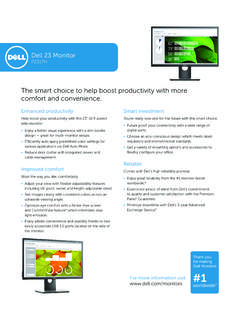
1 Essential features at a great valueEnjoy the essential monitor features you need for everyday office use with this affordable monitor. Discover easy compatibility with both legacy and future-ready PCs via VGA and DisplayPort connectivity. Create AIO-like simplicity in deployment by mounting a Dell Wyse thin client or Dell Optiplex Micro PC directly to available rear VESA mount area. Suit your viewing preference with this monitor s tilt with Dell s high reliability promise. Gain peace of mind with Dell s Limited Hardware Warranty1 and Advanced Exchange Service2. Plan fleet transitions easily with Dell s stable product cycles and worldwide product availability. Count on Dell s stringent quality standards that help ensure reliability to help minimize workforce designRest assured that the Dell 22 Monitor meets the latest environmental and energy efficiency standards. Help reduce your organization s carbon footprint and environment impact with the environmentally compliant Dell 22 Monitor.
2 Conserve power with Power Nap, a feature found in Dell Display Manager. BFR/PVC-free monitor (excluding external cables) with arsenic-free glass and mercury-free LED panel. ENERGY STAR , TCO Certified Displays and EPEAT Gold3 Dell 22 MonitorHelp drive office productivity with the Dell 22 MonitorFor more information 5 Standard service plan 3 Years Advanced Exchange Service2 & 3 Years Limited Hardware Warranty1 Environmental complianceENERGY STAR , EPEAT Gold3 , TCO Certified Displays, CECP, China Energy Label, RoHS* Dell monitors are #1 Worldwide for 2 consecutive years. Source: NPD DisplaySearch Quarterly Desktop Monitor Shipment and Forecast Report (2013 and 2014). Ad#G15000115** Registered in US and Canada For a copy of the Limited Hardware Warranty, write Dell USA LP, Attn: Warranties, One Dell Way, Round Rock, TX 78682 or see 2 Advanced Exchange Service: Replacement part/unit dispatched, if needed, following completion of phone/online diagnosis.
3 Fee charged for failure to return defective unit. Availability varies. Other conditions EPEAT Gold registered in the EPEAT registration varies by country. See for registration status by Color gamut (typical) is based on CIE1976 (85%) and CIE1931 (72%) test DisplayPort - Supports High Bit Rate 2 (HBR2) and Multi-stream transport (MST). E2216H does not support fast AUX transaction, 3D stereo transport and HBR (High bit rate) on Ad#A15000185 Product availability varies by country. Please contact your Dell representative for more numberE2216 HViewable image size (diagonal) cm ( inches)Active display area Horizontal mm ( inches) mm ( inches) Maximum resolution Full HD 1920 x 1080 at 60 HzAspect ratio16:9 Pixel pitch mm x mmBrightness (typical) 250 cd/m Color gamut (typical)85%4 (CIE1976)Color depth million colorsContrast ratio (typical) 1,000:1 Viewing angle (typical)(vertical/horizontal)160 / 170 Response time (typical)5 ms black-to-whitePanel technologyTN (active matrix TFT LCD), anti-glareBacklightLEDDell soundbar (optional)AC511 ConnectivityConnectorsVGA, DisplayPort Design featuresStandTilt only (Typical.)
4 5 forward or 21 backward)VESA mounting support(wall mount kit sold separately)100 mm x 100 mmSecuritySecurity lock slot (security lock not included)PowerAC inputvoltage/frequency/current100 to 240 VAC/50 or 60 Hz 3 A (typical)Power consumption (typical)18W Power consumption (ENERGY STAR ) consumption standby/sleep mode< WDimensions (with stand) mm ( inches) mm ( inches)Depth180 mm ( inches) WeightWeight (panel only no stand) kg ( lb)Weight (with stand) kg ( lb)Shipping kg ( lb)Dell 22 Monitor | E2216H Dell recommends that customers dispose used computer hardware, including monitors, in an environmentally sound manner. Potential methods include reuse of parts or whole products and recycling of product, components and/or materials. For more information, please visit tilt the panel to your preferred viewing position to work the way you like.** 05/2015 TiltWhat's in the box?Components Monitor panel Stand (riser and base) VESA trim coverCables DisplayPort cable Power cable Documentation Quick Setup Guide Drivers and digital media Safety and regulatory informationABCDC onnectivityImage enlarged and cropped to show detailA AC power connectorB DisplayPortC VGAD Sound bar mounting slots