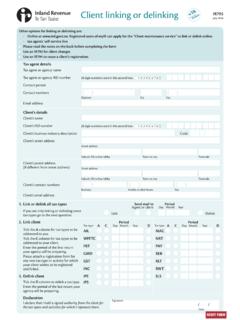
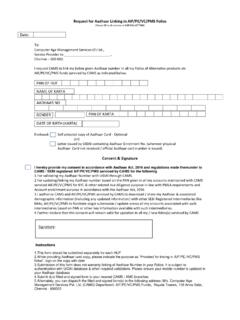
Transcription of Employment Pass (EP) Online
1 Employment pass (EP) Online MANAGE USER account ADD / TERMINATE ACCESS 1 Can I request for more than 1 EP Online account for my Company / Organisation / Employment Agency? There is no need for a Company / Organisation / Employment Agency to apply for more than 1 EP Online account . Each Company ID / ACRA No / EA Licence No is only entitled to 1 EP Online account . Each EP Online account can be accessed by up to 5 Users. 2 How many employees can I appoint to have access to my Company / Organisation / Employment Agency EP Online account ? You may appoint 1 employee to be the EP Online account Admin User and up to 4 other employees to be the Users.
2 3 Who can be appointed as an Admin User or User(s)? To be appointed as the Company s EP Online account Admin User or User(s), he / she must be the employee of the Company / Organisation / Employment Agency and be issued with a SingPass. For more information on SingPass, please visit 4 What are the roles of an Admin User? The roles of the Admin User are to Grant EP Online access to employees of Company / Organisation / Employment Agency as Users via the Manage User account function in EP Online . Terminate the User s access to EP Online if he / she leaves the Company / Organisation / Employment Agency or is no longer authorised to perform Employment pass / S pass and related pass transactions on behalf of the Company / Organisation / Employment Agency.
3 The Admin User can also have the access to Perform Employment pass / S pass and related pass transactions on behalf of the Company / Organisation / Employment Agency. 5 What are the types of access that the Admin User can choose from? What is meant by Administrative role and Operational role ? The Admin User can choose between two types of access: Administrative; or Administrative & Operational Administrative role refers to the access granted to the Admin User to allow him / her to give EP Online access to employees of the Company / Organisation / Employment Agency.
4 Last updated on 6 Nov 13 1 Employment pass (EP) Online MANAGE USER account ADD / TERMINATE ACCESS Operational role refers to the access granted to perform Employment pass / S pass and related pass transactions on behalf of the Company / Organisation / Employment Agency. 6 What is the role of a User? The User s role is to perform Employment pass / S pass and related pass transactions on behalf of the Company / Organisation / Employment Agency. 7 How many employees can the Admin User appoint to have access to the Company s / Organisation s / Employment Agency s EP Online account ?
5 The EP Online account Admin User may appoint up to four other employees to be the Users. 8 I am the Admin User of my Company s / Organisation s / Employment Agency s EP Online account with Administrative access only. Can I subsequently request to be granted Operational access to perform Employment pass / S pass and Related pass transactions on behalf of my Company / Organisation / Employment Agency? Yes. Please fax in the Employment pass (EP) Online Services Access Form to the Work pass Division at 62962086. 9 I am a User of my Company s / Organisation s / Employment Agency s EP Online account .
6 Can I change to become the Admin User? Yes. Please fax in the Employment pass (EP) Online Services Access Form to the Work pass Division at 62962086. 10 I am a User of my Company s / Organisation s / Employment Agency s EP Online account . Can I be appointed as the Admin User of another Company s EP Online account ? Yes. Please fax in the Employment pass (EP) Online Services Access Form to the Work pass Division at 62962086. Requests will be considered on a case by case basis. 11 Can the Admin User add himself / herself as one of the User(s)? No. An employee can only be either the account Admin User or User.
7 If the Admin User is granted both an administrative and operational role during registration, he / she will be able to perform Employment pass / S pass and Related pass transactions. Otherwise, please fax in the Employment pass (EP) Online Services Access Form to the Work pass Division at 62962086. 12 I am my Company s EP Online account Admin User. I have identified four Last updated on 6 Nov 13 2 Employment pass (EP) Online MANAGE USER account ADD / TERMINATE ACCESS other employees to be the Users.
8 How should I go about granting them access to the EP Online account ? The Admin User can log in to EP Online to grant the Users access to the Company s EP Online account via the Add / Terminate Users function under Manage User account . 13 Can my User log in to EP Online immediately after my account Admin User has granted him / her access to the system? Yes, the User can only log in with effect from the Access Start Date . 14 My Admin User has already granted access to the User(s) to log in to EP Online but why are they still unable to log in? The User(s) can only log in to EP Online with effect from the Access Start Date.
9 You can log in to EP Online to amend the Access Start Date under Manage User account function accordingly, provided the existing Access Start Date reflected in the system is greater than the current date. 15 I am the Admin User. What can I do if I wish to amend the Access Start Date of my User(s)? You can log in to EP Online to amend the Access Start Date under Manage User account function accordingly, provided the existing Access Start Date reflected in the system is greater than the current date. 16 Must I inform the Work pass Division if there is a change in the Company s / Organisation s / Employment Agency s EP Online account Admin User?
10 Yes. You have to inform Work pass Division and provide us with the particulars of the new Admin User by faxing the Employment pass (EP) Online Services Access Application Form to 62962086. At least 7 working days advance notice must be given for the changes to be processed. It is important that the Admin User s access should be terminated. If the Admin User s access is not terminated, he / she will still be able to transact on the company s behalf. 17 Must I inform the Work pass Division if my User(s) resigns? The Company s EP Online account Admin User is responsible to terminate the User(s) from the system by updating the Access End Date at the Add/Terminate Users function under Manage User account function in EP Online .