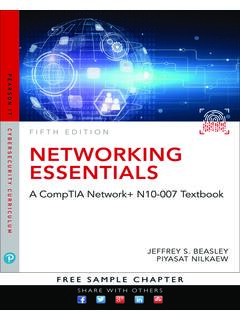
Transcription of Essentials - TradeStation
1 E s sentialsEasyLanguage Essentials Important Information and Disclaimer: All support, education and training services and materials provided by TradeStation are for informational affiliate. This material may also discuss in detail how TradeStation is designed to help you develop, test and implement trading strategies. However, TradeStation does not provide or suggest trading strategies. We offer you unique tools to help you design your own strategies and look at how they could have performed in the past. While we believe this is very valuable information, we caution you that simulated past performance of a trading strategy is no guarantee of its future performance or success. We also do not recommend or solicit the purchase or sale of any particular securities or derivative products.
2 Any symbols referenced are used only for the purposes of the demonstration, as an example not a recommendation. Finally, this material may discuss automated electronic order placement and execution. Please note that even though TradeStation has been designed to automate your trading strategies and deliver timely order placement, routing and execution, these things, as well as access to the system itself, may at times be delayed or even fail due to market volatility, quote delays, system and software errors, Internet traffic, outages and other factors. TradeStation Group, Inc. Affiliates: All proprietary technology in TradeStation is owned by TradeStation Technologies, Inc. Equities, equities options, and commodity futures products and services are offered by TradeStation Securities, Inc.
3 (Member NYSE, FINRA, CME and SIPC). TradeStation Securities, Inc. s SIPC coverage is available only for equities and equities options accounts. Copyright 2001-2017 TradeStation Group, Inc. iiiEasyLanguage Essentials Programmers GuideAudienceThis book has been designed with the beginning EasyLanguage programmer in mind. Our goal with this bookis to provide useful information to anyone interested in learning more about the features and uses of TradeS-tation EasyLanguage. The primary audience for this material is traders and developers of technical analysisindicators and trading strategies. Experience in any other programming language is helpful but is not required to learn and utilize This BookEasyLanguage Essentials Programmers Guide is a programmers introduction to TradeStation s EasyLanguageprogramming tools.
4 This book is based on the current release of TradeStation is assumed that the reader has access to the TradeStation book is divided into several chapters and appendixes each designed to familiarize you with the basicconcepts and principles of EasyLanguage programming. Although the book is comprehensive, it not designed to answer every question you may have about EasyLan-guage, and is not a complete reference guide. There are many additional on-line resources available that canhelp answer those issues not covered in the book. Visit the TradeStation Support site at: EasyLanguage Essentials Programmers Guidev EasyLanguage Essentials Programmers GuideTable of is EasyLanguage? .. 1 Compatibility with Previous 2 Forward Compatibility .. 2 Backward 23rd Party Development Applications: Chart Analysis, RadarScreen, and OptionStation.
5 3 Naming Conventions .. 3 Text 4 Example 4 Program .. 5 Calculation Procedures .. 5 MaxBarsBack .. 6 Charting Basics ..8 Data 8 Bar Attribute Reserved Words .. 8 BarType .. 8 BarInterval .. 9 CurrentBar .. 9 BarNumber .. 9 Price Data Price Data 10 Trade Volume, Tick Count, and Open Interest .. 10 Bar Volume Data Points .. 10 Option Volume, Option Open Interest, and Implied 11 Option Volume Data 11 Time and Date Data 12 Quote 13 Fundamental 14 Available Fundamental Data Fields .. 14 Multi-Data Analysis .. 15vi EasyLanguage Essentials Programmers GuideSession 16 PowerEditor ..17 Creating a New Analysis Technique .. 17 Study File 18 Syntax 19 EasyLanguage Output 20 Analysis Technique Properties .. 21 Analysis Technique Properties Tabs.
6 22 EasyLanguage Dictionary .. 23 PowerEditor Window Preferences .. 24 EasyLanguage PowerEditor 25 BreakPoint .. 25 Language Elements ..27 Punctuation .. 28 Operators .. 30 Mathematical Operators .. 30 Relational Operators .. 31 Logical Operators .. 32 Precedence-Order of Operations .. 32 Reserved 33 Constants .. 34 Skip Words .. 34 Attributes .. 34 EasyLanguage 35 EasyLanguage Statements ..36 Declaration .. 36 Inputs .. 38 Variable Assignment .. 38 Understanding Variable Types .. 39 Pre-Declared 39 Arrays .. 40 Dynamic 42 Variable Calculation and Storage .. 42 IntrabarPersist Variables and 43 Numeric Types .. 43 Historical Reference of Variables .. 44 Variables as Counters .. 45 Setting and Holding Variables 45 Conditional 46 (Block Statement).
7 Else 47 48 Iteration ..49 For 49 While Loop .. 50 Repeat/Until 50 Infinite Loop 50 Output ..51 Plot Statement .. 51 Plot Reference .. 52 PlotPB .. 52 NoPlot .. 53 Displacing Plots .. 53 Conditional Plot Formatting .. 5416 Million Colors .. 55 Color Gradients .. 55 Legacy Predefined 56 Alerts in EasyLanguage .. 57 CheckAlert .. 58 Enabling the Alert in the 58 Print 59 EasyLanguage Output Bar - Print 59 Print to File .. 60 File 60 File Delete .. 61 Analysis 62 Commentary and 62 Common HTML functions .. 63 AtCommentaryBar .. 64 Multimedia and 65 PlaySound .. 65 Play Movies .. 65 Play Movie Examples .. 66 Creating Indicators ..67 Indicator 68viii EasyLanguage Essentials Programmers GuideIndicator Templates .. 68 Indicator Naming 68 Determining Application Availability.
8 68 Indicator Code 69 Standard Code 69 Multi-Data Indicators .. 71 Multi-Data Reference .. 72 Data(n) .. 72 Indicator Properties in the PowerEditor .. 73 Creating a ShowMe Study ..75 Creating a PaintBar Study ..77 Creating Trading Strategies ..79 What is a Strategy? .. 79 Strategy Order Syntax .. 80 Strategy Engine Calculations .. 81 Intra-bar Order Generation .. 82 Basic Strategy Code 83 Signal 84 Setting Trade Size in EasyLanguage .. 85 Open Next Bar .. 85 Strategy Position Reserved Words .. 86 Strategy Performance Reserved 88 Built-in 90 Symbol Attribute Reserved 91 Tying Entry and Exit .. 93 Advanced Order Automation in 94 TradeManager Reserved Words .. 96 TradeManager Position Reserved Words .. 98 Strategy 100 Strategy 103 Strategy Automation Synchronization.
9 104U-Turns for Futures .. 105 Send Stop Orders to TradeStation Servers .. 105 Creating Functions ..106 Function Input 107 Parameter Subtypes .. 107 Function Input/Output Parameters .. 108 Function Array Parameter 109 Function Array Input/Output Declaration .. 110 Function Property Dialog in the PowerEditor .. 110 Function Storage and Memory Optimization .. 111 ixDrawing Objects ..112 Text Objects .. 112 Creating a Text Object .. 112 Moving a Text Object .. 113 Removing a Text Object .. 113 Formatting Style of Text 113 Formatting the Color of a Text 114 Changing the Text Object Message .. 114 Getting Text Object Values .. 114 Text Object 115 Trendlines .. 116 Creating a Trendline .. 116 Moving a 117 Removing a 117 Formatting the Thickness of a Trendline.
10 117 Formatting the Color of a Trendline .. 118 Extending a Trendline Left and Right .. 118 Finding a Trendline on the Chart .. 119 Trendline Get Info Reserved Words .. 120 Trendline Errors .. 120 Writing Indicators for RadarScreen ..121 Loading Additional Data for Accumulative Calculations .. 122 Plot Statements in RadarScreen .. 122 ShowMes and PaintBars in 122 Conditional Plot Color Styling in RadarScreen .. 123 Gradient Background Cell 123 GetAppInfo ..124 Importing / Exporting EasyLanguage ..125 Learning more about EasyLanguage ..126 TradeStation Support Site .. 126 TradeStation EasyLanguage Support Resources ..128 Appendix A ..129 Volume Reserved Words Usage Tables .. 129x EasyLanguage Essentials Programmers GuidePrefaceWhat is EasyLanguage? 1 PrefaceWhat is EasyLanguage?