Transcription of Excel Tips and Tricks Cheat Sheet - SASFAA
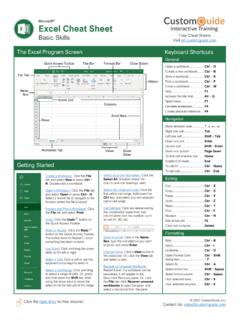
1 1 Excel Tips and Tricks Cheat Sheet Keystroke Shortcuts Ctrl + s Saves your workbook Ctrl + c Copies highlighted cells Ctrl + v Pastes copied contents into new cells Ctrl + n Creates a new workbook Ctrl + p Opens the print option Ctrl + b Turns text bold Ctrl + i Makes text italic Ctrl + u Underlines text Ctrl + z Undo Ctrl + y Redo Ctrl + x Cut Ctrl + mouse scroll Zooms in and out Ctrl + arrow Jumps from the currently active cell to the last entry in the column or row Shift + arrow Highlights one cell at a time in the direction of the arrow Ctrl + shift + arrow Selects an entire row or column (stopping at blank cells) F11 Creates a chart out of highlighted data F12 Opens the Save As option Customize the Quick Access Toolbar To customize the tools on the status bar: 1.
2 Right click on it 2. Take one of two actions: a. Select a checked item to remove it b. Select an unchecked item to add it 2 Tips for Shared Workbooks Under the Review Tab there are several useful options: Protect Sheet prevents other users from making changes to the Sheet Protect Workbook prevents other users from making changes to the workbook Share Workbook allows changes to be made by multiple users in one workbook at the same time Track changes will highlight the changes made to the workbook Printing Tips Preview your print page by selecting: 1. File (the home button) 2. Print Here you can change the margins and page orientation. You can also use the scaling option to (see image, right): 1. Fit Sheet to one page 2. Fit all columns to one page 3.
3 Fit all rows to one page. Printing Titles Go to Page Layout (see image, below) 1. Select Print Titles a. Choose how many rows at the top to include in titles b. Choose how many columns on the left to include in titles 3 Excel Element Names Letter Name Description A Workbook A file containing multiple worksheets B Worksheet or Sheet An individual spreadsheet with rows, columns, and/or charts C Column A vertical space where data can be entered D Row A horizontal space where data can be entered E Name Box Displays the name of the currently active cell F Function Box Displays available functions G Formula Bar Displays the contents of the currently active cell H Marquee Marks the currently active cell I Dialogue Box Launchers Launches the associated dialogue box