Example: barber
Garmin Navigation Map Update
Garmin Navigation Map Update Garmin Express 1. Open “Garmin Express” that have been installed in your computer. Select “Add a Device” 2. Plug the USB drive into the computer’s USB port. 3. Device found. Select “Add Device”
Tags:
Information
Domain:
Source:
Link to this page:
Documents from same domain

Garmin Navigation Map Update - …
static.garmincdn.com6 Garmin Navigation Map Update Garmin Express 4. If the customer’s email address is known, then this can be added to register the unit. Map Update Notifications can be

GPS-ENABLED CYCLING COMPUTER - Garmin …
static.garmincdn.comEdge 500 Owner’s Manual 1 Getting Started Getting Started wArNING Always consult your physician before you begin or modify any exercise program.
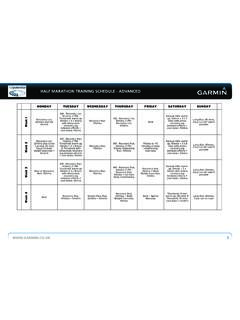
HALF MARATHON TRAINING SCHEDULE -‐ …
static.garmincdn.comhalf marathon training schedule - advanced www.garmin.co.uk 1 half marathon training schedule -‐ advanced monday tuesday wednesday thursday friday …

owner’s manual - Garmin International
static.garmincdn.comnüvi 30/40/50 Owner’s Manual 1 Getting Started ‹ WARNING See the Important Safety and Product Information guide in the product box for product warnings and
Owner’s Manual - Garmin International
static.garmincdn.comGetting the Owner's Manual You can get the latest owner's manual from the web. 1 Go to www.garmin.com /support. 2 Select Manuals . 3 Follow the on-screen instructions to select your product.

Approach S3 - Garmin International
static.garmincdn.comTable of Contents Getting Started ..... 1 Charging the Device ..... 1

nüvi 1100/1200/1300/1400 series owner’s manual
static.garmincdn.comnüvi 1100/1200/1300/1400 Series Owner’s Manual i Table of Contents Table of Contents nüvi 1100/1200/1300/1400 Series Models .....iv

INFORMATION NOTICE CONCERNING THE …
static.garmincdn.com2 Transfer of Personal Data to Other Garmin Companies Garmin will take appropriate technical and organizational actions to protect the processing of the
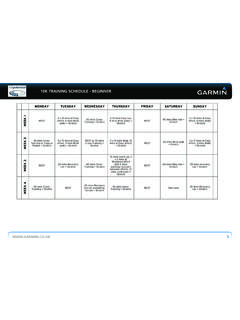
10K TRAINING SCHEDULE - BEGINNER ... - Garmin …
static.garmincdn.com10k training schedule - beginner www.garmin.co.uk 3 monday tuesday wednesday thursday friday saturday sunday week 9 at rest 60 mins cross-training + stretch

maps + more
static.garmincdn.comUser’s manual maps + more User’s manual Table of contents III Table of contents 1 Introduction ..... 9
Related documents

Instructions for PowerPoints with presenter mode on zoom
www.bio.tamu.eduOpen and minimize your powerpoint on the computer. If you are using a tablet/iPad, connect it to the computer you are using and open the powerpoint on the tablet. Open Zoom: ***Preferred****From eCampus Zoom Meetings: Login to eCampus. Click ZOOM Meetings from the Course Navigation menu located on the left-hand side.
NAVPLAN - U.S. Department of Defense
media.defense.govJan 11, 2021 · This Navigation Plan charts the course for how we will execute the Tri-Service Maritime Strategy. It supersedes Design 2.0 and informs my annual guidance for the Program Objective ... Meanwhile, they continue to attack our computer networks. In a conflict, we expect they will threaten cyber or kinetic strikes against the homeland. Left unchecked,

UNIVERSITY OF MUMBAI - Vidyalankar Classes
www.vidyalankar.orgUniversity of Mumbai, B. E. (Computer Engineering), Rev. 2016 112 4.0 SCREEN DESIGNING: Design goals , Screen planning and purpose, organizing screen elements, ordering of screen data and content , screen navigation and flow, Visually pleasing composition, amount of information, focus and emphasis, presentation information simply and
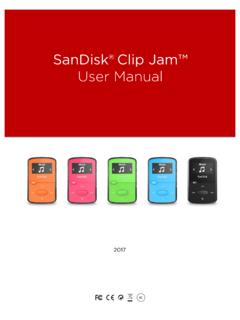
SanDisk® Clip Jam™
downloads.sandisk.com1. Connect the player to your computer using the USB cable. 2. Select Open device to view files using Windows Explorer on initial connection or by going to My Computer. 3. Double-click on the CLIP JAM icon. 4. Double-click on the Music folder. 5. Drag and drop music files from your computer to …

CLASS IX (Code 165) (2021-22)
cbseacademic.nic.inComputer Applications CLASS IX (Code 165) (2021-22) Learning Outcomes 1. Ability to familiarise with basics of computers. 2. Ability to navigate the file system. 3. Ability to create and edit documents, spread sheets, and presentations. 4. Ability to perform basic data manipulation using spread sheets and use Indian languages in documents. 5.

SEARCH, REGISTER, AND LAUNCH GFEBS COMPUTER-BASED …
athd.army.milSEARCH, REGISTER, AND LAUNCH GFEBS COMPUTER-BASED (dL) COURSES SECTION 2 - DETAILED INSTRUCTIONS WITH IMPORTANT NOTES This is the new ALMS 4 Home page. To navigate back to the ALMS 4 Home page from any other ALMS 4 page, click the Home icon in the top horizontal bar. Do not use the Home icon to exit from your course modules. The Home

Update Your Subaru Navigation maps in just a few easy …
www.subaru.comUpdate Your Subaru Navigation maps in just a few easy steps! Before you start, you’ll need a PC or MAC, your Subaru VIN, an email address and a USB 2.0 or 3.0 drive that’s at least 16GB in size (We recommend SanDisk®, Kingston®, Transcend® or Verbatim® brands).

Joint Battle Command Platform JBC-P): Equipment Transfer ...
media.defense.govSep 24, 2020 · Page . 8 of 14. CHAPTER 2 . LIN: C05036 . Type Designator: AN/UYK-128D(V)3 (Mounted Family of Computer Systems [MFoCS]) . Note: Check the part number on the mounting rack for the system.If it’s 630201, no items need to be ordered. Just transfer all cables and brackets, unbolt the softskin HMMWV crow’s feet from the bottom of the