Transcription of Getting started with Première utilisation Logitech ...
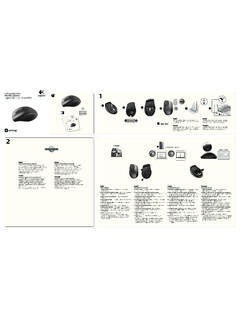
1 231 EnglishTry the headset Listen to music or make an Internet call. If the headset doesn t work, you may need to specify the headset as the default audio output/input device for your operating system. Also refer to Help with setup for additional troubleshooting XP1. Go to Start/Control Panel/Sounds and Audio devices/Audio In the Sound Playback/Default Device window, choose the Logitech Wireless Headset H800. 3. Select the Voice In the Voice tab, choose the Logitech Wireless Headset Click OK. 6. Restart your media application. Windows Vista and Windows 71. Go to Start/Control Panel/Sounds/Playback Devices tab. 2. Choose Playback Choose the Logitech Wireless Headset H800. 4. Click Set Default, and then click OK. 5. Select the Recording Choose the Logitech Wireless Headset H800. 7. Click Set Default, and then click OK.
2 8. Restart your media OS 1. Open System Choose the Sound/Output Choose the Logitech Wireless Headset H800. 4. Select the Input Choose the Logitech Wireless Headset H800. 6. Close Restart your media application. Espa olPrueba el aud fono Escucha m sica o realiza una llamada por Internet. Si el aud fono no funciona, puede que debas configurarlo como el dispositivo de entrada/salida de audio predeterminado del sistema operativo. Consulta Ayuda con la instalaci n para obtener asistencia XP1. Ve a Inicio/Panel de control/Dispositivos de sonido y audio/ficha En la ventana Reproducci n de sonido/Dispositivo predeterminado, elige Logitech Wireless Headset H800. 3. Selecciona la ficha En la ficha Voz, elige Logitech Wireless Headset Haz click en Aceptar. 6. Reinicia la aplicaci n multimedia. Windows Vista y Windows 71.
3 Ve a Inicio/Panel de control/Sonidos/ficha Dispositivos de reproducci n. 2. Elige Dispositivos de reproducci Selecciona Logitech Wireless Headset H800. 4. Haz click en Predeterminar y, a continuaci n, en Aceptar. 5. Selecciona la ficha Grabaci Selecciona Logitech Wireless Headset H800. 7. Haz click en Predeterminar y, a continuaci n, en Aceptar. 8. Reinicia la aplicaci n OS 1. Abre Preferencias del Selecciona Sonido/ficha Selecciona Logitech Wireless Headset H800. 4. Selecciona la ficha Selecciona Logitech Wireless Headset H800. 6. Cierra la Reinicia la aplicaci n multimedia. Fran aisEcoutez de la musique ou passez un appel Internet. Si le casque ne fonctionne pas, essayez de le configurer comme dispositif d entr e/sortie audio par d faut pour votre syst me d exploitation. Reportez-vous galement la section Aide pour l installation pour obtenir des conseils de d pannage suppl XP1.
4 S lectionnez D marrer/Panneau de configuration/Sons et p riph riques audio/onglet Dans la fen tre Lecture audio/Unit par d faut, s lectionnez Logitech Wireless Headset H800. 3. Cliquez sur l onglet Dans l onglet Voix, s lectionnez le casque Logitech Wireless Headset Cliquez sur OK. 6. Red marrez l application multim dia. Windows Vista et Windows 71. S lectionnez D marrer/Panneau de configuration/Sons/onglet P riph riques de lecture. 2. S lectionnez P riph riques de S lectionnez le casque Logitech Wireless Headset H800. 4. Cliquez sur Par d faut, puis sur OK. 5. Cliquez sur l onglet S lectionnez le casque Logitech Wireless Headset H800. 7. Cliquez sur Par d faut, puis sur OK. 8. Red marrez l application multim OS 1. Ouvrez Pr f rences Syst Cliquez sur l onglet S lectionnez le casque Logitech Wireless Headset H800.
5 4. S lectionnez l onglet Entr S lectionnez le casque Logitech Wireless Headset H800. 6. Fermez la fen Red marrez l application multim dia. EnglishConnecting to a Bluetooth device1. Power on the wireless headset. 2. Slide the Device Selection switch on the right ear cup to the Bluetooth (middle) Activate paring on your Bluetooth device. (Refer to the documentation that comes with your device for pairing instructions.) If your Bluetooth device requests a security code, PIN, or pass code, enter 0000. The Bluetooth connection is made. 4. To connect additional Bluetooth devices to the wireless headset, visit , select your product, and find the FAQ about connecting multiple Bluetooth devices. You can pair up to seven Bluetooth devices with the headset, including smartphones, tablets, and MP3 olConexi n a un dispositivo Bluetooth 1.
6 Enciende el aud fono inal mbrico. 2. Desliza el conmutador de selecci n de dispositivos del auricular derecho hasta la posici n de Bluetooth (central).3. Activa el modo de emparejamiento en el dispositivo Bluetooth. (Consulta la documentaci n que se suministra con el dispositivo para obtener instrucciones detalladas). Si el dispositivo Bluetooth solicita un c digo de seguridad, un PIN o una clave de acceso, escribe 0000. Se establecer la conexi n Bluetooth. 4. Para conectar dispositivos Bluetooth adicionales al aud fono inal mbrico, visita , selecciona tu producto y busca las preguntas m s habituales sobre la conexi n de varios dispositivos Bluetooth. Puedes emparejar hasta siete dispositivos Bluetooth con el aud fono, incluidos tel fonos Smartphone, tabletas y reproductores de aisConnexion d un dispositif Bluetooth 1. Mettez le casque sans fil sous tension.
7 2. Placez le commutateur de s lection de dispositif situ sur l oreillette droite sur la position Bluetooth (milieu).3. Activez le couplage sur votre dispositif Bluetooth. Pour obtenir des instructions concernant le couplage, consultez la documentation fournie avec le dispositif. Si votre dispositif Bluetooth vous demande un code de s curit , un code PIN ou un mot de passe, saisissez 0000. La connexion Bluetooth est activ e. 4. Pour savoir comment connecter des dispositifs Bluetooth suppl mentaires au casque sans fil, rendez-vous sur le site , s lectionnez votre produit et consultez les questions fr quentes concernant la connexion de plusieurs dispositifs Bluetooth. Vous pouvez coupler jusqu sept dispositifs Bluetooth avec le casque, notamment des smartphones, des Tablet PC et des lecteurs elements1. Noise-canceling microphone2.
8 Flexible, rotating microphone boom3. Adjustable headband4. Sculpted ear pads5. Charging port6. Wireless connection status light 7. Battery status lightHeadset controls8. Volume up9. Volume down10. Microphone mute11. Play/pause or Answer call/end call12. Next track/Fast Forward13. Previous track/Rewind14. Device selection switchOther elements15. USB wireless Nano receiver16. Nano receiver storage17. USB charging cableEspa olFuncionesElementos del aud fono1. Micr fono con supresi n de ruido2. Varilla de micr fono flexible y giratoria3. Diadema ajustable4. Almohadillas anat micas5. Puerto de carga6. Diodo de estado de conexi n inal mbrica 7. Diodo de estado de bater aControles del aud fono8. Subir volumen9. Bajar volumen10. Silenciamiento del micr fono11. Reproducir/pausa o Respuesta/finalizaci n de llamada12. Pista siguiente/Avance r pido13.
9 Pista anterior/Rebobinado14. Conmutador de selecci n de dispositivosOtros elementos15. Nano receptor inal mbrico USB16. Compartimento del nano receptor17. Cable de carga USBFran aisFonctionsDescription du casque1. Micro anti-bruits2. Tige de micro modulable3. Bandeau r glable4. Oreillettes sculpt es5. Port de charge6. T moin d tat de la connexion sans fil 7. T moin de charge des pilesCommandes du casque8. Volume +9. Volume -10. Mise en sourdine du microphone11. Lecture/Pause ou R ception/fin d appel12. Piste suivante/Avance rapide13. Piste pr c dente/Retour rapide14. Commutateur de s lection de dispositifAutres l ments15. Nano-r cepteur USB sans fil16. Stockage du nano-r cepteur17. C ble de charge USBG etting started withPremi re utilisationLogitech Wireless Headset H800 Getting started withPremi re utilisationLogitech Wireless Headset receiver and battery informationWireless connection status lightSolid greenConnection made; your headset is ready to greenYour headset and Nano receiver are not lightYour headset is powered statusLightBattery LevelDescriptionRed and beeping<10%<30 minutes of talk time leftFlashing amberHeadset chargingSteady amber100%Charging completeNote: To charge the headset, plug the included USB charging cable into your headset and computer.
10 When the headset battery is very low, a full charge can take up to three hours. But you don t have to stop using the headset because it charges while you talk or listen to olInformaci n de bater a y nano receptorDiodo de estado de conexi n inal mbricaVerde permanenteConexi n establecida; aud fono listo para intermitenteEl aud fono y el nano receptor no est n aud fono est de la bater aDiodoNivel de bater aDescripci nRojo y pitido<10%< 30 minutos de tiempo de conversaci n mbar intermitenteAud fono en proceso de carga mbar permanente100%Carga completadaNota: para cargar el aud fono, conecta el cable de carga USB incluido al aud fono y a la computadora. Cuando el nivel de carga es muy bajo, la bater a puede tardar hasta tres horas en cargarse. Sin embargo, puedes seguir usando el aud fono, ya que puedes cargarlo mientras hablas o escuchas m aisInformations concernant le nano-r cepteur et les pilesT moin d tat de la connexion sans filT moin vert allum en continuConnexion tablie, votre casque est pr t tre utilis.