Example: bachelor of science
Google chrome Settings - tender.apeprocurement.gov.in
Google chrome Settings Follow below steps before making epayment in Google chrome Step 1: Copy and Paste URL chrome://flags/ click “Reset All” button and click “Re-Launch”
Information
Domain:
Source:
Link to this page:
Documents from same domain

Technical Guide for accessing www.apeprocurement.gov
tender.apeprocurement.gov.inpage check if your machine is behind the proxy or any other firewall. If so ask your administrator to enable the secure connection on the proxy as Tender site is a secure site

AP TMS - tender.apeprocurement.gov.in
tender.apeprocurement.gov.ine-Mudhra Sub CA for C e-Mudhra Sub CA for C e-Mudhra Sub CA for C.. Serial No f871a5 . f8725g Expiry Date 30-01-2022 30-01-2022 Register ap©procurement tender emSlgner Home I I MIS RepŒts I Government Attention User ! Tenders Graph based on 'enders Plñlished tail id : e Signature Certificates Common Name C ass 3 ndividua test
Related documents
Schema di regolamento concernente i requisiti ...
www.mise.gov.itL’APE pone nella massima evidenza i servizi energetici presi in considerazione per la valutazione, riportando questa informazione negli appositi spazi e nelle note. Per le finalità di cui al capitolo 1, si ritiene di fondamentale importanza che l’APE, oltre …
myECM - Agenas
ape.agenas.itE.C.M. Manuale utente myECM Capitolo 2 6 Registrazione 2. Registrazione Dal 1° marzo 2021 per creare un nuovo profilo myECM è necessario effettuare l’Autenticazione dalla home page del sito ECM (https://ape.agenas.it).

FAQ APE SOCIALE - INPS
www.inps.itL’ape soiale è un’indennità he, per espressa disposizione aompagna fino all’età pensionaile prevista dalla legge n. 214 del 2011 (non alla pensione). Ora nei casi in cui il soggetto sia iscritto ad una sola delle .

Organizational Culture and Leadership - Unesp
ape.unesp.brmade as a leader, whether one can train people to be leaders, and what characteristics successful leaders possess. I will not review this literature, focusing instead on what I consider to be uniquely associ- ated with leadership—the creation and management of culture.
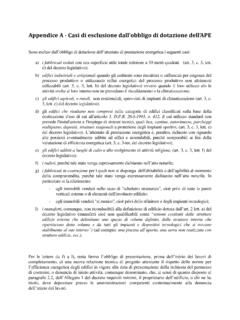
Appendice A - Casi di esclusione dall’obbligo di dotazione ...
www.mise.gov.itAppendice A - Casi di esclusione dall’obbligo di dotazione dell’APE Sono esclusi dall’obbligo di dotazione dell’attestato di prestazione energetica i seguenti casi: a) i fabbricati isolati con una superficie utile totale inferiore a 50 metri quadrati (art. 3, c. 3, lett. d) del decreto legislativo);

Committee for medicinal products for human use (CHMP)
www.ema.europa.euCommittee ofr mednacii plroucd otfsr humn ausH C(Me)P EMA/CHMP/745698/2021 Page 4 /41 4.2. Extension of marketing authorisation according to Annex I of Commission Regulation

Creating an EIP Schedule Easy Investment - COL Financial
www.colfinancial.comReviewing your EIP Schedule After creating an EIP schedule, you may view it by clicking the TRADE tab. Then click the EIP SCHEDULER followed by the VIEW EIP SCHEDULES button. SEARCH FILTER: If you have numerous EIP schedules, you can filter the

www.apeca.pt
www.apeca.ptCreated Date: 20220201101918Z

Demande de modification du code d’activité principale (APE ...
www.insee.frprincipale (APE) d'un établissement Le code APE d'un établissement est déterminé à partir de la Nomenclature d'Activités Française (NAF). Afin d’étudier votre demande, des précisions sont nécessaires. C'est pourquoi je vous saurais gré de bien vouloir compléter le tableau ci-dessous.