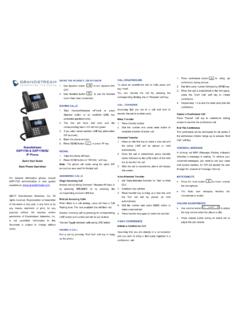
Transcription of Grandstream Networks, Inc.
1 Grandstream Networks, Inc. GXP1610/GXP1615 GXP1620/GXP1625 GXP1628/GXP1630 Small Business IP Phone User Guide P a g e | 1 GXP16XX User Guide Version COPYRIGHT 2021 Grandstream Networks, Inc. All rights reserved. Information in this document is subject to change without notice. Reproduction or transmittal of the entire or any part, in any form or by any means, electronic or print, for any purpose without the express written permission of Grandstream Networks, Inc. is not permitted. The latest electronic version of this guide is available for download here: Grandstream is a registered trademark and Grandstream logo is trademark of Grandstream Networks, Inc.
2 In the United States, Europe, and other countries. CAUTION Changes or modifications to this product not expressly approved by Grandstream , or operation of this product in any way other than as detailed by this guide, could void your manufacturer warranty. WARNING Please do not use a different power adaptor with devices as it may cause damage to the products and void the manufacturer warranty. P a g e | 2 GXP16XX User Guide Version GNU GPL INFORMATION GXP1610/GXP1615/GXP1620/GXP1625/GXP1628/ GXP1630 firmware contains third-party software licensed under the GNU General Public License (GPL). Grandstream uses software under the specific terms of the GPL.
3 Please see the GNU General Public License (GPL) for the exact terms and conditions of the license. Grandstream GNU GPL related source code can be downloaded from Grandstream Web site from: P a g e | 3 GXP16XX User Guide Version DOCUMENT PURPOSE This document describes how to configure GXP1610/GXP1615/GXP1620/GXP1625/GXP1628/ GXP1630 features via phone s LCD menu and Web GUI menu. The intended audiences of this document are phone administrators. To learn the basic functions of GXP1610/GXP1615/GXP1620/GXP1625/GXP1628/ GXP1630, please visit to download the latest GXP16XX series User Guide . P a g e | 4 GXP16XX User Guide Version Table of Content DOCUMENT PURPOSE.
4 3 CHANGE LOG .. 8 Firmware Version .. 8 Firmware Version .. 8 Firmware Version .. 8 Firmware Version .. 8 Firmware Version .. 8 Firmware Version .. 8 Firmware Version .. 8 Firmware Version .. 8 Firmware Version .. 8 Firmware Version .. 9 Firmware Version .. 9 Firmware Version .. 9 Firmware Version .. 9 Firmware Version .. 9 Firmware Version .. 9 Firmware Version .. 9 Firmware Version .. 9 Firmware Version .. 9 Firmware Version .. 10 Firmware Version .. 10 Firmware Version .. 10 Firmware Version .. 10 Firmware Version .. 10 Firmware Version .. 10 Firmware Version .. 11 P a g e | 5 GXP16XX User Guide Version Firmware Version.
5 11 Firmware Version .. 11 Firmware Version .. 11 Firmware Version .. 11 Firmware Version .. 11 Firmware Version .. 11 GUI INTERFACE EXAMPLES .. 12 WELCOME .. 13 PRODUCT OVERVIEW .. 15 Feature Highlights (GXP1610/GXP1615/GXP1620/GXP1625/GXP1628 ) .. 15 Feature Highlights (GXP1630) .. 15 GXP1610/GXP1615/GXP1620/GXP1625/GXP1628/ GXP1630 Technical Specifications .. 16 INSTALLATION .. 22 Equipment Packaging .. 22 Connecting Your Phone .. 22 Stand Installation .. 23 Wall Mount Installation .. 24 Safety Compliances .. 25 Warranty .. 25 GETTING TO KNOW THE GXP16XX SERIES .. 27 Idle Screen .. 27 Using the Keypad .. 30 Characters Input .. 32 Making Phone Calls .. 32 Handset, Speaker and Headset Mode.
6 32 SIP Accounts and Lines .. 33 Completing Calls .. 33 Making Calls Using IP Addresses .. 35 P a g e | 6 GXP16XX User Guide Version Quick IP Call Mode .. 36 Answering Phone Calls .. 37 Receiving Calls .. 37 Do Not Disturb .. 37 During a Phone Call .. 37 Call Recording .. 37 Call Waiting/Call Hold .. 38 Mute .. 38 Group Listening with Speaker .. 38 Call Transfer .. 38 Conferencing .. 39 Voicemail .. 41 Shared Call Appearance (SCA) .. 41 Call Features .. 42 GDS37xx OpenDoor Key Support .. 44 Configuration to Open door in idle state: .. 44 CONNECTING TO 46 EHS Headset .. 46 RESTORE FACTORY DEFAULT SETTINGS .. 47 Restore to Factory Default via LCD Menu .. 47 Restore to Factory Default via Web GUI.
7 47 EXPERIENCING THE GXP16XX SERIES .. 48 P a g e | 7 GXP16XX User Guide Version Table of Tables Table 1: GXP1610/GXP1615 Technical Specifications .. 16 Table 2: GXP1620/GXP1625 Technical Specifications .. 17 Table 3: GXP1628 Technical Specifications .. 18 Table 4: GXP1630 Technical Specifications .. 20 Table 5: GXP16XX Equipment Packaging .. 22 Table 6: GXP16XX Connectors .. 23 Table 7: LCD Display Definitions .. 27 Table 8: GXP16XX LCD Icons .. 29 Table 9: GXP16XX Front View Definitions .. 30 Table 10: GXP16XX Call Features .. 42 Table of Figures Figure 1: GXP16xx Back View (Use GXP162x as an example) .. 22 Figure 2: GXP16xx Stand Installation .. 23 Figure 3: GXP16xx Wall Mount installation.
8 24 Figure 4: GXP16xx Idle Screen .. 27 Figure 5: GXP16xx Front View (GXP162x as example) .. 30 Figure 6: OpenDoor Request .. 44 Figure 7: Configuring GDS OpenDoor MPK .. 45 P a g e | 8 GXP16XX User Guide Version CHANGE LOG This section documents significant changes from previous versions of user manuals for GXP1610/GXP1615/GXP1620/GXP1625/GXP1628/ GXP1630. Only major new features or major document updates are listed here. Firmware Version No major changes. Firmware Version No major changes. Firmware Version No major changes. Firmware Version Added Two accounts support on GXP1610/1615. [Table 1: GXP1610/GXP1615 Technical Specifications] Firmware Version No major changes.
9 Firmware Version No major changes. Firmware Version Added Support for Ukrainian language and input. Added ability to open door in idle stage for GDS integration. [Open door in idle state] Firmware Version Increased phonebook limit to 1000 entries. [PRODUCT OVERVIEW] Firmware Version Added support for more characters in password input from LCD including <, >, ?, {, }, [, ], ^ using number key 1. P a g e | 9 GXP16XX User Guide Version Added support for Group Listening softkey. [Group Listening with Speaker] Added support for RTCP-XR. [GXP1610/GXP1615/GXP1620/GXP1625/GXP1628 /GXP1630 Technical Specifications] Updated phonebook string in LCD and Web UI to Contacts.
10 Firmware Version No major changes. Firmware Version No major changes. Firmware Version No major changes. Firmware Version Added HTTP/HTTPS Username/Password configuration on LCD menu for firmware upgrading and provisioning. Firmware Version No major changes. Firmware Version Added Opendoor Action Softkey support for GDS integration [GDS37xx OpenDoor Key Support] Firmware Version No major changes. Firmware Version No major changes. Firmware Version Added support of confirmation message to reboot the phone. Added support to remember the headset mode after being set and reboot. P a g e | 10 GXP16XX User Guide Version Firmware Version Added ability to perform a quick search and create new contact using Czech characters.