Transcription of How to use the Mandatory Reporting eLearning …
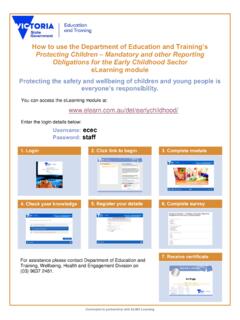
1 Developed in partnership with ELMO Learning How to use the Mandatory Reporting eLearning module Protecting the safety and wellbeing of children and young people is everyone s responsibility. You can access the Mandatory Reporting module at: Enter the login details below (not your eduMail login details): Username: deecd Password: employee 1. Login 3. Complete module 5. Register your details 4. Check your knowledge 6. Complete survey 2.
2 Click link to begin For technical advice contact the ELMO Helpdesk via or the Student Inclusion and Engagement Division of DEECD on 9637 2481. 7. Receive certificate