Transcription of HyperX Alloy Core RGB Installation Guide
1 User ManualHyperX Alloy Core RGB Membrane Gaming KeyboardFind the language and latest documentation for your HyperX Alloy Core RGB here. HyperX Alloy Core RGB Installation GuideSimplified Chinese ..Traditional Chinese .. For instructions in English .. Para instrucciones en Espa ol .. F r Anleitungen in Deutsch .. Pour des instructions en Fran ais .. Per le istruzioni in Italiano .. Por as instru es em Portugu s .. Instrukcje w jezyku Polskim .. Для инструкции на Pусском .. Turkce talimatlar icin .. Japanese .. Korean .. Thai .. Vietnamese Document No. HyperX Alloy Core RGBTM Keyboard Page 1 of 6 HyperX Alloy Core RGBTM Membrane Gaming Keyboard Part numbers HX-KB5ME2-US HX-KB5ME2-US/WW HX-KB5ME2-NO HX-KB5ME2-NO/WW HX-KB5ME2-RU HX-KB5ME2-RU/WW HX-KB5ME2-UK HX-KB5ME2-UK/WW HX-KB5ME2-BR HX-KB5ME2-DE HX-KB5ME2-DE/WW HX-KB5ME2-FR HX-KB5ME2-FR/WW HX-KB5ME2-JP HX-KB5ME2-LA HX-KB5ME2-LA/WW Document No.
2 HyperX Alloy Core RGBTM Keyboard Page 2 of 6 What s included: oHyperX Alloy Core RGB KeyboardSpecifications: Keyboard Cable Type Membrane Backlight RGB (5 zones multi-colour customisation) Light effects 6 LED modes and 3 brightness levels Connection type USB Polling rate 1000Hz Anti-ghosting Multi-key anti-ghosting Media control Yes Game Mode Yes Spill resistance Tested up to 120ml of liquid OS compatibility Windows 10, , 8, 7 Type Attached, braided Length Dimensions Width Depth Height Weight (keyboard and cable) 1121g Featuring HyperX s signature radiant light bar and smooth, dynamic RGB lighting effects, the HyperX Alloy Core RGBTM is ideal for gamers looking to enhance their keyboard s style and performance without breaking the bank.
3 With six different lighting effects and three brightness levels, it balances both brilliance and budget. Crafted with a durable, reinforced plastic frame, the Alloy Core RGB was constructed for stability and reliability for gamers who want a keyboard that will last. The soft-touch keys have a tactile feel, yet are tuned to be quiet, and they also feature gaming-grade anti-ghosting functionality and key rollover. It s spill resistant, tested to withstand 120ml of liquid, so beverage accidents won t put an end to your game. The dedicated media controls and quick-access buttons for lighting and Game Mode place control right at your fingertips. Keyboard Lock allows you to lock your keyboard down without having to put your entire system on standby.
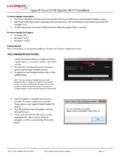
4 The Alloy Core RGB is stylish, nicely-featured, and durable, making it a great all-around multimedia keyboard for gamers. Document No. HyperX Alloy Core RGBTM Keyboard Page 3 of 6 Keyboard overview: Brightness control button Game Mode / Num Lock / Caps Lock indicators LED mode control button Volume control buttons Game Mode button Media control buttons A D B E C F Document No. HyperX Alloy Core RGBTM Keyboard Page 4 of 6 Keyboard Installation : Connect the USB connector to the computer USB port. Document No. HyperX Alloy Core RGBTM Keyboard Page 5 of 6 Function keys: Function keys Secondary feature Switch between the three brightness levels: OFF, 50% and 100%. Switch between the LED modes.
5 Enabling Game Mode ( ) will disable the Windows key to avoid any inconvenience during gaming. When Game Mode is enabled, the indicator will illuminate. Mute ( ), decrease ( ) or increase ( ) your computer audio. Stop ( ), play/pause ( ), skip backwards ( ) or skip forward ( ) your music or video. Increase ( ) or decrease ( ) effect speed . There are 3 levels of speed: low, medium and high. Switch between solid colours () . There are 9 different colours: red, orange, yellow, green, teal, blue, purple, pink and white. Enable the keyboard Lock Mode. When Lock Mode is enabled, the light effect will change to breathing white. Customise colours for each zone in 5-zone mode. F1 controls the zone on the left and F5 the zone on the right.
6 Press multiple times to cycle through the 9 colours or turn the zone lighting OFF. See customisation table below for more detail. Document No. HyperX Alloy Core RGBTM Keyboard Page 6 of 6 Effect Name Speed Customisation Colour Customisation Zones Customisation Colour Cycle (default) Spectrum Wave Breathing Solid 5 Zones Aurora Questions or setup issues? Contact the HyperX support team at: Documento No. HyperX Alloy Core RGBTM Teclado P gina 1 de 6 HyperX Alloy Core RGBTM Teclado de membrana para videojuegos N meros de parte HX-KB5ME2-US HX-KB5ME2-US/WW HX-KB5ME2-NO HX-KB5ME2-NO/WW HX-KB5ME2-RU HX-KB5ME2-RU/WW HX-KB5ME2-UK HX-KB5ME2-UK/WW HX-KB5ME2-BR HX-KB5ME2-DE HX-KB5ME2-DE/WW HX-KB5ME2-FR HX-KB5ME2-FR/WW HX-KB5ME2-JP HX-KB5ME2-LA HX-KB5ME2-LA/WW Documento No.
7 HyperX Alloy Core RGBTM Teclado P gina 2 de 6 Qu est incluido: oTeclado HyperX Alloy Core RGBE specificaciones: Teclado Cable Tipo Membrana Iluminaci n posterior RGB (personalizaci n multi-color de 5 zonas) Efectos de iluminaci n 6 modos LED y 3 niveles de brillo Tipo de conexi n USB Velocidad de polling 1000Hz Anti-ghosting Anti-ghosting multitecla Botones de control multimedia S Modo juego S Resistencia a los derrames probado para hasta 120ml de l quido Compatibilidad con sistema operativo Windows 10, , 8, 7 Tipo Conectado, trenzado Longitud 1,8m Dimensiones Ancho 443,20mm Profundidad 175,31mm Altura 35,68mm Peso (con teclado y cable) 1121g Contar con la barra de luz exclusiva de HyperX y con los efectos de iluminaci n din mica RGB suave, el HyperX Alloy Core RGBTM es ideal para los gamers que busquen ampliar el estilo y rendimiento de su teclado sin tirar la casa por la ventana.
8 Con seis efectos de iluminaci n diferentes y tres niveles de brillo, representa el equilibrio ideal entre esplendor y presupuesto. Construido con una estructura pl stica reforzada, el Alloy Core RGB fue dise ado para brindar una mayor estabilidad y confiabilidad para los gamers que deseen un teclado duradero. Las teclas de pulsaci n suave ofrecen una sensaci n t ctil, y a su vez est n dise adas para ser silenciosas y cuentan con una funcionalidad anti-ghosting para gaming y rollover en teclas. Es resistente a los derrames, y est probado para soportar hasta 120ml de l quido, por lo que los accidentes con bebidas no significar n el fin de tu juego. Los controles multimedia especiales y los botones de acceso r pido para iluminaci n y modo Juego te permiten tener el control al alcance de la mano.
9 El bloqueo de teclado te permite inmovilizar tu teclado sin tener que poner todo el sistema en standby. El Alloy Core RGB es elegante y tiene funciones atractivas, lo cual lo convierte en una opci n de teclado muy interesante para los gamers. Documento No. HyperX Alloy Core RGBTM Teclado P gina 3 de 6 Caracter sticas generales del teclado: Bot n para regular el brillo Modo juego/Bloqueo de n meros/ indicadores de may scula Bot n de control de los modos de iluminaci n LED Botones de control de volumen Bot n de Modo juego Botones de control multimedia A D B E C F Documento No. HyperX Alloy Core RGBTM Teclado P gina 4 de 6 Instalaci n del teclado: Enchufa los conectores USB al puerto USB a la computadora. Documento No.
10 HyperX Alloy Core RGBTM Teclado P gina 5 de 6 Teclas de funci n: Teclas de funci n Caracter stica secundaria Cambia entre los 3 niveles de brillo: APAGADO, 50% y 100%. Elige entre los distintos modos LED. Si habilitas el Modo Juego ( ), se desactivar la tecla de Windows y as se evitar una interrupci n accidental durante el juego. Cuando el Modo Juego est activado, se ilumina el indicador. Silencia ( ), disminuye ( ) o aumenta ( ) el sonido de la computadora. Detener ( ), reproducir/pausar ( ), retroceder ( ), o adelantar ( ) su m sica o video. Incrementa ( ) o disminuye ( ) la velocidad de los efectos . Hay 3 niveles de velocidad: baja, media y alta. Cambia entre colores s lidos () . Hay 9 colores diferentes: rojo, naranja, amarillo, verde, turquesa, azul, p rpura, rosa y blanco.