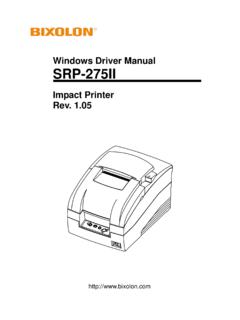
Transcription of Impact Printer Rev. 1 - BIXOLON ::MFi printer, Auto …
1 User's Manual SRP-275II Impact Printer Rev. Rev. - 2 - SRP-275II Safety Precautions In using the present appliance, please keep the following safety regulations in order to prevent any hazard or material damage. WARNING Violating following instructions can cause serious injury or death. Do not bend the cable by force or leave it under any heavy object. A damaged cable can cause a fire. Do not plug in or unplug with your hands wet. You can be electrocuted. Keep the plastic bag out of children s reach. If not, a child may put the bag on his head. Do not pull the cable to unplug. This can damage the cable, which is the origin of a fire or a breakdown of the Printer . You must use only the supplied adapter. It is dangerous to use other adapters. Do not plug several products in one multi-outlet. This can provoke over-heating and a fire.
2 If the plug is wet or dirty, dry or wipe it before usage. If the plug does not fit perfectly with the outlet, do not plug in. Be sure to use only standardized multi-outlets. PROHIBITPROHIBITPROHIBITPROHIBITPROHIBIT ONLY SUPPLIED ADAPTER PROHIBIT Rev. - 3 - SRP-275II CAUTION Violating following instructions can cause slight wound or damage the appliance. Do not use the Printer when it is out of order. This can cause a fire or an electrocution. Switch off and unplug the Printer before calling your dealer. Do not let water or other foreign objects in the Printer . If this happened, switch off and unplug the Printer before calling your dealer. Use only approved accessories and do not try to disassemble, repair or remodel it for yourself. Call your dealer when you need these services. Do not touch the blade of auto cutter.
3 Install the Printer on the stable surface. If the Printer falls down, it can be broken and you can hurt yourself. Keep the desiccant out of children s reach. If not, they may eat it. If you observe a strange smoke, odor or noise from the Printer , unplug it before taking following measures. Switch off the Printer and unplug the set from the mains. After the disappearance of the smoke, call your dealer to repair it. TO UNPLUG PROHIBITDISASSEMBLINGPROHIBITEDPROHIBITP ROHIBITTO UNPLUG Printer Printer Printer Printer DEALER Printer Rev. - 4 - SRP-275 IIAll rights reserved. No part of this publication may reproduced, stored in a retrieval, or transmitted in any form or by any means, electronic, mechanical, photocopying, recording, or otherwise, without the prior written permission of BIXOLON . No patent liability is assumed with respect to the use of the information contained herein.
4 While every precaution has been taken in the preparation of this book, BIXOLON assumed no responsibility for errors or omissions. Neither is any liability assumed for damages resulting from the use of the information contained herein. Neither BIXOLON nor its affiliates shall be liable to the purchaser of this product or third parties for damages, losses, costs, or expenses incurred by purchaser or third parties as a result of : accident, misuse, or abuse of this product or unauthorized modifications, repairs, or alterations to this product, or (excluding the ) failure to strictly comply with BIXOLON s operating and maintenance instructions . BIXOLON shall not be liable against any damages or problems arising from the use of any options or ant consumable products other than those designated as Original BIXOLON products. Notice We at BIXOLON maintain ongoing efforts to enhance and upgrade the functions and quality of all our products.
5 In following, product specifications and/or user manual content may be changed without prior notice. Rev. - 5 - SRP-275II WARNING The connection of a non-shielded Printer interface cable to this Printer will invalidate the EMC standards of this device. You are cautioned that changes or modifications not expressly approved by the party responsible for compliance could void your authority to operate the equipment. Waste Electrical and Electric Equipment (WEEE) This marking shown on the product or its literature, indicates that is should not be disposed with other household wastes at the end of its working life, To prevent possible harm to the environment or human health from uncontrolled waste disposal, please separate this from other types of wastes and recycle it responsibly to promote the sustainable reuse of material resources.
6 Household users should contact either the retailer where they purchased this product, or their local government office, for details of where and how they can take this item for environmentally safe recycling. Business users should contact their supplier and check the terms and conditions of the purchase contract. This product should not be mixed with other commercial wastes for disposal. Label Material * Control Label: PC * Other Labels: PET Rev. - 6 - SRP-275II Introduction The SRP-275II is a high-quality Impact Printer . This one-station Printer has the following features. Compact design and light-weight. High-speed printing using logic-seeking ( ). Easy to use : Easy paper loading. High reliability and long life due to the use of stepping motors for head carriage return and paper feeding. Two color printing (red/black) available. The head can be driven due to the internal drawer interface.
7 Character font (7x9, 9x9) is selectable. The auto cutter uses a circular method with a high-quality blade and a long life (Approximately 1,500,000 cuts). Default application of paper out sensor (not included with wall mount option). Black mark sensor function (front or rear option). A internal AC adaptor. NOTES Please be sure to read the instructions in this manual carefully before using your new Printer . Front view Rear view Rear coverFront coverControl panelPower switchOpen buttonDrawer kick-outconnectInterfaceconnectorPower connectDIP Switch cover Rev. - 7 - SRP-275II Table of Contents 1. Setting Up the Printer 8 1-1 Unpacking 8 1-2 Choosing a place for the Printer 8 1-3 Using the operation panel 9 2.
8 Connecting the cables 10 2-1 Connecting the AC Adaptor 10 2-2 Connecting the Interface cable and Drawer kick-out cable 10 2-2-1 Serial Interface (RS-232C) 11 2-2-2 Parallel Interface (IEEE1284) 12 2-2-3 USB Interface 13 2-2-4 Ethernet Interface 13 2-2-5 Drawer kick-out 13 3.
9 Setting the Switches 14 3-1 Setting the DIP Switch 14 3-1-1 DIP Switch setting for Citizen(iDP 3550) mode 15 3-1-2 DIP Switch setting for Star(SP500) mode 16 3-1-3 Changing the DIP Switch setting 17 3-2 Setting the Memory Switches 18 3-2-1 Memory Switch setting for Star mode 22 4. Ribbon Cassette Installation 28 5.
10 Roll Paper Installation 29 6. Installing the wall mount (Option) 30 7. Self Test 31 8. Hexadecimal Dumping 32 9. Specification 33 9-1 Printing specification 33 9-2 Paper specifications 33 9-3 Ribbon cassette specification 33 9-4 Electrical characteristics 34 9-5 Reliability 34 9-6 Environment conditions 34 9-7